“Why you can trust Digital Trends – We have a 20-year history of testing, reviewing, and rating products, services and apps to help you make a sound buying decision. Find out more about how we test and score products.“
When Google launched the Pixelbook, it didn’t expect it to be a bit hit. But years later, the demand for premium Chromebooks continues to grow.
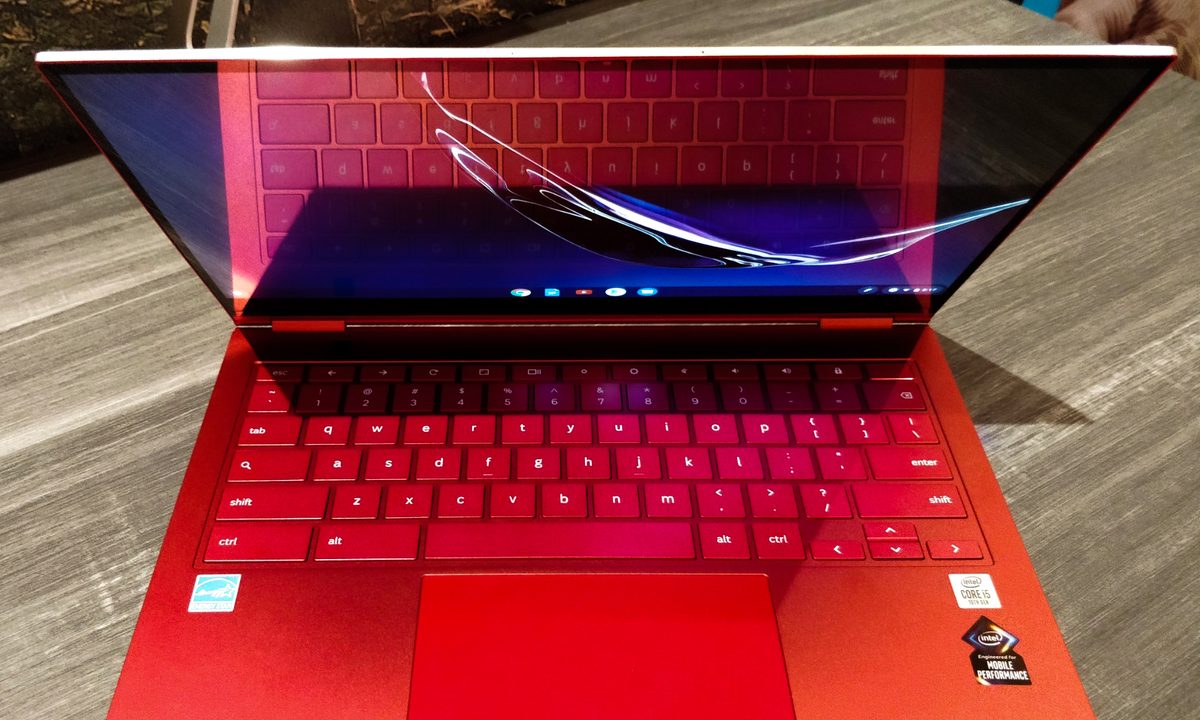
At CES 2020, Samsung announced what is easily the most high-end Chromebook ever made. It’s the pinnacle of Chromebook evolution, implementing a number of features that even Windows laptops still lack.
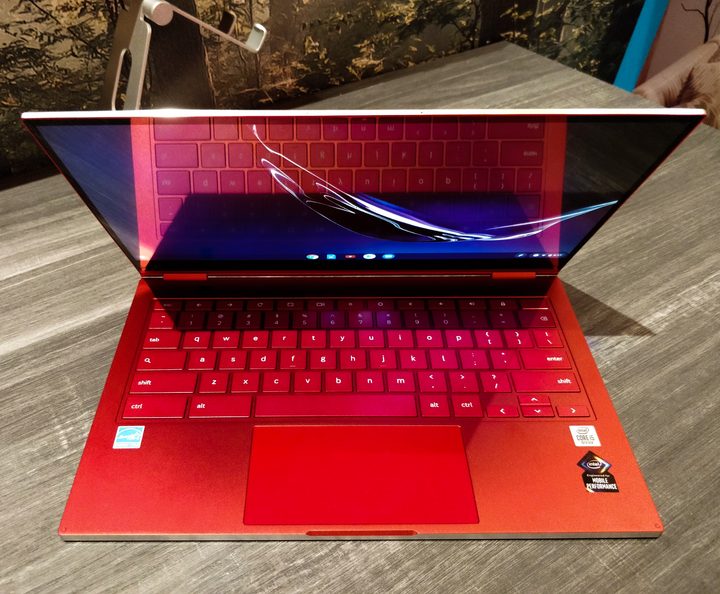
For starters, it’s the first Chromebook with a 4K AMOLED display. And boy, does it look gorgeous. The bezels around it are thin, it’s bright, and the contrast is wild — as you’d expect.
OLED displays are extremely rare on 13-inch laptops, and on a Chromebook, it’s unheard of. Samsung is the owner of this AMOLED tech, and it’s a great example of the company using its strengths to benefit products across different categories.
This 4K screen will have an effect on battery life, though. The Galaxy Chromebook includes a 49.2 watt-hour battery, and Samsung says it’s worked closely with Google to optimize the device to get a full eight hours of battery life.
We’ll have to wait to test them ourselves, but as one of the main draws of Chromebooks, the lack of a 1080p option (which would improve endurance) is unfortunate.
Elevated performance
Another feature that elevates the Galaxy Chromebook beyond most Chrome OS devices is performance. 10th-gen Intel processors (Comet Lake) make their appearance in a Chromebook for the first time. Unlike the 7th-gen or 8th-gen Y-series processors used in the Pixelbook and Pixelbook Go, the Galaxy Chromebook powers up with a 10th-gen U-series chip. At launch, only a Core i5 will be available, but this will still be the most powerful Chromebook ever.
That’s even more impressive when you consider how thin the Galaxy Chromebook is. Samsung says it’s the thinnest Chromebook ever made, at just 0.39 inches. That’s astoundingly thin. It’s 38% thinner than a MacBook Air, tying the Acer Swift 7 in size. It’s also a completely fanless device. It should stay cool and quiet, though we’ll have to see how performance holds up as a result.
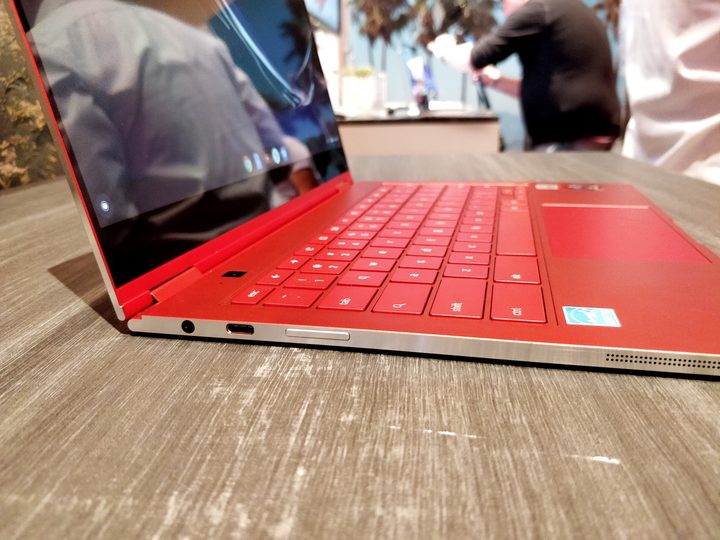
Laptops this thin often feel flimsy. Not the Galaxy Chromebook. It’s made entirely out of aluminum, and it resisted flexing and bending no matter how I handled it. The aluminum material is highlighted along the chamfered edges, which shine thanks to a diamond cut. There, you’ll find two USB-C ports (one on either side), a headphone jack, a volume rocker, a Micro SD card slot, and the slot for the built-in stylus.
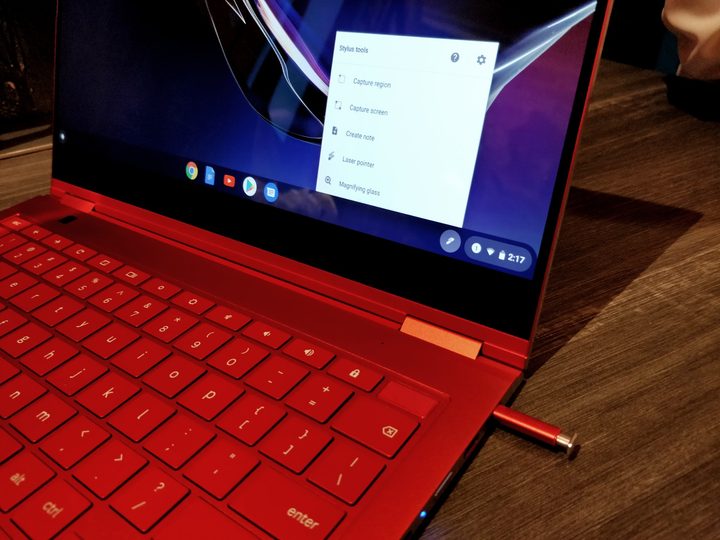
Including a built-in stylus is nothing new for Samsung, and this is a similar setup to what came with the less expensive Samsung Chromebook Pro V2. The stylus isn’t the famous S Pen, though it shares a lot of the same tech inside. You can pop it out begin taking notes right from the lockscreen even.
As with all of Samsung’s pens, this stylus is tiny in the hand, so don’t expect to be illustrating masterpieces of art with this thing. It does, however, seem precise enough to handle quick note-taking or annotations on a PDF.
There are interesting details on the keyboard, as well. The fingerprint scanner is built into the power button, located in the top right. And above the keyboard is something you don’t see very often. An 8-megapixel camera pointed it straight up at the ceiling. Why? For taking photos in tablet mode. No joke.
Tablet mode never feels great on a 13-inch device, but the Galaxy Chromebook is light enough to almost convince me otherwise. At 2.3 pounds, it’s lighter than the Surface Pro 7 with the Type Cover attached, and 0.1 pounds lighter than the Pixelbook. Both of those laptops had smaller screens than the Galaxy Chromebook, again showing just how efficient the design is.
The Samsung Galaxy Chromebook starts at $999, making it the only Chromebook to match the Pixelbook in price. This configuration comes with 8GB of RAM and a 256GB SSD, though it can be upgraded to up to 16GB of RAM and a terabyte of storage. That’s far more expensive than the average Chromebook, but Samsung seems confident that an appetite has grown for Chromebooks of this quality and price.
The Galaxy Chromebook is expected to launch sometime in the first quarter of 2020.
Follow our live blog for more CES news and announcements.