With the latest round of graphics cards coming out, a lot of gaming folks are likely pushing the limits of what their monitors can do. Fortunately, there are a lot of great monitor deals going for Prime Day, and not just on gaming monitors.
Working from home is more prevalent than ever, and you’ll need a high-quality monitor to prevent eye fatigue while keeping focused on your work. If you’re looking for a monitor for work, have a budget gaming build, or need something for school or general personal use, we’ve collected something for everybody in our picks below.
Our Favorite Prime Day Monitor Deals
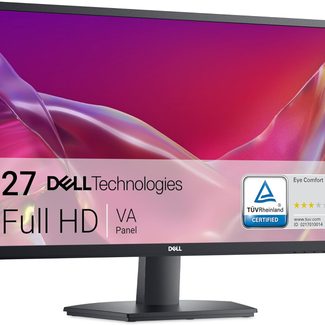
The Dell 27 SE2725H features ComfortView Plus technology to prevent eye fatigue from blue light without sacrificing picture quality. It’s a 27″ monitor with a 178-degree viewing angle and a 75Hz refresh rate, making it a go-to option for meetings and time-intensive tasks. This monitor thoughtfully blends comfort, reliability, and value into a crisp, flicker-free display that is perfect for work. At 29% off, it’s one of the best Prime Day deals to pick up to ensure you’re set for months and years to come!
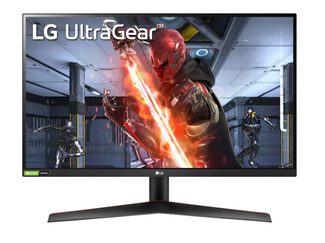
LG UltraGear QHD 27″ Gaming Monitor $299.99 $180.49
A vivid IPS display and 144Hz refresh rate make this a great gaming monitor because of its color accuracy and wide viewing angle that help reproduce gameplay with top quality. It has NVIDIA verified G-Sync to ensure graphics card compatability for a smooth gaming experience. Easy to raise, lower, and tilt, it makes for an ergonomic gaming solution regardless of the game. At 40% off, this is one of the monitor’s lowest prices of the year and well worth the cost.
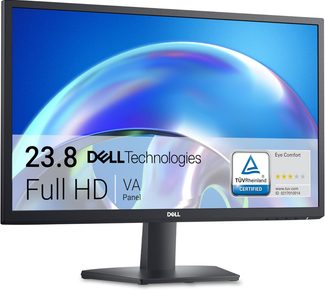
Similar to our first pick but in a slightly smaller screen size, this monitor offers TÜV Rheinland 3‑star eye ComfortView Plus with a flicker‑free 75 Hz refresh rate. At under $100, this is a great pick for those looking for a high-value monitor on a budget.
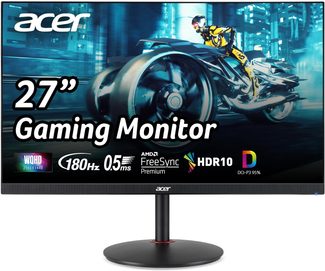
A high‑performance 1440p IPS monitor boasting up to 180 Hz, 0.5 ms response, AMD FreeSync Premium, and 95% DCI‑P3 color, the Acer Nitro is a favorite among gamers and power users. It’s unique for delivering ultra‑smooth motion and rich color in a single package. This is 41% off its list price of $289.99, so it’s worth snagging if you’re looking for a quality gaming monitor.
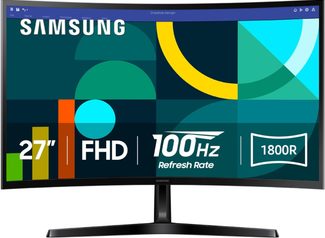
This 27″ 1800R curved monitor comes with 100 Hz refresh, Game Mode, and advanced eye comfort. At just over 30% off, this Samsung monitor stands out with its immersive curve for depth perception and gaming-friendly performance—yet still maintains a sleek, work‑ready full HD display. With a savings of $60, it’s one of the best deals we’ve seen on this monitor in months!
How to Choose a Monitor if You’re Shopping on Prime Day
When choosing a monitor on Prime Day, you’ll want to consider your primary purpose for the monitor. Will it be for general personal use, gaming, or work?
Larger screens provide more space for multitasking while working, while higher resolution like QHD or 4K will provide sharper text ideal for design work. If you’re primarily working with documents, emailing, or browsing the web, a full HD monitor will likely be sufficient.
Gaming monitors often come with higher refresh rates to help you keep on top of play, and AMD FreeSync technology to prevent tearing while in the game. Look for features like blue light reduction and anti-glare to help prevent eye fatigue, and make sure that you have the appropriate adapters for the connection type (HDMI, USB-C, or DisplayPort).
Finally, consider the discount amount and final price since Prime Day is the perfect time to find a quality monitor at a value price.