While image fidelity is key when it comes to crafting the perfect at-home cinema experience, audio is just as crucial — if not more so. Ultra High Definition resolution, advanced backlighting technologies, HDR decoding, and stellar refresh rates are standout features you can find in many of today’s flagship TV brands. Even most companies’ middle-of-the-road offerings will boast at least two-thirds of these marketable picture specs. But it’s the sound department where a majority of TVs struggle.
A byproduct of minimalist design and thin profiles, modern TVs simply don’t have the real estate to incorporate sizeable speaker drivers. This isn’t news though: The lion’s share of TV companies and dedicated audio brands offer soundbars, speakers, receivers, and various home-theater-in-a-box (HTIB) systems to fill out your sound staging, netting you a more complete home theater experience.
But what if a true surround system or dedicated home theater product is simply out of your price range? And what if you might already have the speakers to do it in your home? We have a budget-friendly workaround that doesn’t get the attention it deserves, and it involves your Amazon Echo speakers.

Your Echo speakers to the rescue
In 2019, Amazon pushed out an integrative update that allowed its lineup of Echo speakers (Echo, Echo Dot, Echo Studio) to be programmed as home theater speakers through the Alexa app. Available configurations include 1.0, 1.1, 2.0, and 2.1 setups, with two Echo speakers and an Echo Sub as the ultimate Alexa-powered home theater pairing.
Capable of advanced Dolby decoding, Amazon’s latest generation of Echo speakers is more than just a family of companionable smart assistants — they’re practically soundbars in disguise. That said, you’ll need some specific Amazon streaming hardware to take advantage of this unique feature set.
Forget the hassle of running speaker wire: In this piece, we’ll explain how to use the Alexa app to create a wireless home theater experience using minimal Amazon gear. We’ll also offer three recommended speaker configurations for good, better, and best home theater experiences.
Step 1: Building your Amazon-powered simulated surround experience begins and ends with your Alexa app. If necessary, download the app and sign in with your Amazon account before you get started.
Step 2: Make sure that all your Amazon products are powered, hooked up to your TV (your choice of Amazon streaming hardware), and connected to the same Wi-Fi network and Amazon account.
Step 3: Head into your Alexa app. At the bottom of the home screen, tap Devices. Tap the plus (+) icon at the top right of the page, then tap Combine Speakers. Next, choose Home Theater.

Step 4: Choose the Amazon streaming device you’ll be using, then take a second to give your Echo Theater system a name.
Step 5: Now you’ll be prompted to choose which registered Echo products you’d like to use as your cinema speakers. (You can choose up to two Echo speakers and an Echo Sub.) You’ll be walked through a couple of final steps to get everything properly hand-shaking, and that’s it — your Echo Theater is ready to go. Keep in mind that you’ll only be able to experience your Echo system through the apps on your Amazon streaming device.
As we mentioned above, there are four distinct configurations you can choose from when creating your Echo Theater experience: 1.0, 1.1, 2.0, and 2.1. Based on our experience with Amazon’s pantheon of products, we’ve outlined three Echo systems for your all-new wireless home cinema. Let's take a closer look at those speaker setups and which one offers the best sound.

Echo Theater Option 1: 1.0 sound with Echo 4th Gen
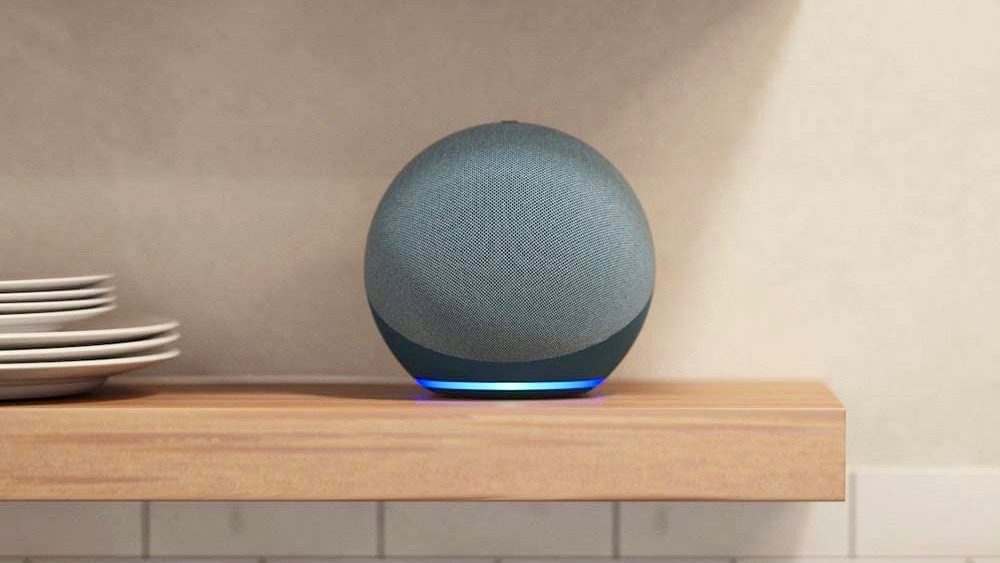
Amazon’s standard Echo speaker (4th Gen) is one of the leading smart-assistant speakers on the market today. With a 3-inch woofer, dual tweeters, and advanced Dolby processing, the latest Amazon Echo can truly hold its own as an immersive theater speaker. With its spherical design, positioning the Echo in front of your TV may cut into your viewing area.
Instead, we’d recommend placing the speaker within your room’s seating area. As there’s no need to physically connect the Echo to your TV, bringing the speaker closer to viewers provides a clearer, closer, and centralized sound stage. This setup is ideal for both small and medium-sized rooms.
Total cost: Approximately $99

Echo Theater Option 2: 1.1 (Echo 4th Gen + Echo Sub)
Want a little extra kick in your cinema sound? For our “better” arrangement, we suggest adding an Echo Sub to your wireless system. While you’re welcome to put the Sub in the seating area of the room, a subwoofer being tucked away (out of sight, out of mind) isn’t unheard of.
Just make sure you’ll have access to an electrical outlet for powering your Echo Sub. This setup works best in both medium-sized and larger rooms.
Total cost: Approximately $229

Echo Theater Option 3: 2.1 (two Echo Studios + Echo Sub)
Our ultimate Echo Theater experience is as follows: Two Amazon Echo Studio speakers with an Echo Sub. In this arrangement, you’ll be using both of your Echo Studio speakers as dedicated left and right channels. We’d recommend placing the speakers on both sides of your TV, with the Echo Sub located nearby. What’s notable here is that the Echo Studio is capable of processing Dolby Atmos sound, so you’re really going to get the best results with it.
We recommend this setup for use in large rooms, particularly dedicated cinema spaces, theater caves, or whatever other title you’ve bestowed upon the room in your home with the biggest TV in it. If this setup is a bit too rich for your taste, you can save yourself from the hefty investment by swapping out the Echo Studio with just the standard Amazon Echo smart speaker, which puts the total cost at $329.
Total cost: Approximately $529