
 At the end of Microsoft’s Windows Phone 7 launch event on Monday, something suspicious didn’t occur – there was no Q&A. While Microsoft’s total remake of the mobile phone is impressive, as are the multiple handsets we got our hands on, Microsoft’s unwillingness to publicly answer questions signals that there may be trouble.
And there is. In short, Windows Phone 7 isn’t quite a finished product. But there is plenty of room for growth. Whether there is time – remember, the similar Kin was pulled from the market in just six weeks – is an open question.
A fresh approach to smartphone design
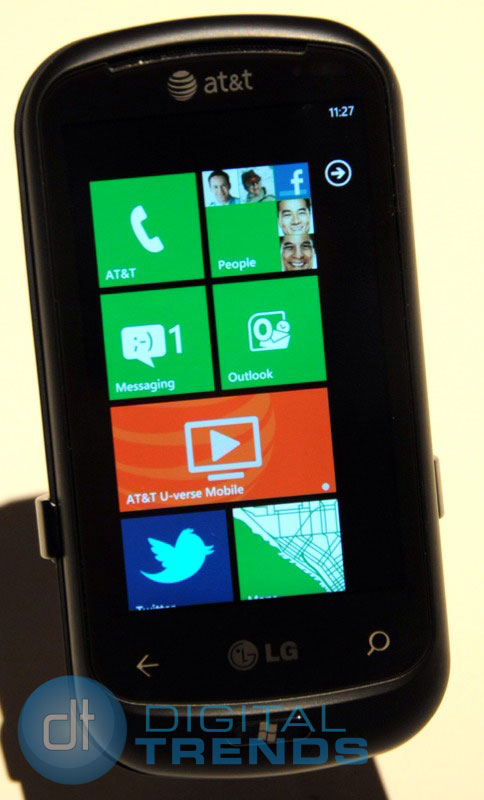
First the good news: Windows Phone 7’s whole activity-based gestalt is an impressive step forward, beyond Apple’s and Google’s comparatively sterile icon-based environment. WP7’s Live Tile interface seems cluttered but entertaining – many of the tiles feature little animations, making the home page seem not just alive but a bit mischievous, something you wouldn’t expect from the normally buttoned-down Microsoft – as well as functional. Being able to “pin” nearly anything to the home screen as a new tile – apps, contacts, photos, webpages – gives the user near complete control over how they use their device.
WP7 is also clean. It uses a consistent large and easy to read sans-serif font in nearly every function. While each screen seems self-contained, a portion of adjacent screens peeks out from the edges to let you know there are more options.
Microsoft, of course, makes Microsoft Office, Outlook, OneNote and Explorer. While “pocket” versions of these essential productivity products were available, Microsoft has smoothly integrated them into Windows Phone 7. For instance, if you get an invite via e-mail, the message will include any possible scheduling conflict the software detects from the calendar. This conflict message is live – click on it, and the conflicting event in the calendar come up, which in turn is connected to all the affected parties in the conflict to make it easy to contact all concerned.
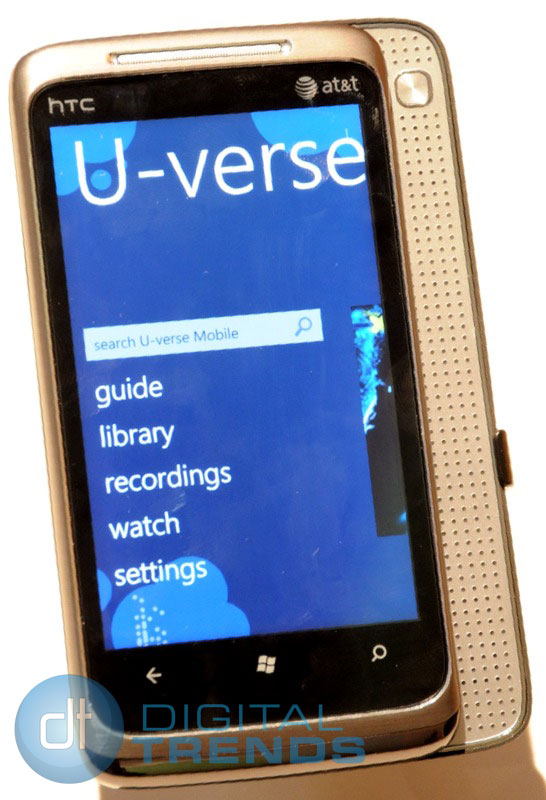 All work and no play makes WP7 a dull phone, so Microsoft has struck a deal giving Windows Phones access to AT&T U-verse content for a monthly fee. Unfortunately, no pricing details are available yet, but if you happen to be a home U-verse subscriber, you’ll get all that access through Windows Phone for no extra charge. Since each handset maker and carrier is likely to add supplemental offerings, such as a Netflix app, Windows Phones could be the most content-rich smartphones extant.
Actual navigation and usage is smooth and easy. Scrolling and screen swiping is instantaneous and natural as on an iPhone. The auto-correct software on the touchscreen QWERTY’s produced nearly perfect, mistake-free text, and is sure to convert hardcore physical keyboard lovers.
But in portrait, Send, Attach and Delete are to close to the space bar. While typing some test texts, we kept annoyingly accidentally hitting these control keys.
Missing pieces
Microsoft seemed so intent on creating a beautiful body, it left out some crucial organs.
For instance, there’s no Flash compatibility, which is hard to fathom. But Microsoft chairman Steve Ballmer has reportedly been in talks with Adobe, so WP7’s lack of Flash may be temporary.
There’s no multi-tasking. Even Apple was forced to play catch-up once Android showed how multi-tasking could be done on a mobile phone. But there was no word from Microsoft when this deficiency would be addressed.
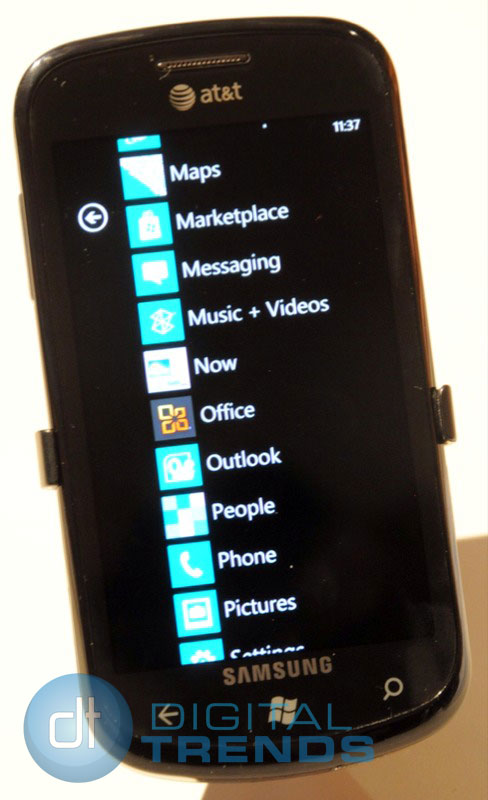 There’s no unified email. The whole idea behind Microsoft’s hub-based gestalt is to focus on activities, rather than sterile apps. But there are separate apps for Outlook, Hotmail, Gmail and every other e-mail source, which runs counter to Microsoft’s “fewer clicks” design goals.
There’s no cut-and-paste, but this is only temporary – it will be added as part of a software upgrade early next year.
There also seems to be an app gap. Several high-profile apps such as eBay, IMDb, and The Sims 3 were showcased at the event. But the only other mention of apps was vague generalities – hundreds of thousands of developers downloading the SDK and thousands of apps expected – with no word on when and how many.
And, finally, there is no desktop client, like iTunes, to help mainstream flip-phone users easily load music, videos, photos, etc., onto their devices.
Hardware to spare
And speaking of devices, Microsoft isn’t tiptoeing into the market the way Apple and Google did with a single handset from a single carrier. Remember, it took both companies to get a second handset into the market, and Apple is still stapled to AT&T.
No, Microsoft is jumping in with both feet. There will be nine handsets globally this year, and at least one more – The HTC 7 Pro for Sprint in the first half of next year. Windows Phones are due to be available from 60 carriers in 30 countries over the next few months. Here are the nine (plus one) handsets:
- Dell Venue Pro (T-Phone)
- LG Quantum (AT&T)
- LG Optimus 7 (Europe/Asia)
- HTC HD 7 (T-Phone)
- HTC Surround (AT&T)
- HTC Mozart (Europe/Asia)
- HTC Trophy (Europe/Asia)
- HTC 7 Pro (Sprint)
- Samsung Focus (AT&T)
- Samsung Omnia 7 (Europe/Asia)
Most of these phones share common hardware and software attributes: a 3.5-inch or larger display, 1GHz Snapdragon processor, 5-megapixel digital camera and HD camcorder, 16GB of memory, stereo Bluetooth, integrated Microsoft Office, multiplayer Xbox Live gaming, and U-verse subscription video. Both the LG Quantum and the HTC 7 Pro sport slide-out QWERTY keypads.
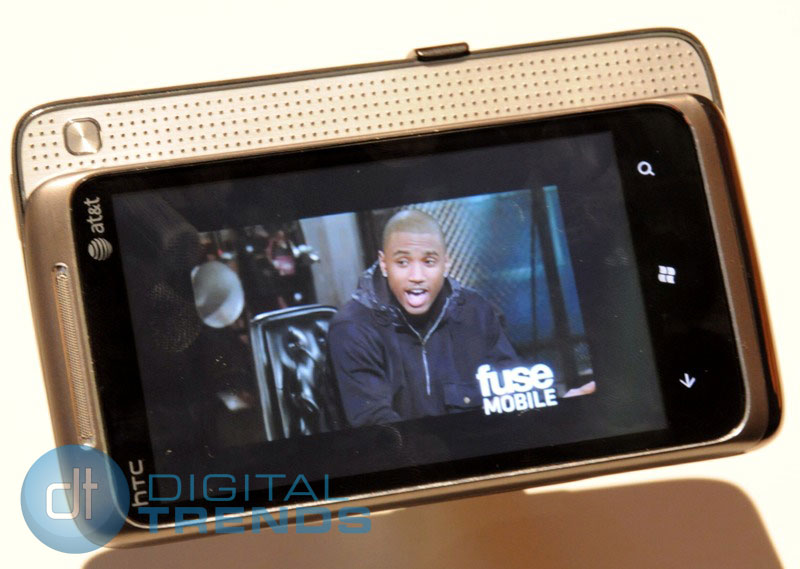
Of the ones we played with, two stand out: The lightweight 9.9mm thin Samsung Focus, a doppelganger to the company’s Galaxy S Fascinate (the Verizon model) with its 4-inch super bright AMOLED screen (although the camera shutter is sluggish), and the HTC HD7, a doppelganger to the company’s Incredible, with a crisp 4.3-inch screen, the largest in the Windows Phone 7 portfolio.
As with the software, Windows Phones have both pros and cons.
Hardware pros and cons
All Windows Phone 7 models have just three control buttons: a Start key, akin to the iPhone’s home key, flanked by a back touch key on the left and a search touch key on the right.
Every model will also have a dedicated camera that gives you near instant snapping ability. Say your phone’s asleep, but a scene you want to shoot is quickly developing. On an iPhone or most Androids, you have to first wake the phone up, slide the lock screen away, then locate the camera app. By the time you get the phone into shooting mode, the opportunity has passed. But press and hold the Windows phone camera key, and you bypass the lock screen and get right to the camera app. Like the Kins, your photos are automatically are transmitted to online cloud storage.

On the down side, the accelerometer on all the phones we played with seemed to be slow, as if the phone were waiting for us to confirm our orientation choice. While the physical camera key got us to the camera quick, they all seemed a bit firm, and are likely to produce blurry shots indoors.
Each individual handset has its own pros and cons, which we hope to explore once they start coming in for a more intense hands-on review.
Conclusion
Windows Phone 7 seems to be in about the same shape as Apple’s original iPhone OS from 2007: innovative, impressive – and unfinished. Individually, no single one of its missing capabilities is a problem. But, considering the company’s still painful Kin debacle, and Apple and Google’s stranglehold on the smartphone market consciousness, collectively they present a perception problem that Microsoft can ill afford.



