

Even though the most up to date users are currently on version 5 of Firefox, Mozilla announced plans for a feature in Firefox 8 that will automatically block any add-ons have have been bundled into third-party software. Users will have to specifically approve each add-on through an in-browser alert that appears within Firefox. This security feature is a response to the vast quantity of self-installed toolbars and other nagging software additions that slow down browsing the Internet with Firefox. High profile examples of this type of tampering include Microsoft slipping a change to its .Net Framework Assistant into Firefox through Windows Update as well as Skype inserting a toolbar that continually crashed the browser.
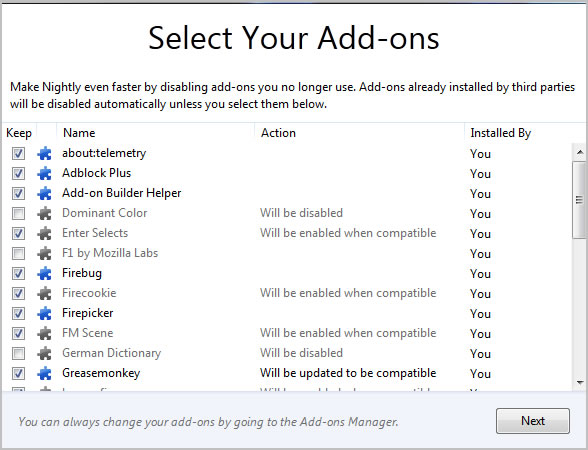 After a user upgrades to Firefox 8, they will be prompted with a screen that details the third-party add-ons installed on the computer as well as the add-ons that the user specifically installed. All third-party add-ons will be deactivated and require user activity to turn them back on. This action is designed to help users that are unaware of invasive third-party add-ons and offer them a fresh start with the newly upgraded browser. Also, add-ons that aren’t compatible with the new version of the browser will be turned off by default. According to the development schedule, Mozilla’s Firefox 8 will hit the stable channel on September 27.
While Firefox fanatics will have to wait until the end of September to start using Firefox 8, Firefox 6 is nearing completion and scheduled to be released on August 16. Major changes include faster startup time, better management of permissions for individual websites, increased plugin support and a more friendly developer environment. When Firefox 7 rolls out weeks later, it’s expected to use 20 percent less memory than previous versions as well as launch quicker, snyc passwords and bookmarks between computers and render text clearer for users that rely on the zoom function.


