In 2020, Samsung did something a little crazy. It introduced the first 32:9 monitor, which quickly climbed to the top of the best gaming monitors and prompted an update a year later — the Odyssey G9 Neo. It seems Samsung is trying to do something similar with the newly unveiled Odyssey Ark, but it won’t catch on like the Odyssey G9 did only a couple of years ago.
Both are unique monitors; the G9 has a wacky aspect ratio, and the Ark can go fully vertical. They serve similar purposes, though, allowing you to have more screen estate for multi-tasking while providing an immersive media experience when you want it. The Ark is just arriving too soon, without proper support in Windows or MacOS, a form factor that causes usability hurdles, and lacking support when it comes to showing multiple windows on the screen at once.
Laying the groundwork
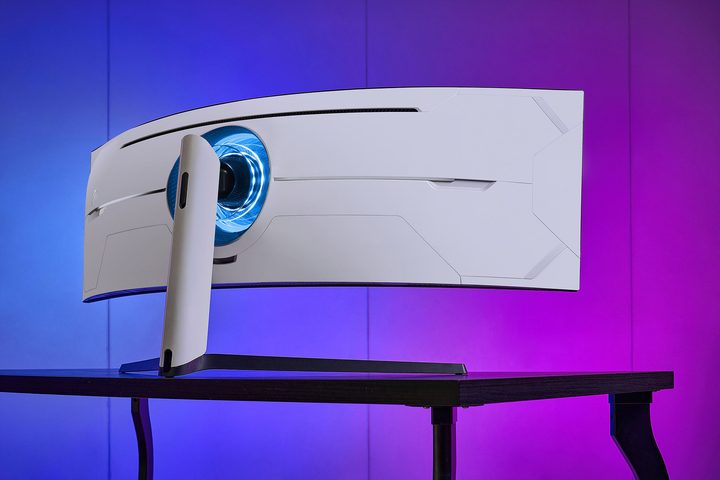
There’s no doubt that a 32:9 monitor was a wild idea. It’s two 16:9 displays side by side, so it makes sense why you’d want that aspect ratio. But going through with actually making one and it catching on? That’s a wild idea.
But there was a ground swell that made super ultrawide possible: regular 21:9 ultrawide. Ultrawides had been on the market for around eight years at the time the Odyssey G9 went on sale, and for nearly 10 years when the updated Odyssey G9 Neo was released. Tools like Flawless Widescreen fixed aspect ratios in games, Windows evolved with better desktop snapping tools, and multi-monitor setups became more common (especially as people started working from home).
More importantly, there was a demand for more horizontal screen real estate. Samsung recognized the issue with two monitors side-by-side and just made one big screen. The Ark seems like a similar response. TVs like the LG C2 OLED have become a more common option for high-end PC gamers as TV technology has leapfrogged monitors (especially in terms of HDR).
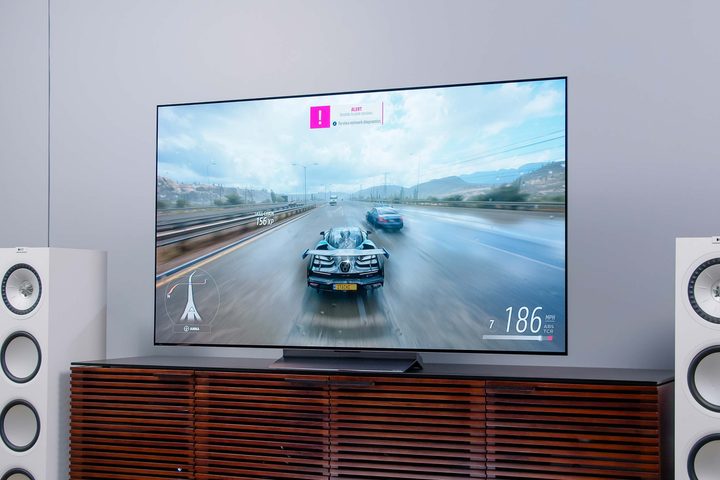
Samsung is just recognizing that trend earlier, which is to the Ark’s detriment. Windows and MacOS don’t have any features for stacking several windows vertically, and Samsung’s Multi-View, for all the functionality it enables, isn’t a substitute for people for want to use the Ark as a monitor, not as a weird pseudo-TV.
There is a trend toward vertical monitors, as evidenced by displays like the LG DualUp. But it’s still a relatively new category. The Ark may be recognizing a trend, but Samsung went with the all-out, curved screen gaming monitor approach like it did with the Odyssey G9, despite the fact that the groundwork wasn’t there to properly support that type of screen.
In the peripheral
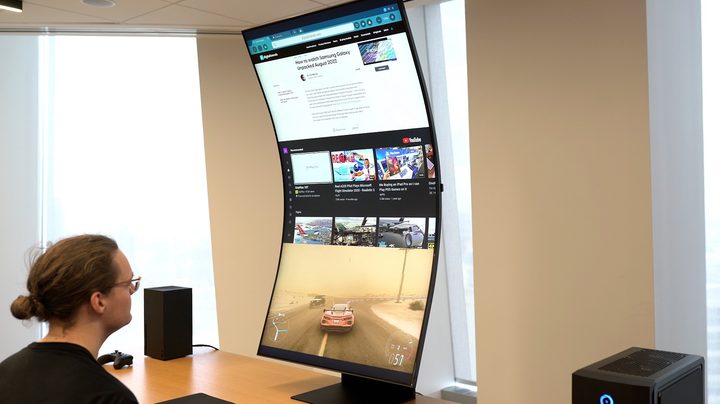
The Ark looks really impressive when you look at it. Seeing a massive 55-inch screen rotated vertically seems super practical and useful. But that experience wouldn’t hold up over time. Tilting your neck back to see the screen over and over looks like a quick recipe for neck pain, and you need to be a good distance away from the monitor to see everything (Samsung says at least two and a half feet).
That’s true of the Odyssey G9 Neo, as well, but you can see much more of your screen in your peripheral vision. The Ark’s cockpit mode works with some games like Microsoft Flight Simulator, and it could work for productivity, but the tried-and-true setup of two 16:9 monitors is more familiar and more comfortable. Going vertical doesn’t provide any advantages, at least on a screen as massive as the Ark.
Seeing double
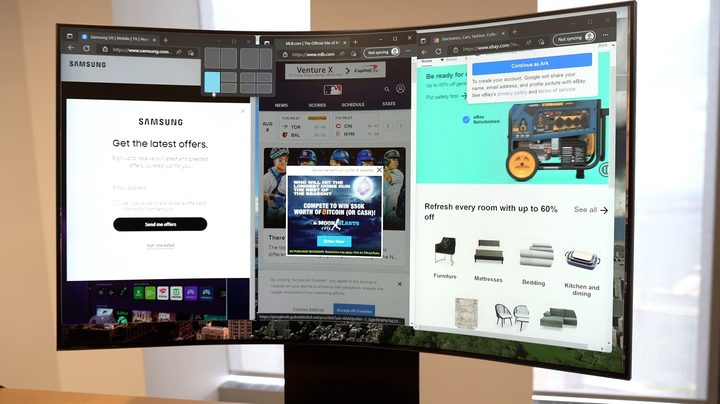
The Odyssey G9 Neo is more practical because you can snap windows to either side of the screen (something you’ll have to manually do with the Ark in cockpit mode). More importantly, the Odyssey G9 Neo properly supports multiple sources. As it stands now, you can only have one HDMI source active on the Ark at a time. The rest of the screen is either dead space or room for Samsung apps.
That vastly limits the potential of Ark. Even without considering that Windows and MacOS don’t have tools for vertical displays, the fact that you can’t have a console on one screen and a PC on another defeats the whole purpose of having a display like the Ark in the first place. This setup, with a console and a PC, is one of the main selling points of the Odyssey G9 Neo.
At a premium
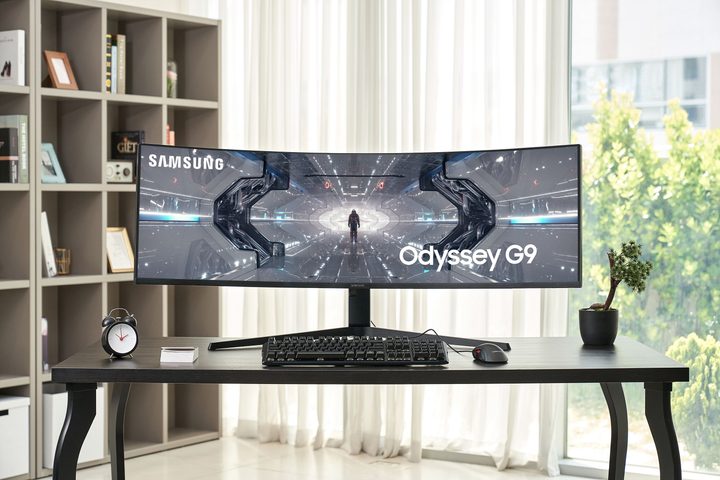
Even with all of the issues Ark has compared to the Odyssey G9 Neo, there’s one universal factor that limits its ability to catch on: price. At $3,500, the Ark is at the highest end of Samsung’s display pricing. It’s $1,200 more expensive than the Odyssey G9 Neo at list price, and up to $1,900 more expensive when the Odyssey G9 Neo goes on sale. The Ark is even more expensive than some 8K TVs.
There’s never a linear value judgment with products like the Odyssey G9 Neo or the Ark. They’re expensive, and after a certain point, the differences in price just don’t matter. If you’re willing to spend $3,000 on a monitor, you’re probably willing to spend $3,500. There’s just too big of a gap to ignore between the Ark and the Odyssey G9 Neo. You could easily build a PC for the price difference, which isn’t great considering both monitors service similar purposes.
The Ark is a unique concept, and it works. Despite how crazy it may seem, Samsung is onto something with a vertical monitor that can give you the best of both worlds: an immersive media experience and plenty of room to multitask. It just needs more time to marinate, unlike the Odyssey G9 Neo, which recognized and capitalized on a trend just as it was reaching an inflection point.