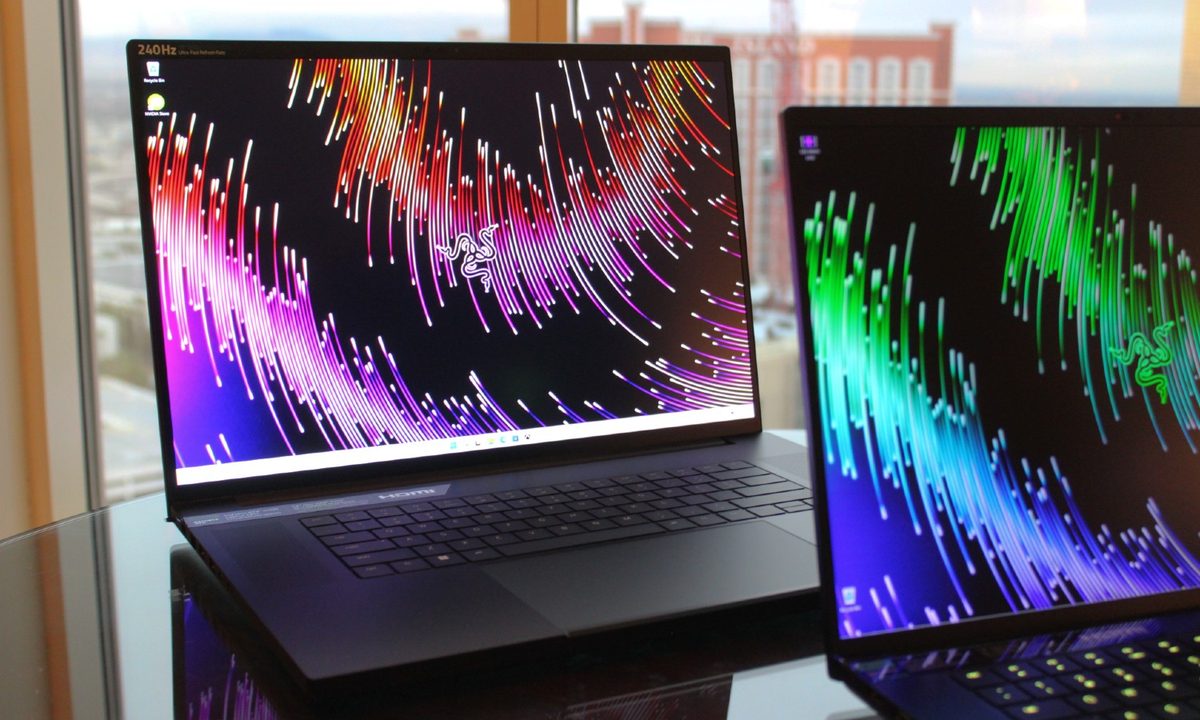
The Razer Blade 16, introduced at CES 2023, hasn’t been announced as a direct replacement for the existing Blade 15 — at least not yet. The latter has been one of the best gaming laptops for years, but it looks like the Blade 16 could be inheriting that legacy.
The two laptops aren’t that different, with similar designs, although the Blade 16 is quite a bit chunkier and heavier. It also moves to the more popular 16:10 display aspect ratio and improves performance and display quality. Will it offer enough to make for a viable upgrade?
Specs
| Razer Blade 16 | Razer Blade 15 | |
| Dimensions | 13.98 inches x 9.61 inches x 0.87 inches | Base model: 13.98 inches x 9.25 inches x 0.78 inches 13.98 inches x 9.25 inches x 0.67 inches |
| Weight | 5.4 pounds | Base model: 4.6 pounds 4.4 pounds |
| Processor | Intel Core i9-13950HX | Intel Core i7-11800H (Base model) Intel Core i7-12800H Intel Core i9-12900H |
| Graphics | Nvidia GeForce RTX 4060 Nvidia GeForce RTX 4070 Nvidia GeForce RTX 4080 Nvidia GeForce RTX 4090 |
Nvidia GeForce RTX 3060 Nvidia GeForce RTX 3070 Ti Nvidia GeForce RTX 3080 Ti |
| RAM | 16GB DDR5 32GB DDR5 |
16GB DDR4 (Base model) 16GB DDR5 32GB DDR5 |
| Display | 16.0-inch 16:10 QHD+ (2,560 x 1,600) IPS 240Hz 16.0-inch 16:10 dual-mode mini-LED 4K+ (3840 x 2400)/120Hz or Full HD+ (1920 x 1200)/240Hz |
15.6-inch 16:9 Full HD (1920 x 1080) IPS 144Hz 15.6-inch 16:9 Full HD IPS 360Hz 15.6-inch 16:9 QHD (2560 x 1440) IPS 165Hz 15.6-inch 16:9 QHD IPS 240Hz 15.6-inch UHD (3840 x 2160) IPS |
| Storage | Up to 4TB PCIe 4.0 SSD | 512GB PCIe 3.0 SSD 512GB PCIe 4.0 SSD 1TB PCIe 4.0 SSD |
| Touch | Optional | Optional |
| Ports | 1 x USB-C with Thunderbolt 4 1 x USB-C 3.2 Gen 2 1 x USB-A 3.2 Gen 2 1 x HDMI 2.1 1 x 3.5mm audio jack 1 x Full-size SD card reader |
1 x USB-C with Thunderbolt 4 2 x USB-C 3.2 Gen 2 3 x USB-A 3.2 Gen 2 1 x 3.5mm audio jack 1 x Full-size SD card reader |
| Wireless | Wi-Fi 6E and Bluetooth 5.3 | Wi-Fi 6E and Bluetooth 5.2 |
| Webcam | 1080p with Windows 11 Hello infrared camera | Wi-Fi 6E and Bluetooth 5.2 |
| Operating system | Windows 11 | Wi-Fi 6E and Bluetooth 5.2 |
| Battery | 95.2 watt-hours | 65 watt-hours (Base model) 80 watt-hours |
| Price | $2,700+ | Buy at Razer |
| Rating | Not yet reviewed | 4 out of 5 stars |
Design
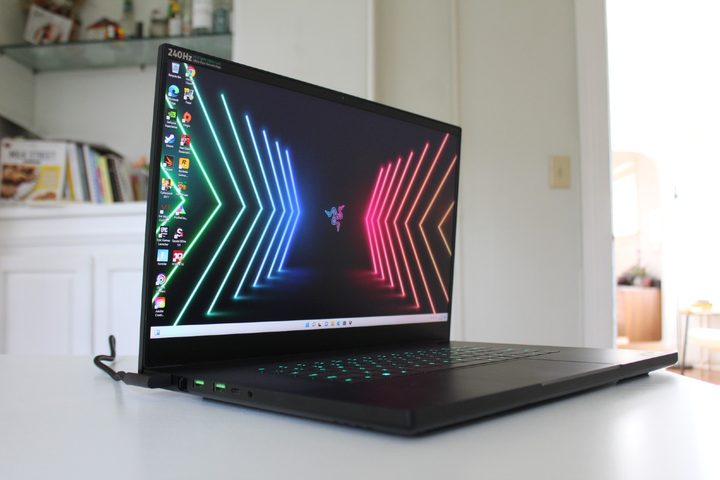
Regarding the overall aesthetic, the Razer 16 doesn’t depart from the line’s iconic black-on-black design. The Blade 16 is a bit taller than the Blade 15, thanks to a transition to a 16:10 display (which is overdue), but it’s not as much taller as you’d expect given the slightly larger display. That’s because Razer has finally trimmed down that bottom bezel, making for a much more modern feel.
The Blade 16 is quite a bit thicker than the Blade 15, though, at 0.87 inches versus 0.67 inches, and it’s heavier at 5.4 pounds compared to 4.4 pounds.
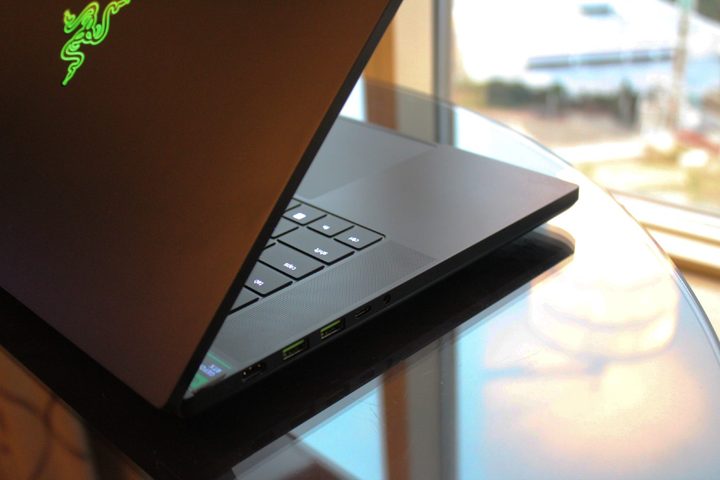
The keyboard, touchpad, webcam, and other common features remain largely the same on the Blade 16. That means it will provide per-key RGB key lighting, an excellent touchpad, a 1080p webcam, and a solid build quality. It even uses the same thermal cooling system as the Blade 15, in spite of its extra girth. The Blade 16 did add an HDMI 2.1 port, which is a plus.
Performance
Whereas the current Blade 15 gives you a few choices in CPUs, primarily 45-watt H-series 12th-gen CPUs outside of the Base model, the Blade 16 goes all-in on Intel’s super-fast Core i9-13950HX. That’s a 55-watt 24-core (eight Performance at 16 Efficient), 32-thread CPU running at 5.5GHz Turbo. It should be an incredibly fast CPU that will eclipse the Blade 15’s performance in CPU-intensive tasks.
Then, the Blade 16 upgrades to Nvidia’s newest GPUs. You can choose from the RTX 4060 up to the RTX 4090, giving the machine tons of flexibility in pricing and power. Topping out at the RTX 4090 should make the Blade 16 an incredibly fast gaming laptop capable of 4K titles, as well as give it a tremendous boost in GPU-dependent creative applications.
As of now, it’s not clear if Razer will update the 15-inch model to the latest Intel and Nvidia parts, but for now, the Blade 16 should be much more powerful.
Display
The Blade 15 offers a tremendous (and confusing) variety of displays, from Full HD IPS at 144Hz to QHD IPS at 240Hz to 4K at a more pedestrian 60Hz. There’s even an excellent 240Hz OLED panel to upgrade to. No matter your needs, the Blade 15 has it all.
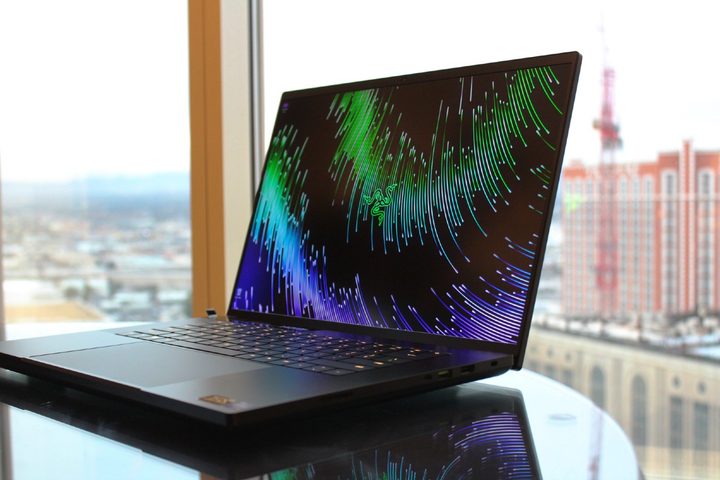
The Blade 16 takes a very different approach to the same essential result, without the low-end options. Sure, you could choose the QHD+ IPS display at 240Hz, which would be fine for gaming and productivity. But why limit yourself? How about a mini-LED with up to 1,000 nits of brightness and that technology’s awesome colors and contrast? Apple’s MacBook Pro laptops have already proven that mini-LED is equal to OLED in most metrics (and it’s much brighter and better for HDR).
But Razer didn’t stop there. It made the display 4K+ at 120Hz, but with a twist. Flip a switch, and the display switches to Full HD+ (1,200p) at 240Hz for optimal gaming.
That makes the mini-LED panel great for both productivity and media consumption and also excellent for gaming. It fills in the same spaces as the Blade 15, but with a much simpler and better option. As to whether the mini-LED will prove to be a better panel than the OLED — we’ll have to wait to test it ourselves to find out.
The Blade 16 looks like the new guard
The Blade 15 has had a nice run at the top of the 15-inch gaming laptop heap. But the Blade 16 offers way too many improvements. It’s 16:10, finally, with an outstanding mini-LED display option. It features some of the fastest components you’ll find in a laptop in 2023, without compromise.
We’ll be surprised if Razer keeps selling the Blade 15 unless it’s at bargain basement prices. The Blade 16 just looks too good.