
Apple has launched a second generation of its HomePod, for $299 ($50 less than the first-gen), with a similar design to the original HomePod. Apple discontinued the first-gen HomePod in 2021, less than a year after the debut of the HomePod mini, leaving many to wonder if the company had completely abandoned the larger smart speaker. Simply called the second-gen HomePod, the new model offers improved audio quality and deeper integration into the smart home. It’s available to Buy at Best Buy and in the Apple Store app starting today, with availability beginning Friday, February 3.

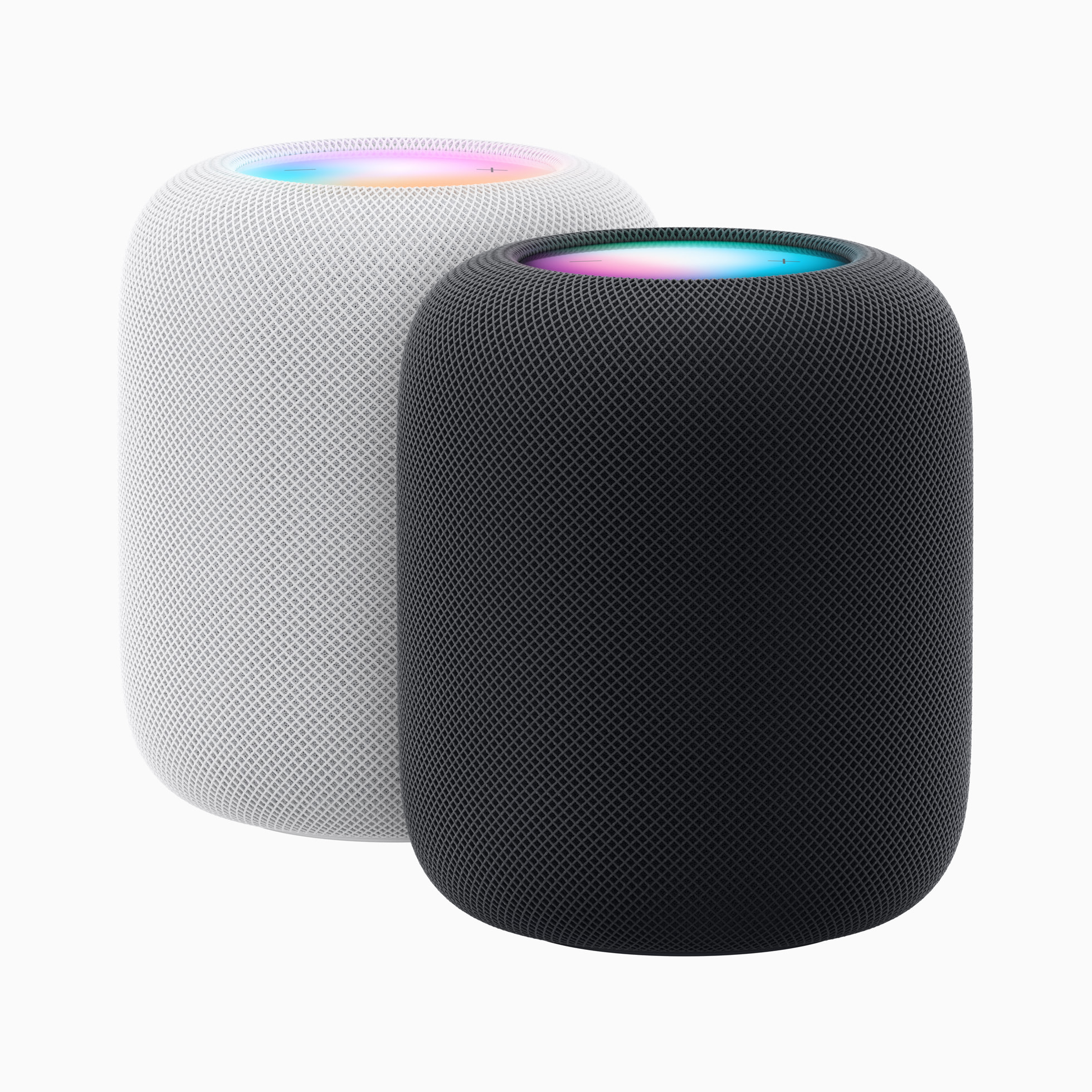
In many ways, the second-gen looks exactly the same as the original HomePod. Apple has kept the distinctive rounded shape, the fabric-wrapped exterior, and the instantly recognizable touch area on top, complete with a colorful feedback display. Even the dimensions are nearly identical, with the same 5.6-inch diameter, but a slightly shorter height (6.6 inches vs. 6.8 inches). It’s also a tad lighter at 5.16 pounds instead of the first-gen’s 5.5-pound weight.
More on the new HomePod

The general layout of the internal drivers remains the same too, with a large, high-excursion 4-inch woofer mounted centrally, and an array of tweeters positioned around the smart speaker‘s bottom cavity. But now, instead of seven tweeters, Apple is only using five. And though they each have their own neodymium magnet, Apple hasn’t indicated that each gets its own custom amplifier — something it touted on the first-gen HomePod. Also trimmed is the number of mics — the new speaker has just four of the far-field units instead of the original’s six mics. These changes may help explain the second-gen’s lower starting price.
Powering the system is Apple’s S7 chip — the same silicon it uses in the Apple Watch Series 7 — which replaces the first-gen’s A8 CPU, which had been initially used in devices like the iPhone and iPad. Apple says its new software and “system-sensing technology” let the second-gen model deliver improved performance through computational audio and a greater awareness of its own acoustic behavior. Spatial audio, which Apple has been championing on its AirPods line of wireless headphones, is also available.
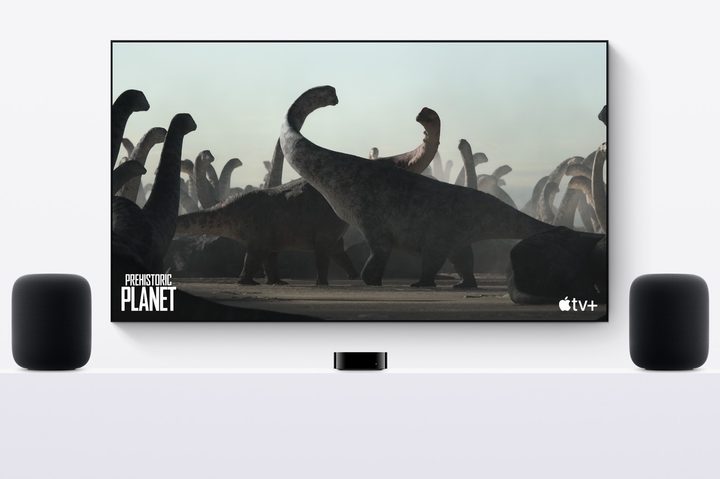
As before, the new version includes room-sensing technology so that the speaker can self-calibrate for various scenarios like proximity to walls and corners. You can stereo-pair two of the speakers, and they can also be linked to an Apple TV 4K. When doing so using the latest version of Apple’s streaming device, the HomePods can act as an audio system for all of your TV’s content thanks to the Apple TV 4K’s HDMI-eARC interface.
With Apple AirPlay 2, you can beam audio to the HomePod from any Apple device and use the speaker as part of a multiroom audio system, similar to Sonos. In fact, AirPlay is still the only way to stream to the HomePod. Despite having a Bluetooth 5.0 radio, Apple continues to keep the speaker’s Bluetooth capabilities severely limited — you can’t connect a non-Apple product to the HomePod using the wireless tech, keeping the speaker strictly an Apple-only accessory.

Leveraging Apple’s ultra-wideband (UWB) technology inside the iPhone, you’ll be able to perform a handoff from the iPhone to the HomePod so that currently playing music can follow you from one device to another. Built-in UWB also means that if you misplace your Find My-enabled Apple products, you’ll be able to ask Siri to tell you where they are and/or get those devices to play a sound to help you locate them.
Apple says the new HomePod will have some pretty advanced smart home skills. With a software update slated for the spring, Apple claims it will be able to actively listen for smoke and carbon monoxide alarms, and send a notification directly to the user’s iPhone if a sound is identified. It also includes a new temperature and humidity sensor, letting the HomePod augment an existing thermostat. You can create automations that close blinds or turn on a fan automatically when a certain temperature is reached in a room.
Using Siri to control music and smart home devices is a big part of the HomePod experience, and Apple says that there’s a new confirmation tone that indicates when a Siri request is made to control an accessory that may not visibly show a change, like a heater, or for accessories located in a different room. Siri has also been given the ability to recognize up to six different voices. That’s something the original HomePod lacked.

The smart speaker is also a Matter-enabled hub, letting the HomePod connect to and control other devices that use the growing smart home communication protocol. To leverage these improved smart home capabilities, Apple has also announced that it has redesigned its Home app for iOS, which has new categories for climate, lights, and security, plus a new multicamera view.
Curiously, Apple has dropped some of its older devices from the new HomePod’s compatibility list. Gone are the iPhone 6- and 7-series models, as well as the first-gen iPhone SE. iPad support no longer extends to devices older than the 5th-gen iPad, 3rd-gen iPad Air, and 5th-gen iPad mini.


