
Google has made client-side encryption (CSE) available for a number of its Workspace applications after introducing the function in beta mode last December.
Detailing the feature in a blog post on Tuesday, Google announced that client-side encryption would allow professional users to send data in Gmail and Calendar apps in such a way that no one except those in the organization and the recipients can access or read the content. Google as an entity is not even able to access data sent or created through Gmail or Calendar as it would be encrypted before reaching its servers. This is yet another way Google is using AI to the benefit of customers the brand said.
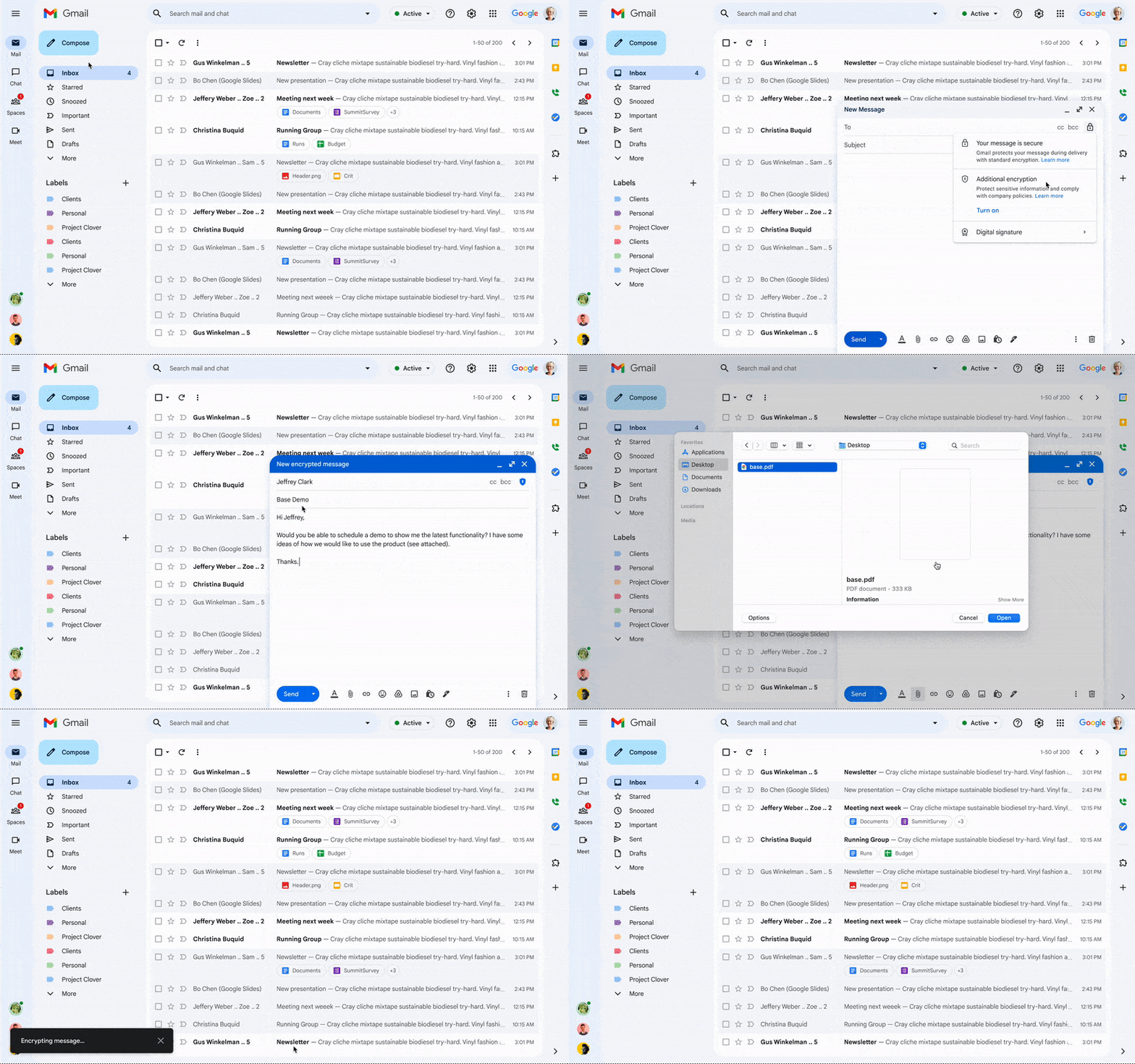
This feature takes Google’s security function up a notch in that users can manually decide whether they want the additional encryption within an email draft. It allows customers to have “sole control over their encryption keys—and thus complete control over all access to their data,” Google added.
Google made other Workspace applications including Drive, Docs, Sheets, Slide, and Meet compatible in October 2022; however, the functionality appears to be largely opt-in at the discretion of companies according to TechRadar.
Google detailed that CSE for Gmail and Calendar are available for Workspace Enterprise Plus, Education Standard, and Education Plus accounts rather than personal accounts. In terms of setup, it is more of a task for a company’s IT department, according to The Verge.
Google has been working on CSE for Gmail since 2014, but as the brand noted the feature appears to be among its recent artificial intelligence push, so it makes sense that various consumers are only seeing it now. Google has indicated plans to release over 20 AI-powered projects throughout 2023. However, details on most of these projects remain minimal, outside of its Bard chatbot that will work with the Google Chrome browser.
Meanwhile, other companies, such as Apple have implemented advanced encryption features into their ecosystems, but have received varying degrees of criticism. Apple’s Advanced Data Protection for iCloud is an opt-in security feature available for general consumers that protect apps including iCloud Backup, Notes, and Photos. Apple established the encryption feature when its system was hit by zero-day vulnerabilities such as those exploited by the Pegasus spyware. Currently, it doesn’t offer the same encryption protection for iCloud Mail, Contacts, and Calendar.
Government entities such as the FBI told the Washington Post in December 2022 that user-only-access encryption that leaves companies, such as Apple out of the security process by design can actually leave users more vulnerable to “cyberattacks and violence against children, drug trafficking, organized crime, and terrorism.”



