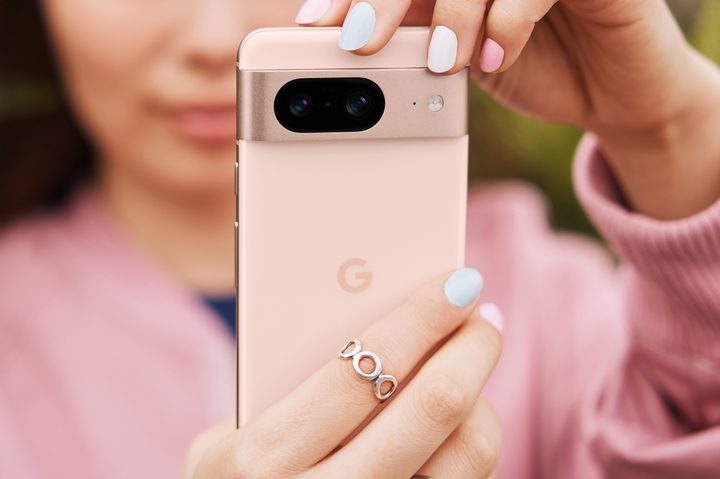
When you get the Google Pixel 8 or Google Pixel 8 Pro in your hands, it’s going to be tempting to dive right in and change the photos you take with it using the spectacular new AI tools that come with it.
These features are insane, as it will suddenly be possible to create your “perfect” photo after the fact, and with almost no effort outside of tapping on the screen. It’s an exciting new world, but it’s one that needs to be approached — and enjoyed —with a great deal of caution.
An amazing AI photo toolkit

You may already know about Google’s Magic Eraser tool, which uses AI to quickly and easily remove unwanted distractions from your photos. Suddenly your beach shots are cleared of people, ugly objects can be removed, and photo bombers zapped into oblivion — all with a couple of taps. It’s surprisingly powerful and, provided the scene isn’t very complex, very effective too. It’s available now in Google Photos on Pixel phones and on many other smartphones too.
But it’s about to be joined by two other tools because the Pixel 8 series will introduce Magic Editor and Best Shot, which go far beyond the innocent simplicity of Magic Eraser. Magic Editor uses generative AI to “reimagine your photos,” according to Google, where you can reframe the scene, resize subjects, recast the lighting, change the weather conditions, and even add something that previously did not exist into the image. It can be used to create a truly different photo from the one you took.

Magic Editor was revealed during Google I/O 2023 and will make its debut on the Pixel 8 phones, where it’s joined by another new feature called Best Take. This takes a series of photos, something like a burst mode, but with a bias towards faces, and subsequently allows you to create a single “best shot” using the results. The idea is perhaps not everyone will be smiling or looking at the camera at the same time in the same photo, but Best Take will let you use all the different images taken to face-swap everyone and artificially create your ideal scene that never was. It’s incredible but also scary.
Don’t chase perfection

This is a genuinely impressive roster of AI tools, and if Magic Eraser is anything to go by, Magic Editor and Best Take are likely to work really well in the right situation. However, before you get too excited, think about the cumulative effect these tools will have on your pictures. You could remove distractions, artificially add more of what you did want into the shot, ensure everyone is smiling and looking at the camera, and make sure the lighting is coming from the ideal place.
What you will have done is make a photo rather than take a photo, and this is why I’m going to recommend caution, as it will be very easy to get carried away. Subtly changing photos to enhance the scene is very different from creating a new scene that didn’t actually exist, and by doing so, you run the risk of destroying imperfection. Weird as it may sound, this is a bad thing. Today we’re conditioned by social networks to see and appreciate carefully curated, implausibly perfect scenes and to consider them something to strive towards. But it shouldn’t always be this way.

When I look back at photos of friends and family, some of my favorites and most treasured are the ones that are not perfect. A funny expression here, an odd glance there, or an inopportune sneeze when the shutter opens and closes are the photos that get shared and loved. The ones where we’re all doing what we should are passed by without much emotion or engagement. This lovely National Geographic article by Heather Greenwood Davis explains far better than I ever could why embracing the “worst” photos matters.
Supposed imperfection works elsewhere too. People, whether you know who they are or not, can sometimes add to a photograph. They can give it depth, movement, and life. Without them, your photo may become a colder, less emotional, rather flat scene. Lighting in the real world can be used to great creative effect and will always look better than artificial lighting added by AI afterward, and the trained eye will always tell the photo has been altered too.
Am I saying don’t use them at all?

Digitally changing our photos has been possible for decades, but the best uses are the most subtle, and learning to use them carefully and with restraint is crucial. The photos you consider “bad” today may end up being the ones you love the most in the future, and changing them to make them perfect by today’s Instagram-driven standards may rob you of something special. You only need to look at people’s reinvigorated appreciation for music on vinyl over CDs or a digital file for evidence of how attitudes change regarding perfection over time.
Am I saying don’t use Magic Editor, Best Take, or even Magic Eraser ever? Absolutely not. But I am saying to use them sensibly and with caution. Go slowly with the changes, not mad. Don’t replace photos, experiment and make duplicates instead. Don’t delete the original, keep it and look back on it later on, as your opinion about it may change. We’re spoiled by having the chance to take dozens, if not hundreds, of photos and not worry about storage or changing film, so use this and Google’s AI tools to your advantage.
Google’s new AI tools go far beyond adding a filter or boosting the saturation in a photo, they have the power to make an almost entirely new picture that you and your camera didn’t actually take. This is an incredible achievement, especially as it’s possible on the phone in your pocket and not a $10,000 desktop computer operated by a professional in a studio. But care is needed before diving in.
In art, the Japanese philosophy of wabi-sabi teaches us to embrace and appreciate the beauty found in imperfection, and it’ll be worth remembering this before you go crazy with Google’s new photo AI.
[pixel-8-pre-order]
[pixel-8-pro-pre-order]