  1. Home
  2. Wearables
  3. Mobile
  4. News

Apple Watch is bringing back a popular feature soon

Add as a preferred source on Google
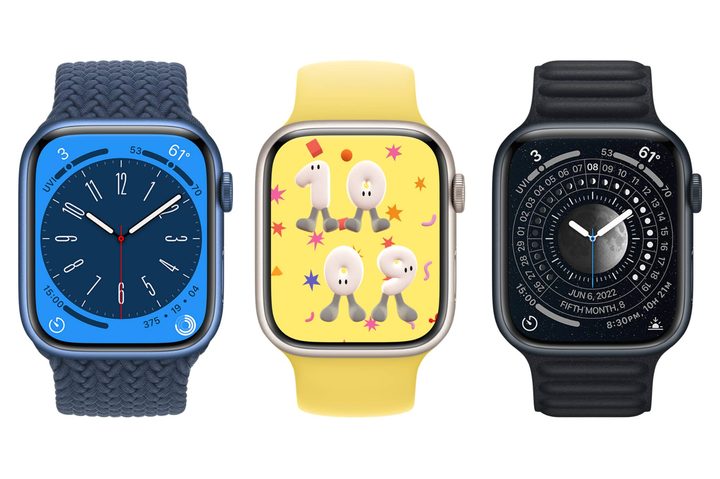
Three Apple Watches showing new Metropolitan, Play Time, and Lunar faces.
Apple / Jesse Hollington

The Apple Watch will restore a popular feature that was ditched with the launch of watchOS 10 in September: the ability to change the watch face with a single swipe.

The feature is part of watchOS 10.2, which is likely to be released next month.

Recommended Videos

News of the feature’s imminent return was shared by X user Aaron after he spotted it in watchOS 10 beta 3.

Quite why Apple chose to get rid of the swipe feature is hard to know, especially as it replaced it with a more cumbersome method.

Instead of a simple swipe, you currently have to long-press the Apple Watch display and then select a different watch face by swiping or rotating the digital crown. Sure, it doesn’t take a whole lot of extra effort, but it’s simply a longer way of doing it.

A number of users went online to express their dismay when the change became apparent, with one saying: “After updating, the only way to get to the neighboring watch face is to long-press … and then I can move to a neighboring watch face. If that’s intentional, that sucks. I use four neighboring faces for different purposes and am swiping between them constantly. This will make using the watch very laborious for me.”

And it’s not as if Apple added a new feature in place of the swipe. Frustratingly, if you swipe now, nothing happens.

It has to be said that there are a couple of advantages to the current long-press method. For example, besides being able to swipe to one of your watch faces, you’re also given the chance to customize them on-device via an edit button, or even select entirely new ones, instead of doing it via your iPhone. There’s also a button that lets you share your lovingly customized designs with others.

But for folks who enjoyed the simplicity of a quick swipe to change their Apple Watch face, watchOS 10.2 will sort you out. It should be noted, however, that in its current form, the feature is not a default setting. Unless Apple changes this, you’ll need to head into Settings and Clock to select the swipe method. Whatever happens, it looks like Apple will offer both the current method and the old method for changing watch faces. You just need to decide which you prefer.

Trevor Mogg
Contributing Editor
Not so many moons ago, Trevor moved from one tea-loving island nation that drives on the left (Britain) to another (Japan)…
Don’t expect smartwatches and fitness bands with replaceable batteries anytime soon
Turns out even the EU thinks your smartwatch is too small for a battery swap.
Wristwatch, Arm, Body Part

The EU has a habit of pushing tech companies to adopt meaningful changes in their product. It's the reason your iPhone finally has a USB-C port, and it's also why companies now have to offer spare parts and repair support for electronics for several years after launch. So naturally, many of us assumed wearables were next in line for mandatory swappable batteries. Turns out, the EU just went the other way.

So what did the EU announce?

Read more
Samsung wants its upcoming Galaxy Watch to be your AI health companion
Ahead of its July 22 Unpacked event, Samsung has teased AI-driven health tracking and upgraded internals for its upcoming smartwatches.
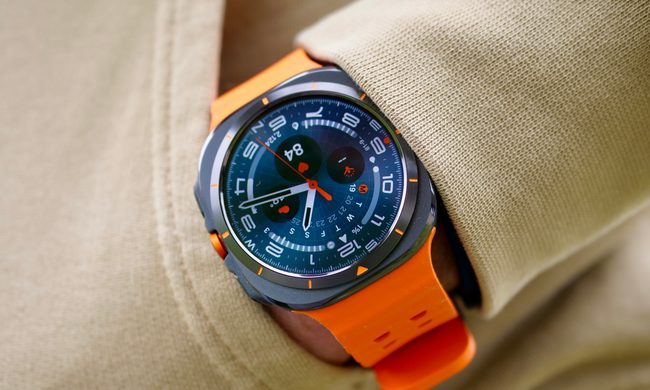
A person wearing the Samsung Galaxy Watch Ultra showing the Ultra Analogue watch face.

Samsung's July 22 Galaxy Unpacked event won't be all about new foldables. The company has also started teasing its next-gen smartwatches, and its pitch leans heavily on AI. In a newsroom post published ahead of the event, Samsung promises "a whole new level of effortless wellness," describing the upcoming watches as an "AI-powered health companion."

From tracking to interpreting

Read more
You can paint this wearable on your skin like a tattoo to monitor your heart and brain activity
This tattoo makes you look cooler - and it could save your life too
Painted electrodes on skin

Wearable health trackers have become smaller, smarter and more capable over the years, but they've also remained surprisingly… boring. Whether it's a smartwatch, a chest strap or a sticky ECG patch, most health sensors still rely on bulky hardware that can peel off, irritate the skin or become less accurate once you start sweating. Additionally, there is a shift of technology from plastic wearables/trackers to clothes, which seemingly do the same thing as well. But that is not the story today.

Researchers at Penn State think they've found a far more elegant solution. Instead of sticking another sensor onto your skin, why not simply paint one?

Read more