  1. Home
  2. Computing
  3. Features

NPUs are officially useless — for now

Add as a preferred source on Google
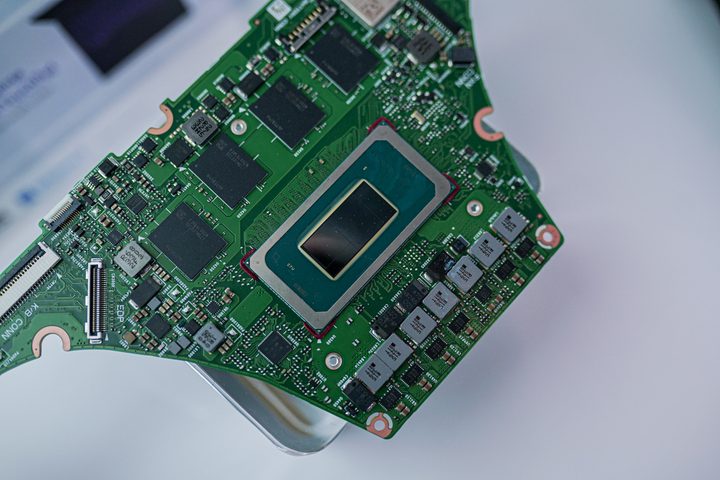
An Intel Meteor Lake processor socketed in a motherboard.
Jacob Roach / Digital Trends
CES 2026
Read and watch our complete CES coverage here

I’m sorry to say it, but I’d be lying if I said otherwise. NPUs are useless. Maybe that comes off as harsh, but it doesn’t come from a place of cynicism. After testing them myself, I’m genuinely convinced that there’s not a compelling use for NPUs right now. 

When you go to buy your next laptop, there’s a good chance it will have a Neural Processing Unit (NPU) inside of it, and AMD and Intel have been making a big fuss about how these NPUs will drive the future of the AI PC. I don’t doubt that we’ll get there eventually, but in terms of a modern use case, an NPU really isn’t as effective as you might think. 

Recommended Videos

When talking about Meteor Lake at CES 2024, Intel explained that it uses the various processors on Meteor Lake chips for AI work. It doesn’t all fall on the NPU. In fact, the most demanding AI workloads are offloaded to the integrated Arc GPU. The NPU is mainly there as a low-power option for steady, low-intensity AI workloads like background blur

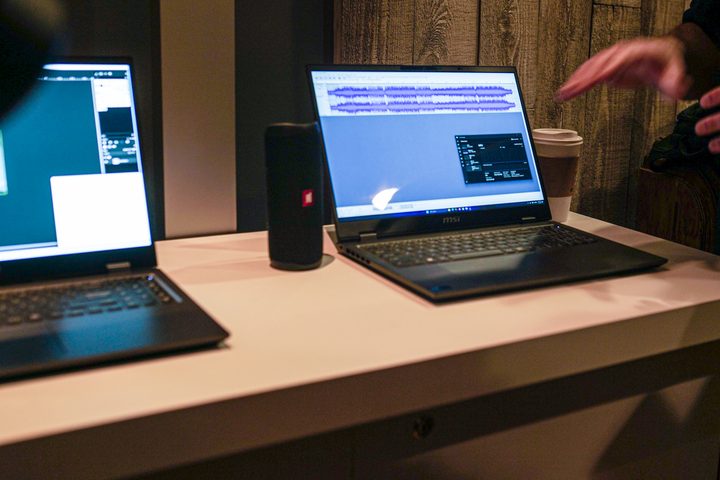
Audacity running on a Meteor Lake laptop at CES 2024.
Jacob Roach / Digital Trends

Your GPU steps in for anything more intense. For instance, Intel showed off a demo in Audacity where AI could separate the audio tracks from a single stereo file, and even transcribe the lyrics. It also showed AI at work, with Unreal Engine’s Metahuman, transforming a video recording into an animation of a realistic game character. Both ran on the GPU. 

These are some great use cases for AI. They just don’t need the NPU. The dedicated AI processor isn’t nearly as powerful as the GPU for these bursty AI workloads. 

The main use case, according to Intel, is that the NPU is efficient, so it should help your battery life when running those steady, low-intensity AI workloads like background blur on it rather than the GPU. I tested that on an MSI Studio 16 running one of Intel’s new Meteor Lake CPUs, and it’s not as big of a power savings as you might expect. 
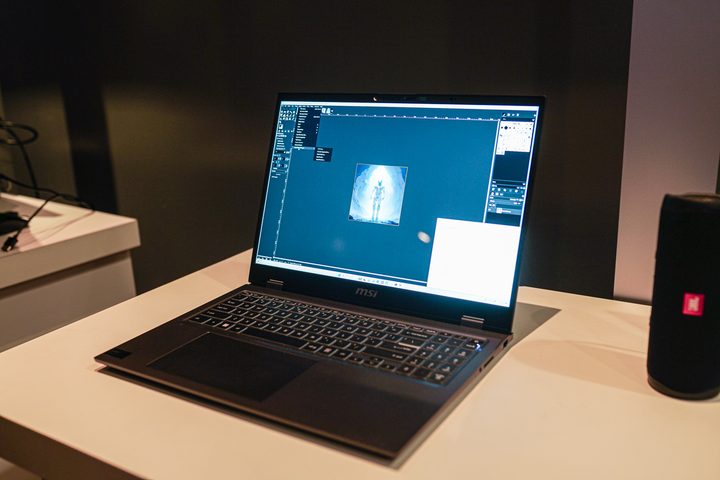
Stable Diffusion running on an Intel Meteor Lake laptop.
Jacob Roach / Digital Trends

Over 30 minutes, the GPU had an average power draw of 18.9W while the NPU averaged 17.6W. What was interesting is that the GPU spiked initially, going up to somewhere around 38W of total power for the system on a chip, but it slowly crept back down. The NPU, on the other hand, started low and slowly went up as time went on, eventually settling between 16W and 17W. 

I need to point out that this is total package power — in other words, the power of the entire chip, not just the GPU or NPU. The NPU is more efficient, but I don’t know how much that efficiency matters in these low-intensity AI workloads. It’s probably not saving you much battery life in real-world use. 

I’ll have to wait to test that battery life once I have more time with one of these Meteor Lake laptops, but I don’t suspect it will make a huge difference. Even the best Windows laptops have pretty mediocre battery life compared to the competition from Apple, and I doubt an NPU is enough to change that dynamic. 
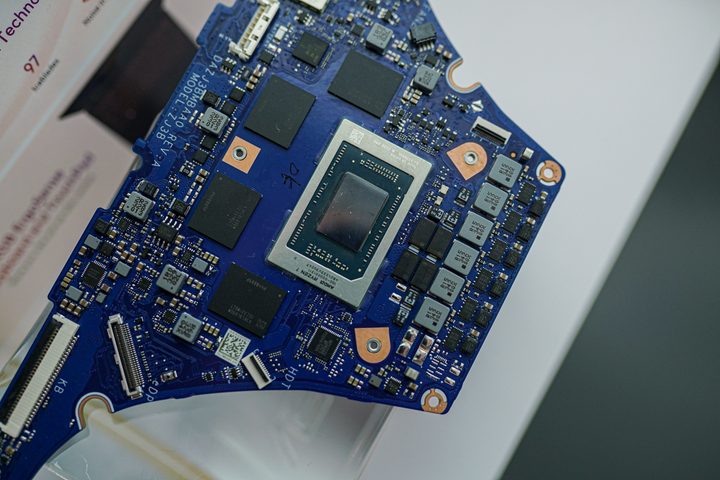
An AMD Ryzen CPU socketed in a motherboard.
Jacob Roach / Digital Trends

That shouldn’t distract from the exciting AI apps we’re starting to see on PCs. From Audacity to the Adobe suite to Stable Diffusion in GIMP, there are a ton of ways you can now leverage AI. Most of those applications are either handled in the cloud or by your GPU, however, and the dedicated NPU isn’t doing much outside of background blur. 

As NPUs become more powerful and these AI apps more efficient, I have no doubt that NPUs will find their place. And it makes sense that AMD and Intel are laying the groundwork for that to happen in the future. As it stands, however, the big focus on AI performance is largely focused on your GPU, not the efficient AI processor handling your video calls. 

Jacob Roach
Former Lead Reporter, PC Hardware
Jacob Roach is the lead reporter for PC hardware at Digital Trends. In addition to covering the latest PC components, from…
Lenovo’s next ThinkCenter desktop is ready to hit the shelves, but the price will make you blink twice
The ThinkCentre X is finally heading to the US with up to 256GB RAM, dual RTX 5060 Ti GPUs, and a price tag that rivals a used car.
Lenovo ThinkCentre X workstation with monitor

If the phrase "future-proof desktop" means never worrying about running out of RAM again, Lenovo may have just built the ultimate machine. The company is preparing to launch its new ThinkCentre X workstation desktop in the US after making it available in several international markets. Built for AI workloads, professional content creation, and demanding enterprise applications, the desktop can be configured with up to 256GB of DDR5 memory, Intel's latest Core Ultra 9 processor, and support for dual GeForce RTX 5060 Ti 16GB GPUs.

A workstation built for serious workloads

Read more
A metallic Hall effect keyboard and a 59g mouse are Lenovo’s latest upgrades for snazzy gaming setups
The Legion R7 RT75 keyboard and Y7MG mouse bring 8K polling to both sides of your gaming setup
Computer, Computer Hardware, Computer Keyboard

Magnetic gaming keyboards and lightweight mice are hardly unusual anymore, but Lenovo is trying to push both ideas a little further with its latest Legion peripherals. The new lineup includes the Legion R7 RT75 keyboard and Legion Y7MG mouse, and both support an 8,000Hz polling rate for players who want every input delivered to their PC as quickly as possible.

Of course, Lenovo has styled these peripherals to be as bold and eye-catching as possible without getting in the way of practicality. The keyboard has a hefty metallic design with translucent keycaps and RGB lighting. Compared to that, the mouse is more tame and traditional in design, but it also has an RGB strip that appears to belong on an alien spaceship. (via NotebookCheck)

Read more
Shopping for back-to-school? These are the budget laptops I’d actually recommend
From a $359 Chromebook to the cheapest way into macOS, these are the budget picks worth your money.
Computer, Electronics, Laptop

The back-to-school season often turns into a laptop, especially the budget ones that aren't too heavy on your wallet. Due to the ongoing memory crisis, most manufacturers have already bumped up their laptop prices, including Apple. However, that doesn't mean that I won't help you get a new machine. So, for this one, I spent time digging through spec sheets, customer ratings, and price tags, finding devices that don't just look cheap in an Amazon listing, but actually hold up. 

From a flexible touchscreen Chromebook to the least expensive way into macOS, these six laptops balance price and performance well. I'd hand any one of them to a student heading back to campus this fall, depending on what they need and what their priorities are. 

Read more