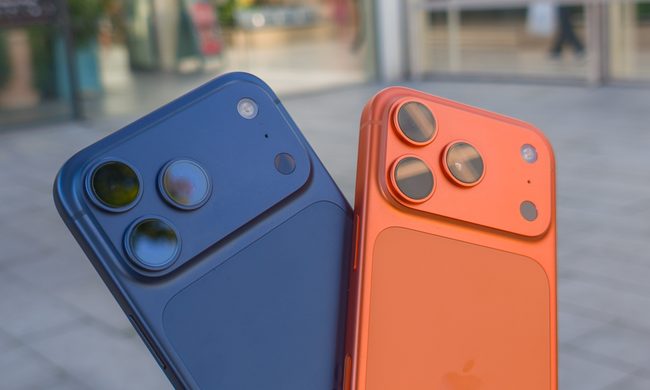
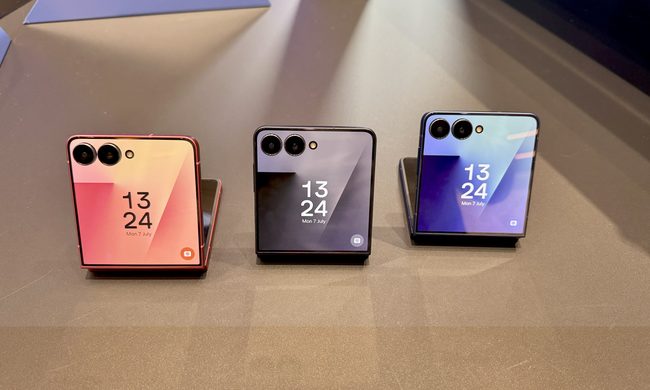
The Google Pixel 9 is finally here, promising some impressive upgrades. The good news is that the minimum storage you get on this phone is 128GB. The bad news, following in the footsteps of an overarching industrywide trend, is that there is no native option for storage expansion — even if you have the Pixel 9 Pro or Pixel 9 Pro XL.
That’s a particularly undesirable status quo, especially for a phone that primarily caters to an audience hoping to click a ton of pictures and videos. However, there are still a few ways to make the best of the storage situation on the Pixel 9, even though it doesn’t support expansion via a microSD card.
Is there any hope?
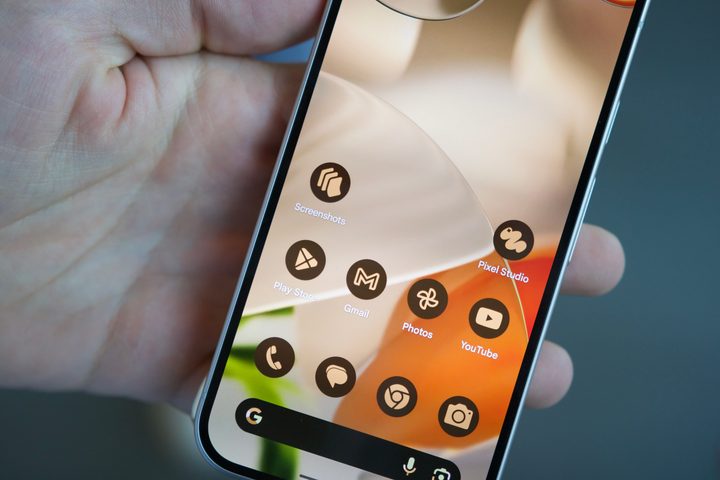
Well, of course. The Pixel 9 does not come with a microSD card slot, dedicated or hybrid format. But you can still rely on another popular method to get a few extra dozen gigabytes on your photography-savvy Google phone. That solution is the good old flash drive.
The combined USB-C data and charging port on the Pixel 9 is compliant with the USB 3.2 standard, which means you are guaranteed a transfer speed of 5Gbps or higher. So, when you go hunting for a USB Type-C flash drive for your latest phone, make sure that the flash drive also follows the same standard.
Or at least something close. For example, look for at least USB 3.0 certification. However, if you are short on cash, a USB 2.0-level flash drive isn’t a terrible proposition, especially considering the fact that you won’t be transferring data every day or at least in huge amounts.
To save you the hassle of getting lost in the maze that is Amazon, we have rounded up a handful of USB Type-C flash drives for your Pixel 9 below.
The best ways to expand your Pixel 9 storage

Samsung offers a USB 3.0-compliant flash drive that is also waterproof and comes with a cap for protection, which is a rare trait in the budget segment. This one promises to move files up to 4GB in just over 10 seconds. Available in up to 256GB variants, this one can store about a dozen hours of 4K footage and has a five-year warranty in tow. Oh, it also comes in a lovely black color.
In terms of storage solutions, SanDisk is as reliable as a brand gets. The metal-clad Ultra USB-C flash drive from the brand is tailor-made for mobile devices. Offering a read speed of up to 400 Mbps, matching that of the Samsung drive above, this one follows the USB 3.2 Gen 1 standard and comes in a choice of silver and gold shades.
Alright, let’s get in the big boy territory. If you plan to shoot a ton of hi-res high frames-per-second (fps) videos with your Pixel 9 — which you definitely should — it’s imperative that you have a lot of storage. However, it would take barely a month to fill up the internal quota. Thankfully, Kingston has just the perfect solution. The DataTraveler Max flash drive (USB 3.2 Gen 2) comes in up to 1TB capacity and offers write speeds of up to 900 Mbps.
This one is my personal favorite, primarily due to the design versatility. Say hello to the ZIKE USB-C Magnetic Extended USB drive. This one supports the USB 3.2 Gen1 standard and promises read speeds of up to 500MB/s. Unlike a traditional flash drive that dangles like a tail from a phone’s USB-C port, this one sticks to the phone’s lower edge horizontally, somewhat like a snug extension.
Notably, it can also attach magnetically to the back of your phone, and there’s a hard cable that fits to the phone’s contours. This one comes in 128GB capacity, but you can go all the way up to 1TB if you really are in the mood to push your Pixel 9’s cameras.
A few storage trouble tips

Of course, we take a whole bunch of shots before we pick the right picture worth posting on social media. But in doing so, we often forget the bucketloads of not-so-good media that are just languishing in the Photos app and eating up internal storage.
Thankfully, there are a few ways to handle that situation. Open the Files app on your Pixel 9 and tap on the Menu (hamburger icon) in the top-right corner of the home screen. Select Clean and tap on the Delete Duplicates card. This is one of the most convenient ways to get rid of look-alike shots and free up some space.
Right below it, you will find other quick-action cards such as Delete blurry photos, Delete old screenshots, and Delete Large Files. When you’re done with these quick options, head to the Junk Files section, which is loaded with temporary app files, and tap the pill-shaped Clean button.
For any mobile photography enthusiast, the Photos app is your best friend. Remember the automatic cloud backup facility that stores a copy of your media assets in the cloud? Well, there’s a quick way to manage the storage situation here as well.
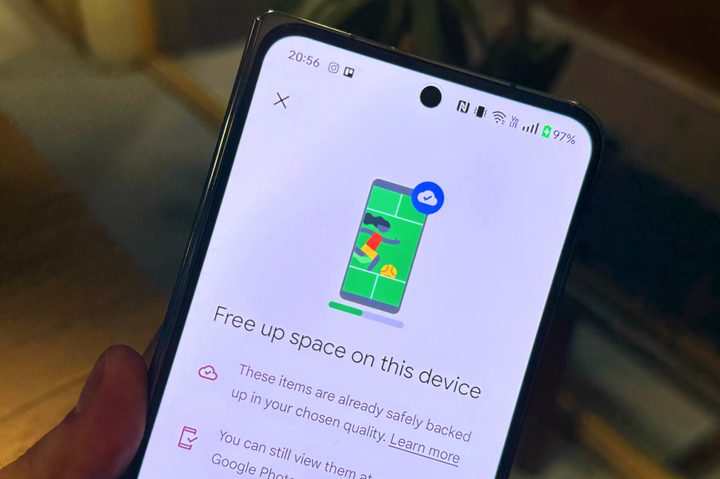
Open the Photos app, tap on the profile icon in the top-right corner, and select Free up space on this device. The app will automatically find all the material that has a copy safely stored in the cloud and will locally delete it to free up storage space on your phone. And while you’re at it, take a look at the Bin and empty it as well.
Also, now that we’re talking about things living in the cloud, you should check out the Google One subscription. It offers a wide range of benefits, including access to Gemini Advanced, in addition to hundreds of gigabytes of additional cloud storage to save your files and keep the Pixel 9’s onboard disk from flashing a “low storage” warning.