  1. Home
  2. Computing
  3. News

Zoom increases single webinar capacity to more people than you’ll ever need

Add as a preferred source on Google
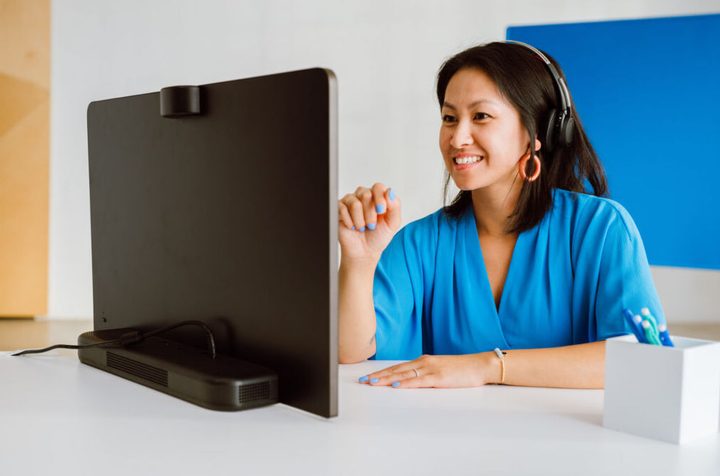
A woman participating in a Zoom call.
Zoom

A new update for Zoom means that it’ll now be possible to have 999,999 people around the world simultaneously shouting, “You’ve got it on mute!”

The video-conferencing company has just announced a new feature that will allow as many as 1 million people to join a single webinar. That’s wway more than the 100,000 capacity that existed before.

Recommended Videos

Now, while most regular folks are unlikely to ever need such a feature, with five or six, or maybe as many as seven, people joining the average video meeting, Zoom clearly felt there was a need for offering an option where up to a million people can join. Think celebrity events, political rallies, workforce gatherings, and so on.

Event organizers can choose from a number of options based on the size of the event, with capacities set at 10,000, 50,000, 100,000, 250,000, 500,000, and 1 million attendees.

“Zoom’s expanded capacity webinar offering is revolutionizing the way organizations can seamlessly connect and engage with massive audiences,” Smita Hashim, chief product officer at Zoom, said in a release. “Now, event organizers have the flexibility and power to host truly interactive experiences on an unprecedented scale and the ability to purchase large single-use webinars.”

Purchase? Yes, these larger online Zoom events don’t come free. A webinar for a million people, for example, costs $100,000, while at the other end of the scale, a webinar for 10,000 people is priced at $9,000.

The package also includes analytics that will give hosts access to data on registration, attendance, and audience engagement, with the insights potentially helping to improve future webinar efforts.

Still having issues while using Zoom? Here are the most common problems with the software and how to fix them.

Trevor Mogg
Contributing Editor
Not so many moons ago, Trevor moved from one tea-loving island nation that drives on the left (Britain) to another (Japan)…
A MacBook Neo refresh may already be in testing and could address its biggest performance bottlenecks
The next MacBook Neo could arrive with an A19 Pro chip, more memory, and fresh new colors
Computer, Electronics, Laptop

Apple is already working on a refreshed version of the MacBook Neo, only a few months after launching its cheapest laptop.

According to Bloomberg’s Mark Gurman, Apple has been testing an updated MacBook Neo with an A19 Pro chip and more memory. The report backs earlier claims that a second-generation model could arrive in 2027, bringing better multitasking performance and improved long-term usability.

Read more
The MacBook Air and iMac are next in line for Apple’s OLED push
OLED MacBook Air could arrive in 2028, while the iMac remains further out
MacBook Air M5

Previous reports have indicated that Apple plans to launch redesigned MacBook Pros between the end of this year and early next year featuring touchscreen OLED displays, but the brand’s OLED ambitions for its Macs won’t end there.

Bloomberg’s Mark Gurman now reports that Apple is also working on OLED versions of the MacBook Air and iMac, corroborating earlier supply-chain reports about both devices. The information comes from people familiar with Apple’s plans, although neither product appears close to release.

Read more
WhatsApp can now open and edit PDFs without making you download them first
Adobe Acrobat is adding built-in viewing and annotation tools for PDFs shared through WhatsApp on larger screens
Text, Person, Aircraft

Adobe is making PDF attachments much less annoying in WhatsApp. Its new Acrobat integration lets you open a PDF and mark it up without downloading the file or leaving the conversation.

The feature is available today through WhatsApp Web and the Windows app. The headline comes with an important caveat, though. This isn’t full PDF editing. You can review and annotate a document, but you can’t rewrite its original text or rearrange the layout.

Read more