  1. Home
  2. Phones
  3. Mobile
  4. News

Samsung aped iPhone filters, but served it better on the Galaxy S25

Add as a preferred source on Google
Using filters on the Samsung Galaxy S25 Ultra.
Prakhar Khanna / Digital Trends

With the arrival of the Galaxy S25 series, Samsung introduced a bevy of camera-centric changes. Take for example the Galaxy S25 Ultra, which upgrades to a 50-megapixel ultrawide sensor, a new Spatio Temporal filter for blur reduction, 8K capture across all lenses, default 10-bit HDR recording, and more. But the company silently gave a massive boost to filters.

So far, users have only been able to pick a filter and capture media with the effect applied on top. There was no scope for fine-tuning the filter characteristics in real time. That limitation has finally gone to the grave with the Galaxy S25 series.

Recommended Videos

Now, the Galaxy S25’s camera app features nearly a dozen filters, each with five core adjustment dials. You can tweak the color temperature, strength, contrast, saturation, and film grain for each filter individually.
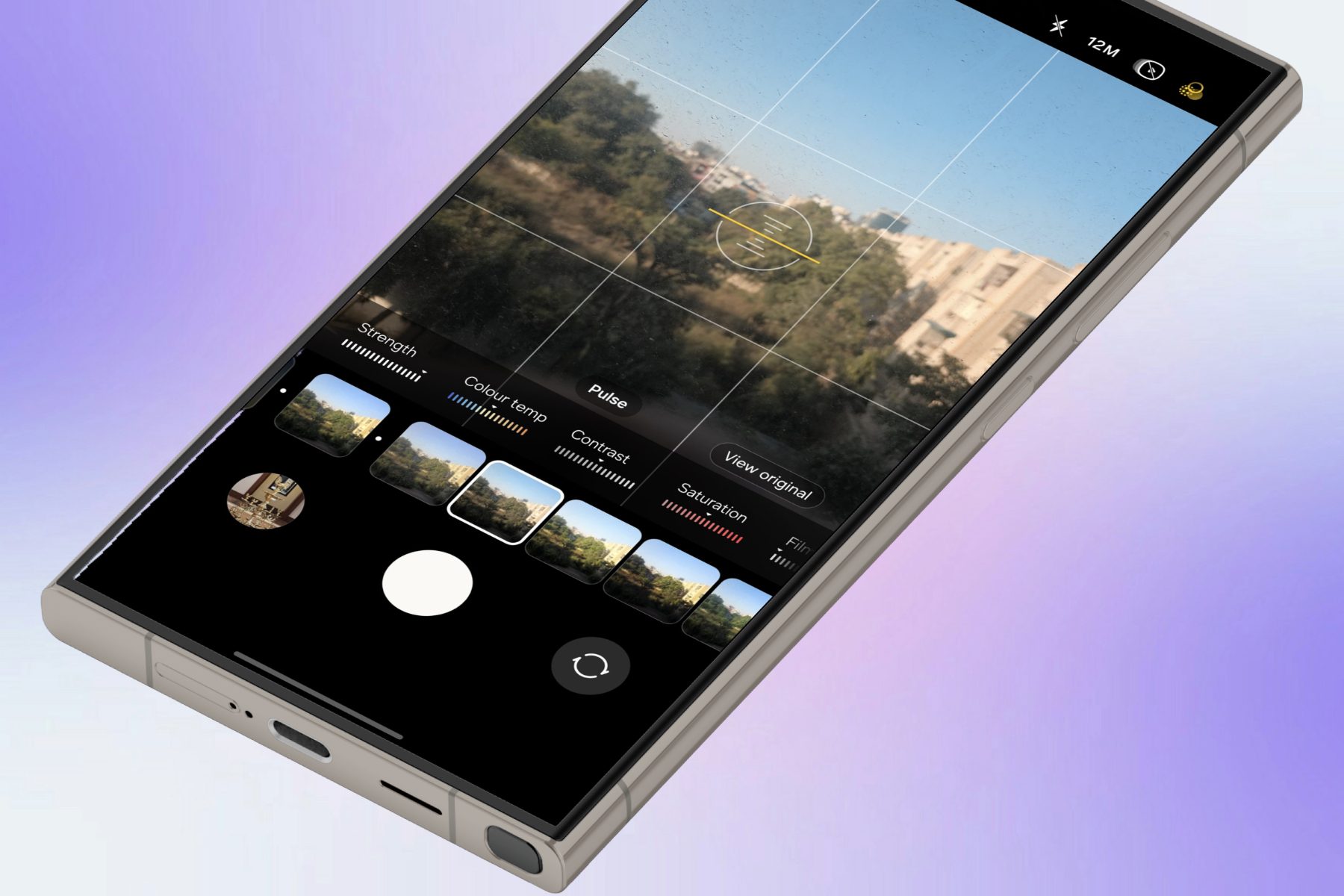
Filter controls on the Samsung Galaxy S25 Ultra.
Prakhar Khanna / Digital Trends

Apple introduced a similar system with tone controls and styles on the iPhone 16 series. However, this system only allows two types of controls on a touchpad. It can take a bit of time to get used to, but the learning curve is not too steep.

Beating Apple at it’s own game

In Samsung’s case, you have more versatility as you seek to achieve the perfect stylistic tone. For example, the ability to control the saturation levels and grain can dramatically change how the final shot looks. I love it.

And here is the nicer part. Samsung even lets you create your own special filter. All you need to do is pick a picture from your camera roll, and the phone will do the rest for you.
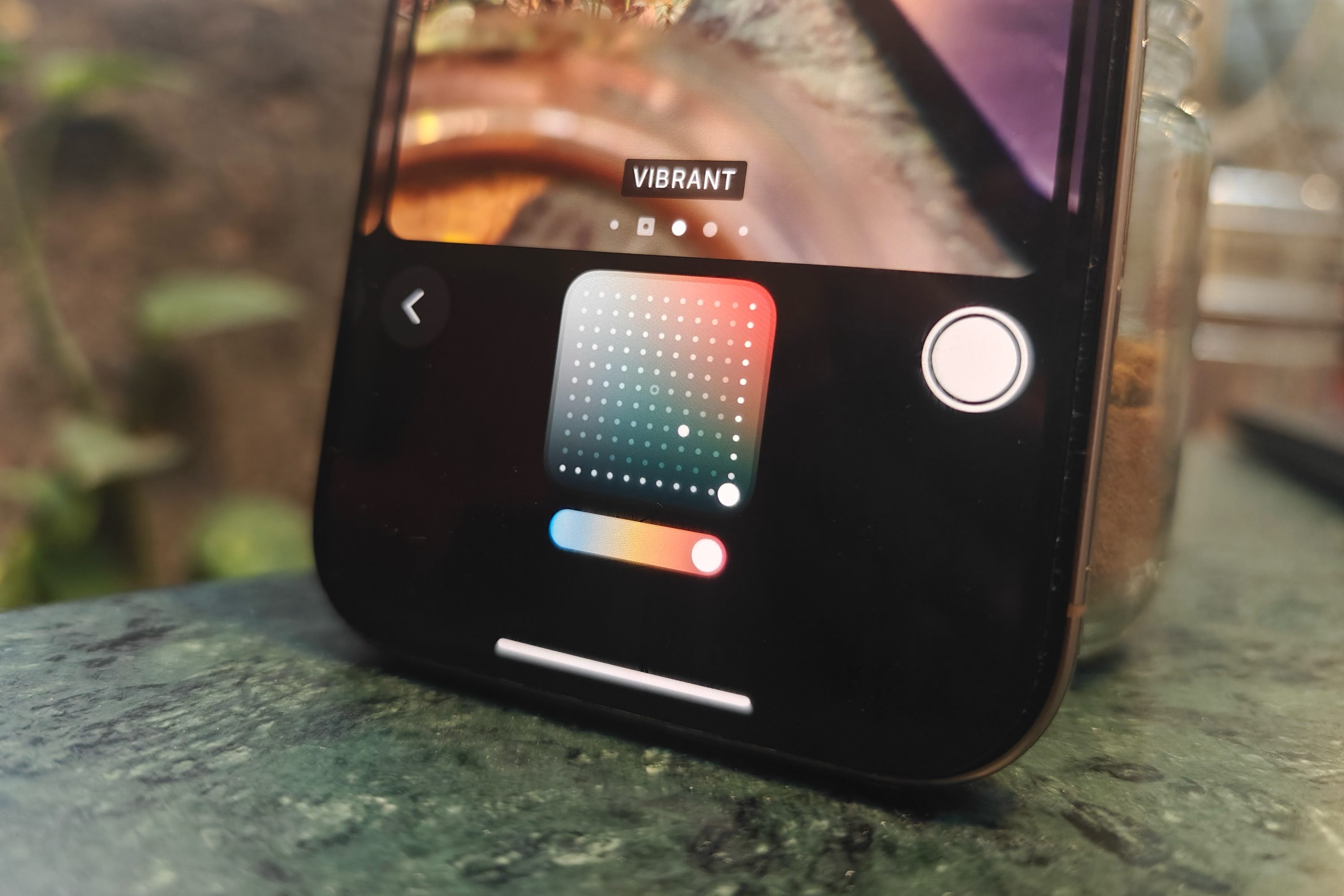
Control pad to adjust Photographic Styles on iPhone 16 Pro.
Editing controls for Photographic Styles on the iPhone 16 Pro. Nadeem Sarwar / Digital Trends

If you like the color chemistry of a certain photo in your gallery and want to replicate the same look, the Galaxy S25 will pick all the details from that photo and turn it into a personalized filter.

“This innovative function allows you to capture the look and feel of your preferred photos by mimicking their colors and styles, and instantly applying these to new images,” says the company.

Filter sliders in camera app on the Samsung Galaxy S25 Ultra.
Prakhar Khanna / Digital Trends

For easy identification, the custom filter picks up the same thumbnail as the original picture it is based on. Of course, you can give a special name to these personalized filters, as well.

Just keep in mind that when you are creating your original filters, switch to the Photo Mode in the Samsung camera app. All these filters are saved locally on your Galaxy S25, and you can create up to 99 of these unique style effects.

Now, if only Samsung allowed users to share these unique filters. Sigh!

Nadeem Sarwar
Nadeem is the Managing Editor at Digital Trends.
The dream of uber cheap phones for kids and grandparents is effectively dead, thanks to AI
AI's demand for memory chips has made budget smartphones unprofitable to build.
Electronics, Mobile Phone, Phone

That $100 phone you were going to grab for your kid's first device, or hand down to grandma, could become a dream in a while. AI's hunger for memory chips just made the entire budget phone category borderline impossible to build.

So how bad are we actually talking?

Read more
Apple’s new Upgrade program launches on Tuesday with major changes
Apple's new leasing program might drop AppleCare coverage from the bundle.
iPhone 17 Pro Max

Buying your next Apple device could soon look like leasing a car. Apple is launching its new Apple Upgrade program on Tuesday, July 28, replacing new enrollments in the long-running iPhone Upgrade Program with a lease-based option that covers iPhones, iPads, Macs, and Apple Watches.

Backed by Klarna, the program is designed to lower the upfront cost of Apple's premium devices, but it is also raising questions about whether you'll actually own what you're paying for.

Read more
Setting up your dorm desk? These are the phone stands I’d actually spend my money on
From a $2 folding stand to a three-in-one Apple charging dock, these are the phone stands worth setting up this semester.
Analog Clock, Clock, Electronics

A phone stand is one of the smallest purchases on any back-to-school list, but it's also one of the easiest to get wrong, especially since there are dozens of options available on Amazon. A good phone stand is one that does its job well and, more importantly, doesn't put much of a dent in your budget.

This is one of those product categories where you don’t need to spend big, unless a MagSafe dock or a multi-device charging stand is genuinely useful for your desk or dorm setup. That is why this list begins with the most affordable options and works its way up to the more expensive ones. From a two-pack that costs about as much as a coffee to a three-in-one Apple charging station, I picked eight of Amazon's best-reviewed phone stands worth considering this back-to-school season.

Read more
