The HDMI connector is one of the most important solutions for connecting source devices and displays in modern electronics. It’s a consumer-facing connector that is the mainstay of modern TVs, games consoles, Blu-ray players, streaming devices, and anything else you might like to connect to a TV to stream content from. HDMI is high bandwidth and can support video and audio simultaneously, but it does lack features of other connector types, such as power delivery.
If you’re going to connect your TV to almost anything, you’ll probably want to use an HDMI cable. But the generation of HDMI connector you use, and its certification rating can determine what it’s capable of.
Here’s everything you need to know about HDMI.
What is HDMI?

The High Definition Multimedia Interface, or HDMI connector, was introduced in 2002 as a replacement for aging analog and digital standards, like VGA and DVI. It’s gone through multiple generations, with ever increasing bandwidth and new and more capable feature support. Today, HDMI 2.1 is the most common modern standard, reaching bandwidths up to 48 Gbps, though a newer HDMI 2.2 standard has also been proposed for the future.
HDMI uses a proprietary, symmetrical connector that can only be oriented in one way. Although electrically compatible with other standards like DVI and DisplayPort when using an adapter, HDMI cables are only compatible with HDMI ports directly.
HDMI supports modern visual features like up to 16bit color, high resolutions and refresh rates, various HDR formats, Dolby TrueHD and DTS-HD Master Audio, variable refresh rates, quick media switching, auto low latency mode, and display stream compression, among others.
Used as the primary audio and video transmission medium for living room devices like games consoles and televisions, HDMI has more limited use in desktop PCs. Graphics cards and onboard GPUs tend to offer a single HDMI output, where they will have up to three DisplayPort and USB-C outputs. That said, HDMI is often the video-out connector of choice for laptop manufacturers.
Although HDMI cables are backwards compatible, you need newer, more capable standards to take advantage of the latest features.
HDMI versions
HDMI has gone through a number of versions over the years, reaching version 2.2 in 2025. However, where in the past these versions were used to denote the capabilities of a particular HDMI port or cable, after the release of HDMI 2.1, the standard evolved to describe the certification level of certain cables as a more intuitive way to understand their capabilities.

At the time of writing these are the mainstream cable standards and their capabilities:
| Maximum bandwidth | Maximum resolution | HDMI compatibility | |
| Standard HDMI | 5 Gbps | 1080i/720p | HDMI 1.0 or newer |
| High Speed HDMI | 10 Gbps | 4K @ 30 Hz, 1080p | HDMI 1.3 or newer |
| Premium High Speed HDMI | 18 Gbps | 4K @ 60Hz | HDMI 2.0 or newer |
| Ultra High Speed HDMI | 48 Gbps | 10K @ 120Hz (with DSC) | HDMI 2.1 or newer |
HDMI 2.2 has yet to see any widespread release or support, so as yet does not have an official cable designation. However, when it becomes more widely available it is set to offer bandwidth of up to 96 Gbps, which would give it support for even higher resolutions and refresh rates, like 16K for professional displays, or native 4K 240Hz without any compression.
Although most HDMI cables offer standard audio and video transmission, there are also specific HDMI cables that can offer Ethernet support in a limited capacity, too. These are specifically designed for unique situations, however, and are rarely used in consumer settings.
HDMI features
Alongside providing the bandwidth to transmit high resolution audio and video from source device to display, HDMI supports a number of important features which help make it the best choice for connecting a range of devices together.
One of its standout features is ARC/eARC support. This allows the user to connect their A/V system to a TV via a single HDMI cable, and that A/V to a digital source, like a streaming stick, games console, or Blu-ray player. No need for additional audio cables between A/V system and TV, making for a more aesthetically pleasing, easier-to-install setup.
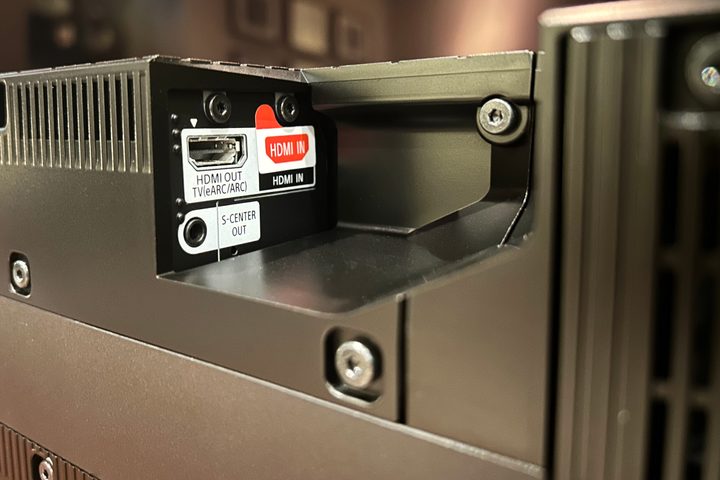
HDMI also supports variable refresh rates, which can help prevent screen tearing or stuttering during gameplay, and dynamic HDR, so standards like HDR10+ and Dolby Vision can make your favorite shows and movies look their best. It also supports auto low latency mode, whereby your TV will switch to a lower-input-lag configuration during gaming to prevent issues with responsiveness.
While HDMI cables can support ultra high definition resolutions and high refresh rates, compressive technologies like Display Stream Compression and chroma-subsampling can help it offer support for even higher options. For example, HDMI 2.1 can support 8K resolution at 30Hz, but with DSC enabled it can support up to 120Hz.
HDMI alternatives
HDMI has a strong position as the mainstream method of connecting living-room devices to one another, but it isn’t the only option. In the PC space, DisplayPort is far more commonly used to connect desktop computers and monitors together. Similarly so, USB-C is finding increased use for its smaller cable design and ability to transfer power.

The reason DisplayPort sees more use in PCs, is that it typically offers greater overall bandwidth. DisplayPort 2.1 can reach 80 Gbps, which is enough to play games at 4K 240Hz without the need for DisplayStream Compression (though that is still more often how monitors achieve such high resolution and refresh rate combinations). When DisplayPort 1.4 and HDMI 2.0 were the main options for gamers, too, DisplayPort was more capable, so again was the premiere option for PC users.
Where HDMI might help streamline some setups with its ARC and eARC support cutting back on cabling, its inability to transfer power also sees its lose out to USB-C in some cases. That reversible connector isn’t just more widely available in more mobile consumer devices, but its power delivery means that it’s particularly good for daisy chaining displays together without the need for excess cabling. It’s also seeing increased use in connecting laptops and monitors, as it can act as a charging cable as well as delivering video, audio, and data simultaneously.
There’s also a new GPMI cable that’s recently been unveiled at the time of writing. It’s a Chinese competitor of HDMI that offers up to double the bandwidth, power delivery up to 480W, and in a cut-down version, compatibility with USB-C. While only Chinese TV brands have yet to announce using the cable, it could catch on as a competitor in select markets.
It’s unlikely to replace HDMI in the near term, as that standard is so embedded in modern devices that there would be little reason to include it. There just wouldn’t be anything to connect it to — such is the chicken and egg problem of new standards. But it’s very capable, and as Chinese electronics become more common around the world, we might see GPMI offer direct competition to HDMI. Additionally, though, we could see HDMI quickly advance to offer competitive specifications.