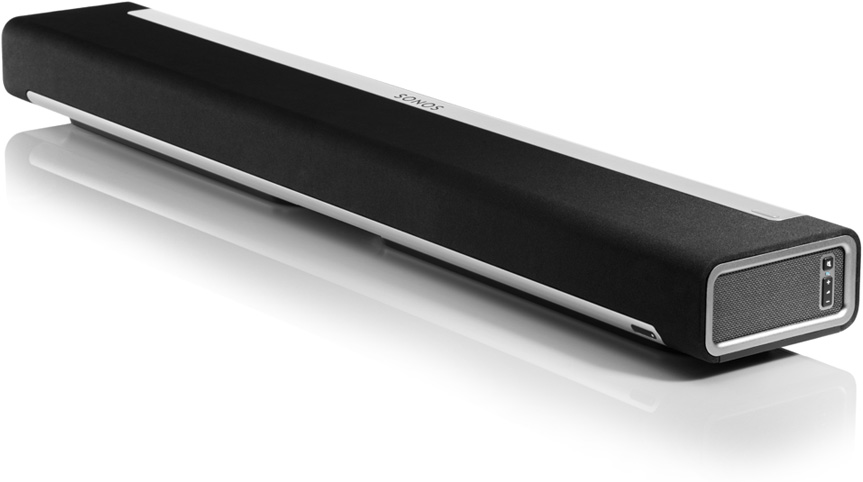
Check out our full review of the Sonos PlayBar soundbar.
If you lack the space or funds for a dedicated 5.1 surround sound setup at home, sound bars are your best option if you want to enjoy great sound quality with the fancy HDTV you purchased over the holidays. Sound bars are compact, affordable, easy to install, and most new models come with a wireless subwoofer. On the flip side, only a few sound bars are capable of processing surround formats such as Dolby Digital TrueHD or DTS-HD Master Audio, and, while the sound quality can be extremely good, you are not really getting a true surround experience – it’s more like a 3.1 set-up. Though not the first to offer a wireless sound bar system (Vizio), Sonos pulled back the curtains today on its PlayBar: a unique sound bar capable of providing a true 5.1 setup.
The new PlayBar, which will be available March 5 starting at $700, looks like a great option for those who hate cables, love high-end sound quality, and who want a home theater system that works equally well with music.
The PlayBar is only 35 inches by 5 inches by 3 inches (W x H x D) and weighs in at around 12 pounds, making it very easy to install. Setup options include mounting it underneath or above your HDTV on the wall, or placing it on a tabletop. An internal sensor detects the orientation and modifies the EQ to give you the best sound quality.
Sonos is all about wireless audio, and that’s where the PlayBar is a major departure from the competition. The best way to connect the PlayBar to your system is to run the supplied digital optical cable from your HDTV to the optical digital input on the sound bar. Connect your Blu-ray player, cable box, media streamer, or video game console to the HDTV, and control everything via your PC or Mac, iPhone, Android phone, or iPad.
An app for all three is already available for free from Sonos. A remote control doesn’t come with the unit, but, like most sound bars, you can program your TV’s remote to control all the PlayBar’s functions. It also works well with most universal remotes, such as the Logitech Harmony series.
The PlayBar connects to your home router via wireless or Ethernet connection, opening up the door to thousands of Internet radio stations and streaming services, like Spotify, Pandora, Amazon Cloud Player, MOG, and music stored on a NAS drive. It works well with iTunes and can playback AIFF, AAC, and FLAC files.
Each of the nine drivers inside the PlayBar have their own Class D amplifier, and, according to our friends at Big Picture Big Sound who had a private demonstration in California last week, the new Sonos system sounds very promising.
To turn the PlayBar into a true 5.1 system, you need to add a few pieces to the puzzle, including the Sonos Sub and Play:3 wireless loudspeaker system. Those three components raise the price to $2,000 for a complete system, but, for some, the wireless aspect will be a strong enticement. Minus the power cords and one optical cable, you’re looking at a cable-free surround system that will not only have great visual appeal but sound good as well.
Is $2,000 a lot to pay for a wireless surround system when you could do it cheaper (with cables) for less? For those with installation issues or who don’t want to see a single cable ever again, it may be the most viable option.