
 Today, Yap (formerly yap.TV) joins the big leagues of companies promising to deliver a one-of-a-kind music listening experience by launching Yap Music, its second entertainment discovery app after its widely successful Yap TV Guide for television shows and movies.
Yap is a mobile service known for providing personalized entertainment content – through its exclusive social entertainment algorithm, TV show fans and movie buffs can easily log in with Facebook and Twitter and have their interests automatically taken into account and have them generate relevant, personalized media streams. The company’s platform also powers social entertainment experiences for USA Network and Simon Fuller’s XIX Entertainment. In the same way the Yap TV Guide app provides TV and movie watchers an immersive experience, Yap Music promises to complete the new content discovery package, tying together information from your social media accounts and your iTunes library.
How does it work?
After collecting your Facebook music “likes” and studying your device’s music library, it uses a special discovery and recommendations algorithm and provides you a new list of music artists tailored to your preferences. You can sort content according to popularity, newness, and number of likes received from people in your circle as well as other users on Facebook and iTunes. You can then purchase music from within the app, without losing connection to the artists you adore and enjoy.
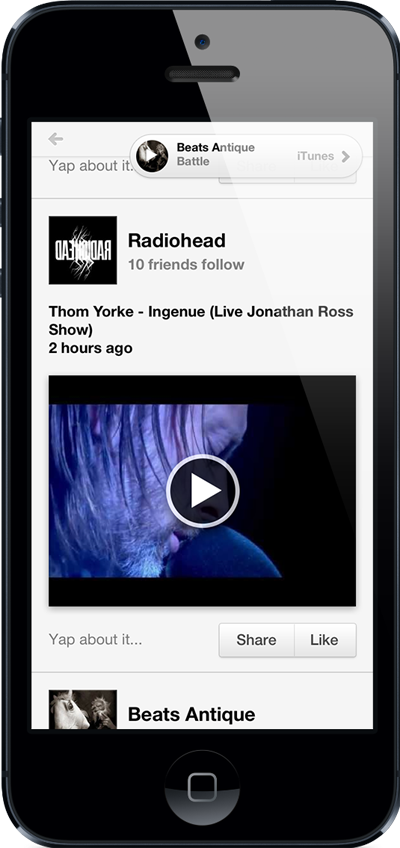
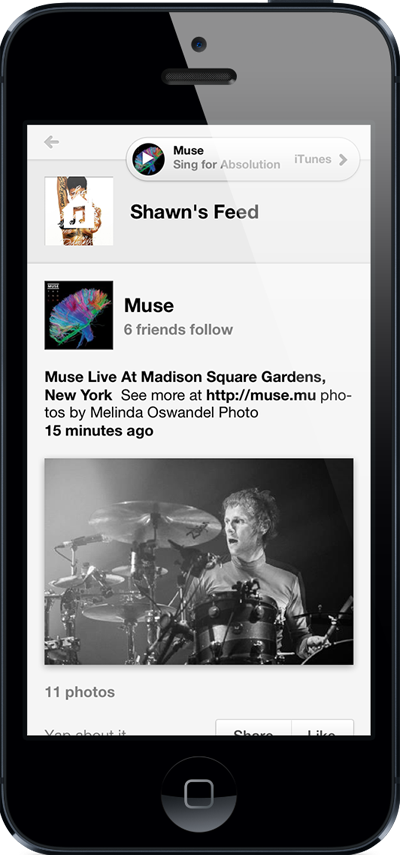
Every artist featured in the Yap Music app gets a personal feed consisting of their pictures, videos, and news. Playback ability is also present within the app.
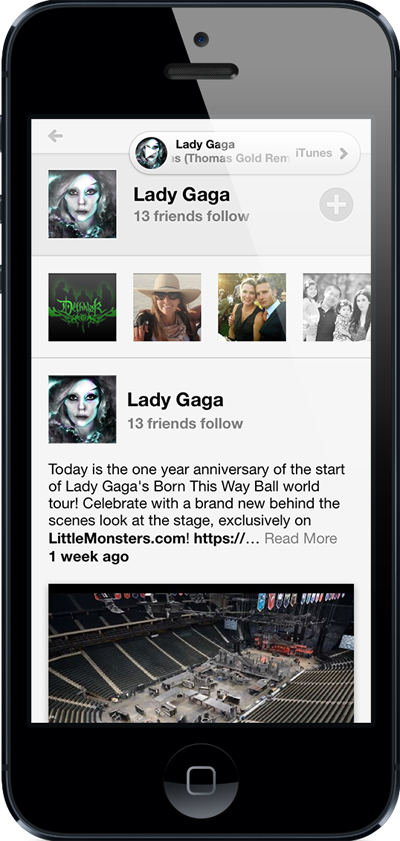
Whenever you scroll through a certain musician’s feed, the Contextual iTunes player plays sample tracks in the background, giving you a free taste of the artist’s music as you browse.
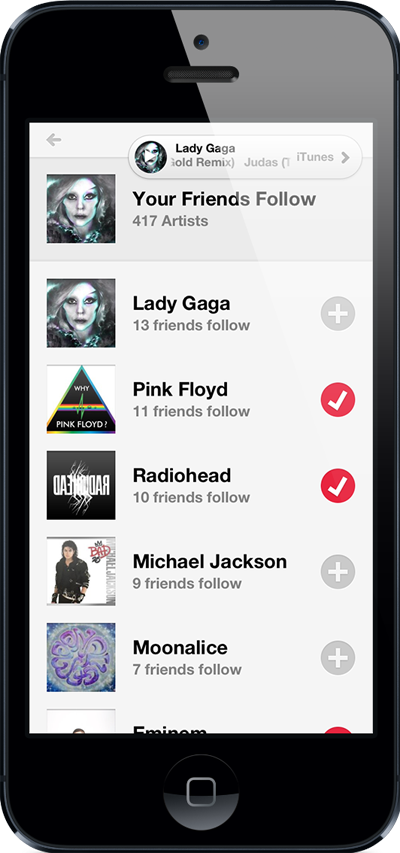
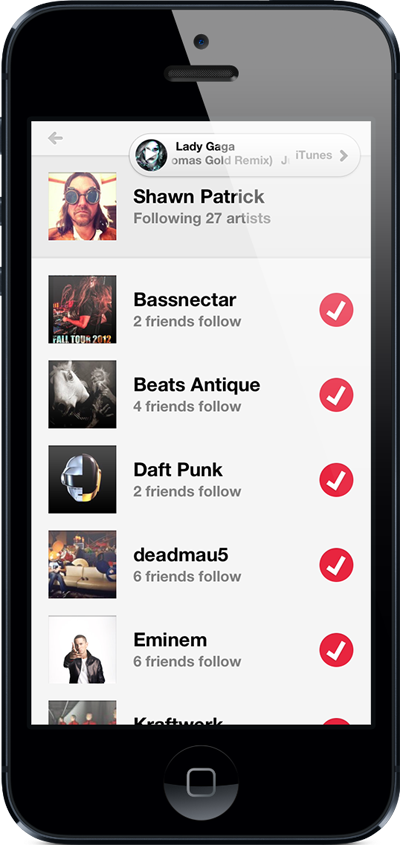
If you don’t have an artist in mind, you can check out featured artists by genre or use the Search and Discover feature. You can also check out a collective list of artists your friends follow.


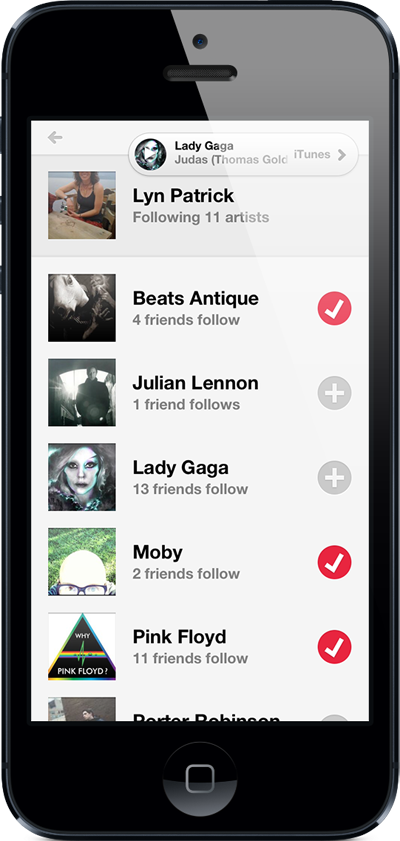
You can visit your friends’ profiles and see which specific artists they like, and you can check out automatic playlists they’ve generated.
From one page, you can access your feed as well as the Genre filter and the Search and Discover functions. From there you can easily review artists you follow.

What’s the difference?
“Many apps claim to deliver ‘music discovery,’ but are in practice just a cleverly disguised trending topic list or skin for existing streaming music apps like Spotify – these approaches fall dramatically short of true discovery,” explains Trevor Stout, Yap CEO. “Yap’s deep integration with Facebook brings a personalized music experience to the fan with a simple log in, making it easy to browse and follow new artists, share favorite artists with friends, discover a great unknown band, or view pictures or videos posted from your favorite bands. Yap creates a universe of musical discovery around the most important person: you.”
Stout says that it is his company’s mission is to deliver users continuous real-time content that maps their interests as well as their friends’ through Yap Music. Right now, the app is only available for iOS devices through the iTunes store, but an Android app is also in the works. Yap is considering other platforms as well.


