
I had already settled into my airline seat and tuned into Spotify on Sunday afternoon, when a flight attendant stood up and grabbed the microphone to start his typical “here’s how to buckle your seatbelt” routine, but he seemed oddly enthusiastic. Out of my left ear – the one that wasn’t listening to “Shake Shake Shake” by The Sounds – I heard him.
“I know you’ve been waiting to hear this for a long time,” he announced with a pause, as if he was hyping a reunion for The Beatles. “You do not have to turn off your smartphones and personal electronics during takeoff!”
The airline industry’s 46 years of gadget suppression are over.
The entire cabin erupted into cheers upon hearing the announcement. I stood up and thrust my phone into the air like a defiant teenager at a Twisted Sister concert. Streamers shot into the air and the cabin lights began to change colors like a disco hall. It was party time on Delta! We lifted the flight attendant up on our our heads like a rock god, and Dean Snyder stood up from first class and began to sing “We’re not gonna take it!” And we weren’t! The world changed and we all Party Rocked through the skies.
Actually, there were no streamers, disco lights, or Dean Snyder. None of us party rocked, and I didn’t fist pump at all (though I should have). Instead, the flight proceeded as I imagine every flight will from now on: Everyone took out their phones, plugged in their earbuds, and proceeded to zone out and ignore the remaining announcements.
Gadgets have been banned until airplanes hit an altitude of 10,000 feet for longer than I have lived. We were always told that the radios inside devices could interfere with plane equipment and, presumably, cause a fiery, gruesome death for everyone aboard. No one could stop you from breaking the rules, but airlines were strict and no one wants to die. Dying isn’t fun.
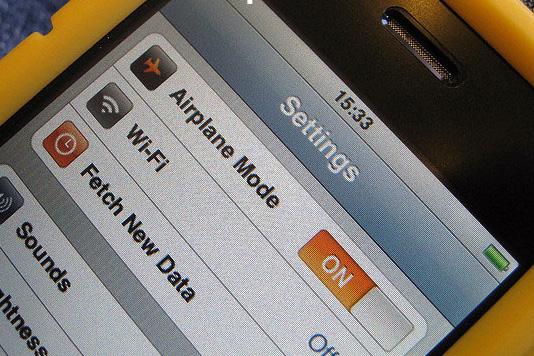 But after years of threatening crashes, last week, the Federal Aviation Administration reversed an order it first gave in 1966 and allowed airlines the go ahead to allow passengers to use personal electronics during takeoff and landing. Back in the 60s, personal electronics only meant handheld FM radios, but in our gadget-rich world of 2013, this reversal now means that phones, tablets, ebook readers, silly gadgets like the Galaxy Gear (which should be banned for poor taste), and anything else that isn’t a full-size laptop is now allowed. The airline industry’s 46 years of gadget suppression are over.
Oddly, I still felt nervous using my phone during lift off. Years of built-up fear did not wash away with a single declaration. Sure, I downloaded playlists while the plane accelerated, but I never stopped silently praying that I wouldn’t be the jerk that caused the whole plane to go down. So I used my phone and tried to download things all the way up to 10,000 feet, and beyond. I was the Buzz Lightyear of phone use.
But nothing happened. We took off, and then we flew, and as we left the ground, I watched my signal slowly grind to a halt, from LTE, to 3G, to 1X to dead.
After two hours, the plane landed on schedule. It was a landing like any other landing, and I exited the plane as I do on any other flight. I waited for my luggage, and then I waited for my ride home. My life was the same.
Years of built-up fear did not wash away with a single declaration.
Why did it take us 46 years to realize that using a device with radio antennas under 10,000 feet wouldn’t crash a plane? It’s been so long that the payoff of using our gadgets for a few minutes pales in comparison to the lifetime of brainwashing. For decades, we’ve feared that listening to the “Shake Shake Shake” by The Sounds – or Justin Bieber, or David Bowie, or whatever was popular before this weekend – could bring down a plane. Turns out, like a lot of other things, we were fed outdated information that our government was too lazy to bother correcting. It’s the electronic equivalent of the Food Pyramid.
Then again, if any song could take down a plane, it might be a Belieber. If I have to hurtle through the air in a metal tube to get where I’m going, the last thing I want to hear as I face possible annihilation by physics is this crap.


