
Update: 4/11/14 4:56 pm ET: McAfee, a popular developer consumer and business-level Internet security programs, has created a Heartbleed scanner of its own. You can use it to scan your favorite websites and check if they’re vulnerable to the OpenSSL flaw. Check it out here.
Original story
By now, you’ve probably heard of the Heartbleed bug; the flaw in the OpenSSL method of data encryption that lets hackers steal user names, passwords, emails and instant messages, credit card information, and more, while also evading detection. For the most part, aside from changing your passwords and avoiding sites that have allegedly been affected, there’s not much else you can do to combat the bug. However, Qualys, a Web security firm, has developed a tool that lets you scan any website to see if it’s vulnerable to the Heartbleed bug. It’s easy to pull off, too: here’s how.
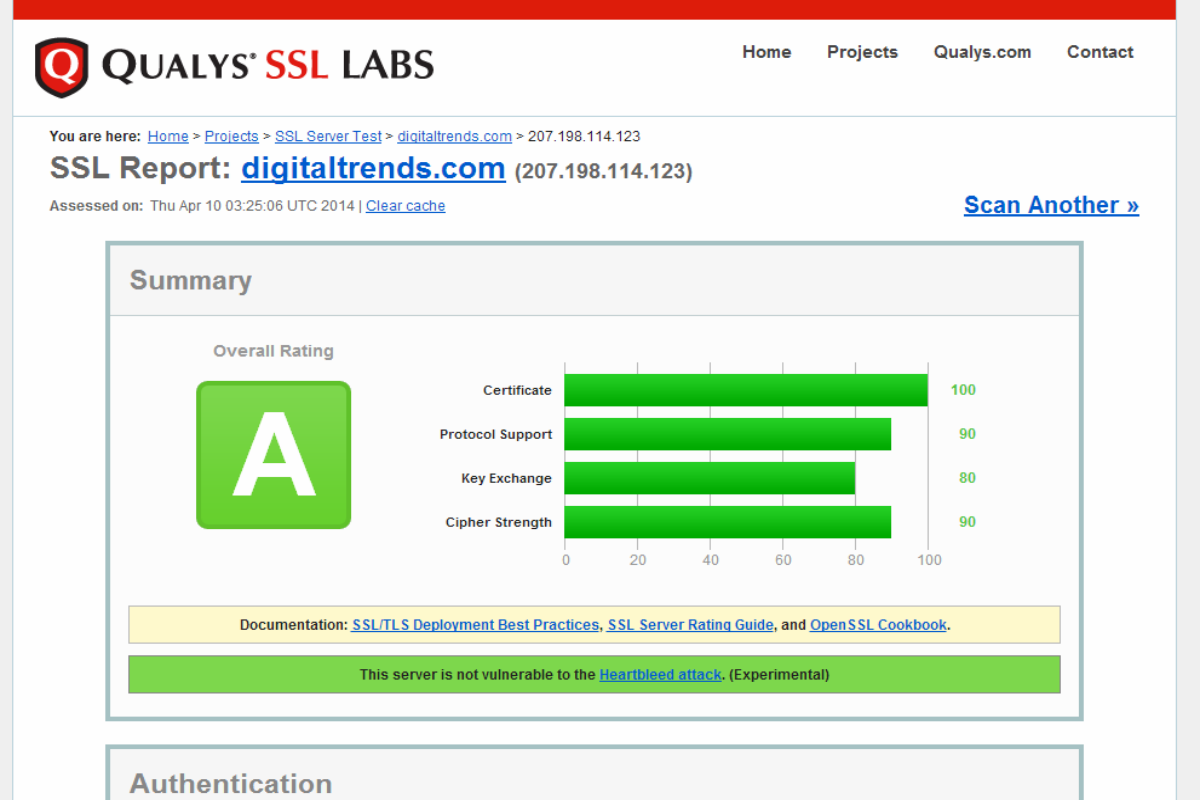
Go to the Qualys SSL Labs page here, type in the name of a website, and click “Submit” to assess its vulnerability to the OpenSSL Web encryption bug. When the scan is complete, you should see a notification telling you whether the site is hit by Heartbleed.
It’s worth noting that the feature is labeled “Experimental” on the site. In our experience, it took up to a minute to complete a scan, and timing varied from one website to the next, so we urge you to exercise patience when using this tool to scan your favorite page. Digital Trends reached out to Qualys to find out what “Experimental” means precisely, and get their thoughts on the seriousness of Heartbleed. We will update this story when they respond.
Alternatively, LastPass, an online password security firm, also has a Heartbleed scanner of their own that works just like the Qualys scanner does. You can check it out here to scan sites, if you’re interested in a second opinion. On top of that, Flippo Valsorda, a software developer put together a Web-based scanning tool of his own, which you can check out and use here. There’s also a Google Chrome browser extension called Chromebleed which should tell you whether a website you’re using is affected by the Heartbleed bug.
-

It looks like we’re safe! Image used with permission by copyright holder
There are also a couple of Android apps available in the Google Play Store that claim to scan your phone or tablet and tell you if your device is using a version of OpenSSL that’s vulnerable to the Heartbleed bug. One is called Heartbleed Detector, the other is dubbed Bluebox Heartbleed Scanner. For detailed guides on Android, iOS, BlackBerry, and Windows Phone devices, read our How to Protect Your Android from Heartbleed Guide and Android, iOS, and Windows Apps Affected by Heartbleed.
Be sure to read our guide to What the Heartbleed OpenSSL Bug Is and How to Protect Your Android from Heartbleed Guide. We also have a robust list of Android, iOS, and Windows Apps Affected by Heartbleed, Websites affected by Heartbleed, and Video Game Services Affected by Heartbleed.
What do you think? Have you used any of these tools? If so, have any of your favorite sites turned out to be vulnerable to the Heartbleed bug? Help us build a list of affected sites below, to raise public awareness.
Image credit: http://s3.amazonaws.com


