
The Heartbleed bug is bad and affects a huge portion of all websites — as much as 66 percent of all sites around the world, according to some reports — and it’s plunged the Internet into disarray. Unfortunately, your smartphone isn’t safe either.
Please read our List of Android, iOS, and Windows apps affected by the Heartbleed OpenSSL bug. It will explain more about the Heartbleed bug. We also have a robust list of Websites Affected by Heartbleed and Video Game Services Affected by Heartbleed.
What is the Heartbleed bug?
It’s an OpenSSL vulnerability. OpenSSL is a security protocol that encrypts communications between your computer (or device) and a Web server. As the BBC put it, it’s sort of a “secret handshake at the beginning of a secure conversation.”
Most websites, many operating systems, and many apps use OpenSSL. It’s everywhere, and one version of it has a critical bug that lets hackers exploit a function known as the “heartbeat option,” which lets a computer (like yours) send a message to an Internet server to make sure they are still connected — think a tap on the shoulder to see if your buddy is still awake. This bug lets attackers send fake heartbeat messages to trick the server into sending back sensitive data like passwords and credit card numbers. Again, it’s very bad.
There are no known mobile attacks yet
The extent of the damage is still not clear, but Digital Trends has learned that the bug can be exploited on mobile devices, though the risks aren’t as great as they are on a desktop computer browsing the Web.
Mobile security company Lookout downplayed the risks, saying: “The good news is that we have yet to see any attacks targeting a mobile device, and while this is a credible risk, the likelihood of you encountering an exploit is low.”
Which operating systems are affected:
- iOS devices are safe.
- Windows Phone OS is likely safe.
- BlackBerry is “investigating.”
- Android is vulnerable if you have version 4.1.1, according to Google.
How to check if your Android phone is vulnerable
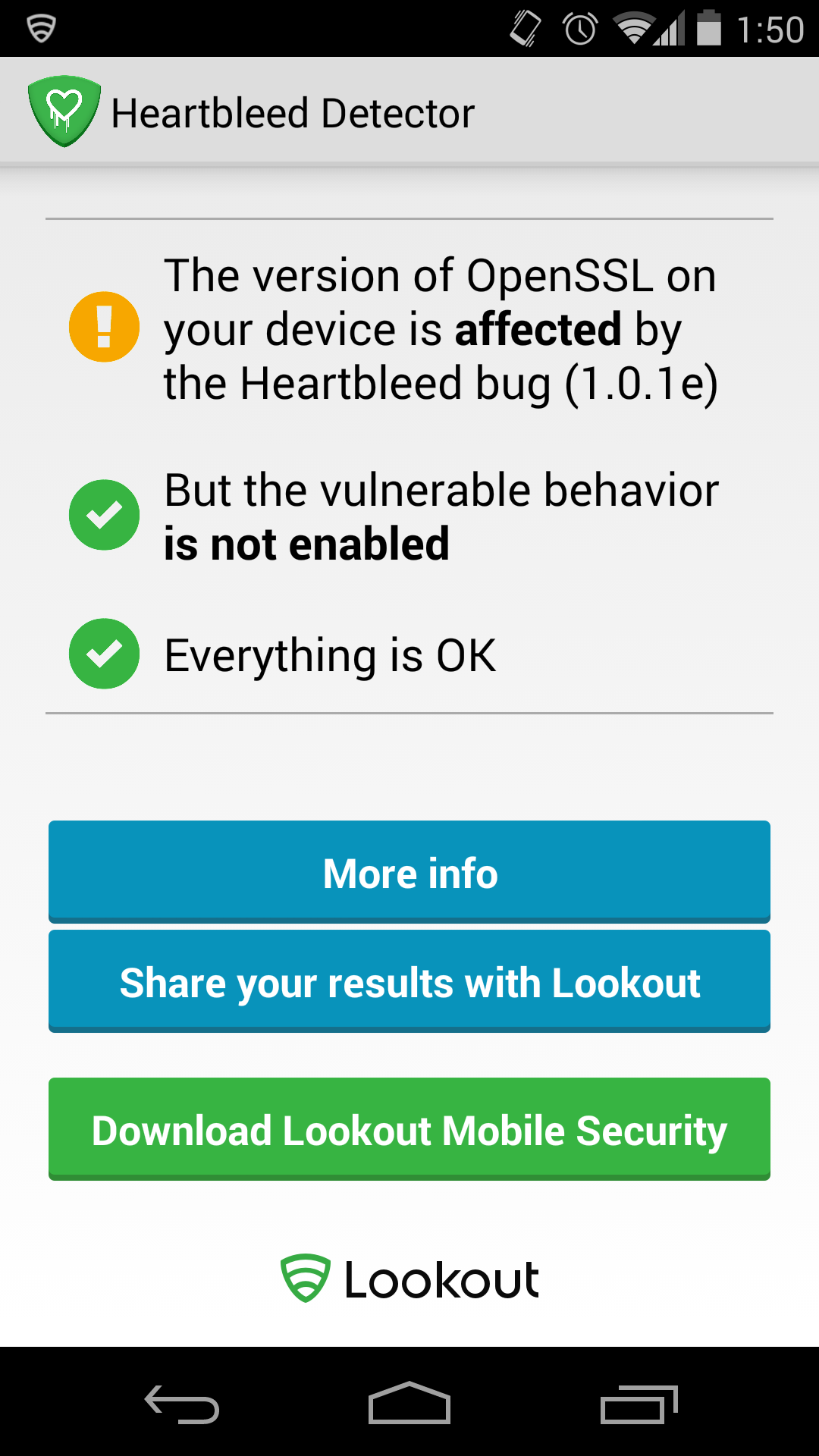 According to Google, about 34 percent of all Android devices still run Android 4.1.x, meaning more than 300 million phones and tablets could be vulnerable to this bug. Lookout has released an Android app to check if your mobile device has been compromised. You can download Heartbleed detector from the Google Play Store now.
If your phone is vulnerable and the heartbeat option is enabled, there’s nothing you can do except check for updates. Go into Settings > About phone > System updates on most devices. Some devices will have Updates in another area of the Settings menu.
Log out of affected apps, then log back in
We’re compiling a list of affected apps now, but for now we have a temporary fix, and it’s very straightforward.
If you’re worried that an app on your phone or tablet is vulnerable (if it’s on a list, or its website counterpart is listed) log out of the app, wait a few minutes, then log back in. Mobile devices use security tokens, which act as an electronic key to provide you with continuous access to your apps. If you log out, the security tokens will be replaced with new ones, which, in theory, should keep you safe from the bug — according to Tom’s Guide, anyway. You’ll want to do this once a service has been fixed as well.
Should you change your passwords now?
At present there are two contrasting theories for dealing with the problem. The first one advises you to change all your passwords now, and maybe also find a new name for your first pet. If you want to know if the website you use is affected, you can take the Heartbleed Test here. We reached out to Avast!, the popular antivirus company, and it provided us with three recommendations for your new password:
A guide to your next password:
- Use a random collection of letters (uppercase and lowercase), numbers and symbols
- Make it 8 characters or longer
- Create a unique password for every account
The second school of thought is to not change your passwords, at least for now. The justification for this is that the websites you visit may already be vulnerable to the bug. If you access these sites before they put out a patch, new passwords won’t help. You’ll still be exposed to the bug.
Begin using two-step authentication where possible
Two-step authentication is available on some services like Google, Facebook, Yahoo, Microsoft, and Dropbox. It’s a pain and you’ll hate using it, but it would protect you in this instance. Two-step authentication forces you to enter a code on your phone every time you log into a service from a new device. This means that hackers would need your actual phone to log into services.
This sucks, we agree
The worst part about this whole mess is that we, as users, are powerless. We didn’t cause the bug with crappy passwords. It’s a small problem in a line of open-source code that the whole Net uses. For now, take comfort in the fact that everyone’s as powerless as you are.
“We, as end users, simply can’t do anything, but make sure we are as secure as possible,” Jiri Setjko, Director of Avast! virus labs, told Digital Trends.
(Williams Pelegrin and Christian Bautista also contributed heavily to this report.)


