The last time the World Cup was held in Brazil back in 1950, the host was beaten by Uruguay. Brazil has won the cup a record five times since then and you’d be crazy to bet against them this year. Whether your national team made it or not, you won’t want to miss any of the action from the world’s biggest sporting event. A glorious month of continuous football will unfold in 64 matches, held in 12 stadiums across the country.
Loads of World Cup related apps and games have popped up in the app stores, so it’s far from easy to pick the winners. Just make sure you keep an eye out for malware and fake games designed to serve you ads, as highlighted by Avast. We’re here to cut through the dross for you and uncover the truly great ones. These apps will keep you glued to all the exciting action, the twists, turns, triumphs, and disasters of the World Cup.
FIFA (Free)
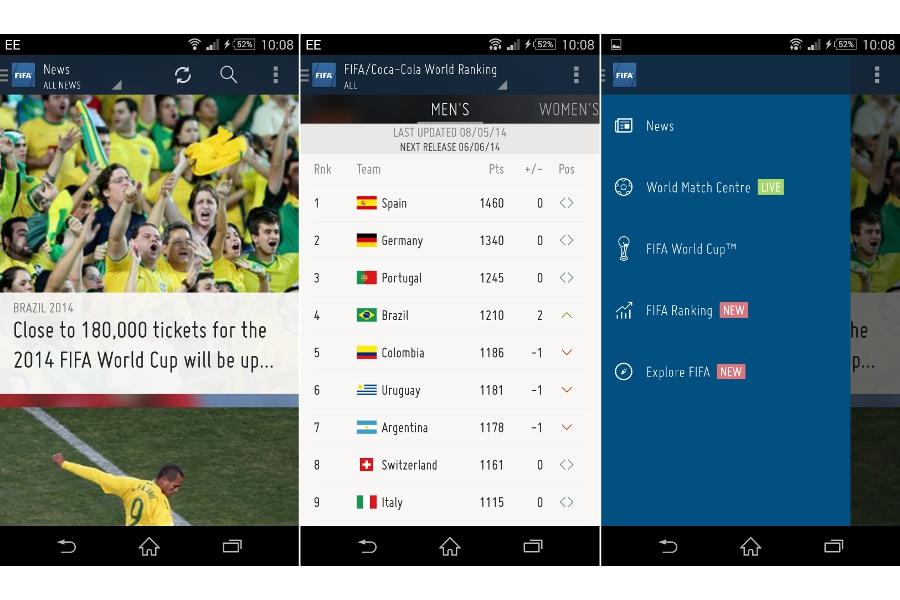
The official FIFA app is nicely put together. The slick aesthetic plays host to a news section, a match center (covering 197 leagues worldwide), the official FIFA rankings, and some promotional content about its work. There is also a large World Cup section with a countdown to the kick off and all of the information you need to keep up with every one of the 32 teams at the tournament. This app was a little slow to navigate, even on a high-end Android smartphone. Taking a look at Play Store reviews, it might struggle to run perfectly on older phones. If you want a simple overview of the tournament, this app does the job and looks pretty while doing it, but there are some obvious features missing, like alerts, a calendar, and filters for news about your favorite team.
SofaScore (Free)
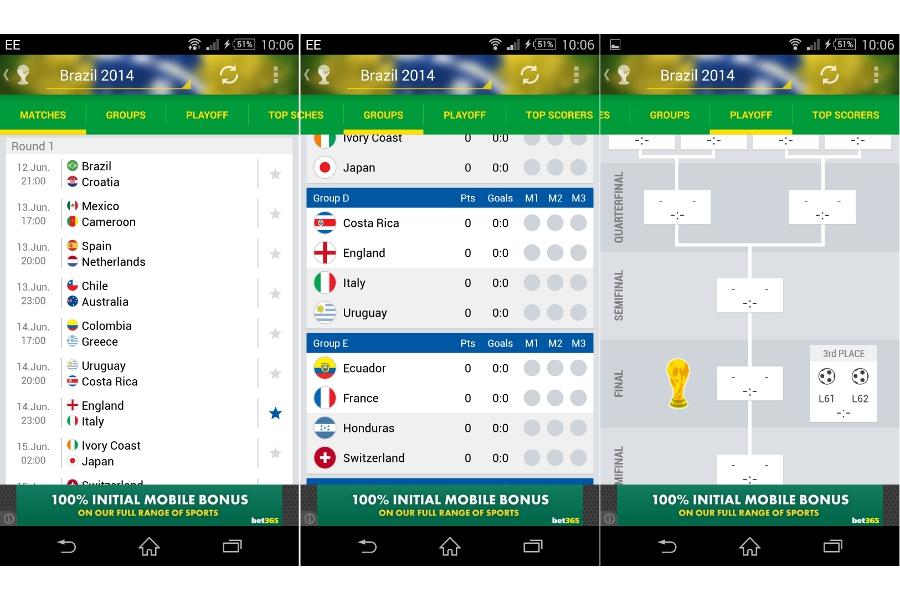
If you’re a sports fan then there’s a good chance you have heard of this one. It provides all the latest news, scores, and stats for a very wide range of sports and there’s a special version just for the World Cup. The lay-out is clear, it’s packed with information, and you can really get into the game by predicting scores, picking your favorite teams, and receiving push notifications. Sometimes you can even view video highlights of goals, but they are hit and miss, because the videos aren’t hosted by SofaScore. It’s not unusual to click through to watch a goal only to be redirected to Dailymotion and a message saying the content has been removed. The app offers impressive in-depth analysis, though. For example, you can go into an individual match and see the results of past matches between the two teams, including match reports and detailed stats. The Android app also has a widget and it’s very easy to use. Unfortunately, the iOS version isn’t as good.
Android | iOS | Windows Phone
ESPN FC (Free)
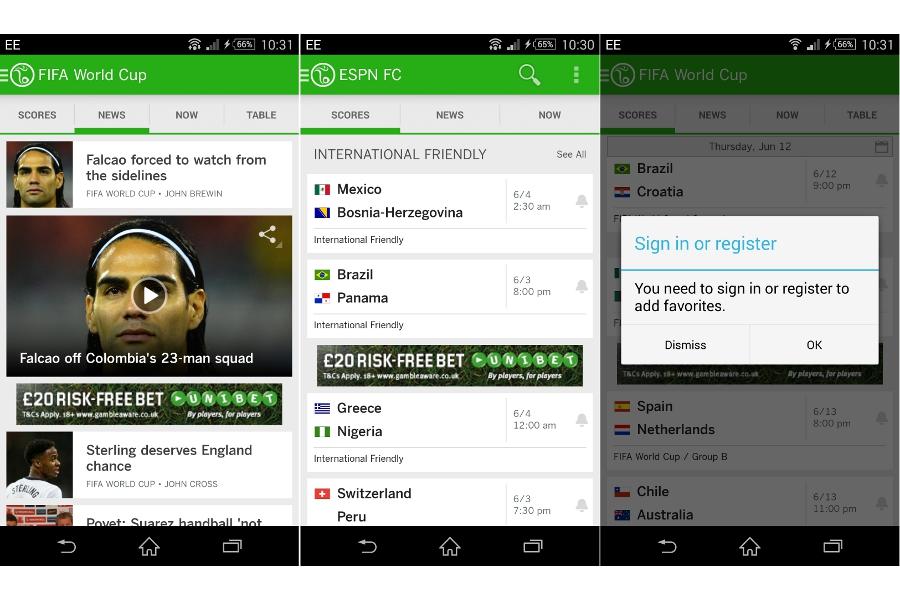
Who says Americans don’t understand soccer? The ESPN app is well-designed with a clear layout and plenty of information. It’s a football app that covers all of the major club leagues, but there’s also a comprehensive World Cup section. If you subscribe to ESPN in the US, then this is a no-brainer, as it allows you to stream video interviews and highlights from the games. As a basic app it has schedules, stats, and news, but it forces you to create an account if you want to pick favorite teams, which seems unnecessary. One other interesting feature here is a Twitter stream that’s built-in and displays tweets from famous footballers, managers, and pundits.
Android | iOS | Windows Phone
Onefootball Brasil (Free)
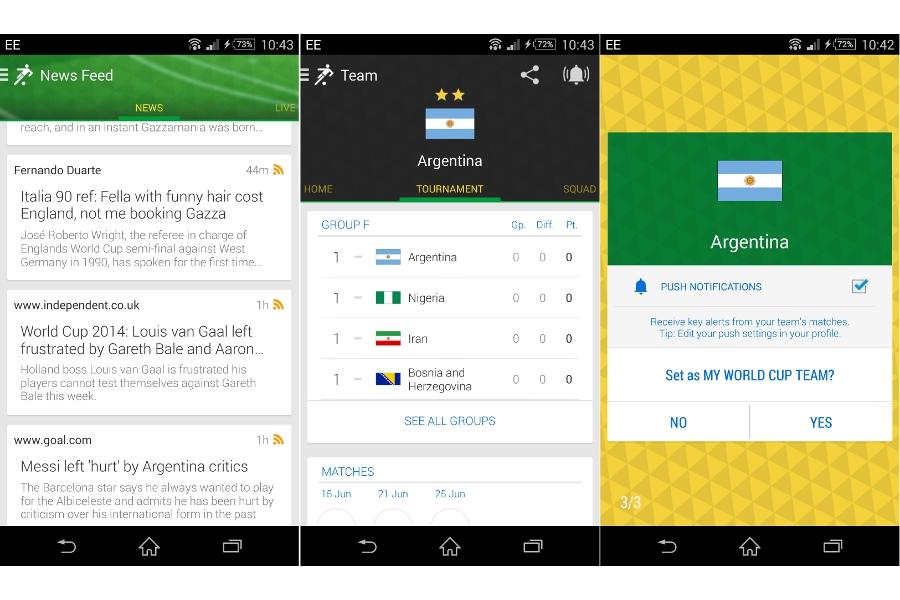
The normal Onefootball app is one of the most comprehensive options around, so this special World Cup version had to be worth a look. If you just want a streamlined app that lets you pick your favorite team and focusses only on the tournament, then this could be the one. It’s got all the schedules, match results, news, and team line-ups. You can also check out individual player reports with stats and links to their Twitter feed, if they have one, and you’ll receive push notifications about your chosen team. The news feed ties into all the top football websites and there’s a nice history section that tells you the lowdown on World Cups gone by.
Android | iOS | Windows Phone
LiveSoccer World Football Cup (Free)
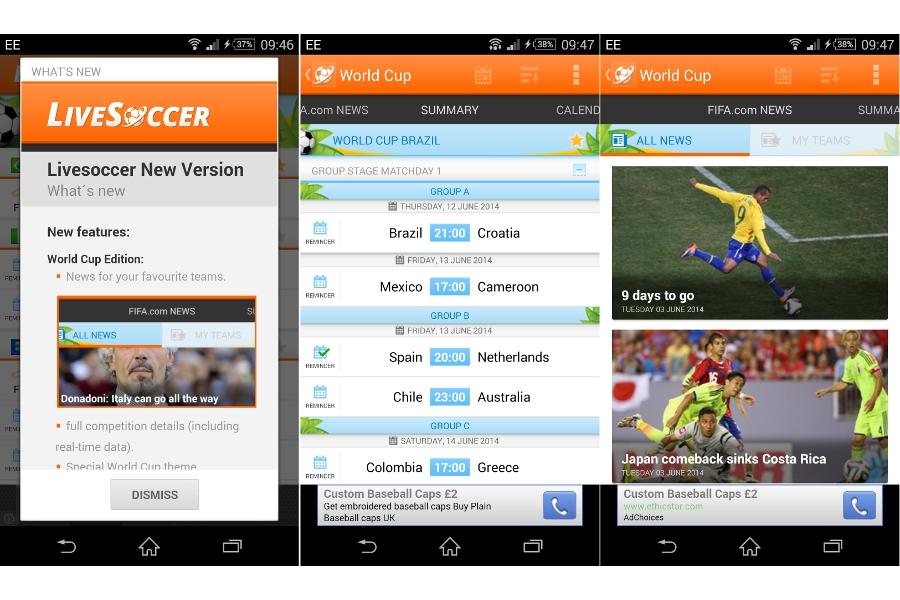
You’ll find all the major leagues are covered by this app and there’s a special section dedicated to the World Cup. You can pick your favorite teams, get push notifications for goals and other incidents, and follow the action with live text commentary. You’ll also find a clear calendar and the ability to set reminders for the games you don’t want to miss. One stand-out feature is the player statistics, which give you a full breakdown of past performance for club and country. This one’s just for Android, though.
Quality over quantity
We checked out a few other World Cup apps on your behalf, but the truth is that most of them deliver a subset of the features that exist in the apps we’ve recommended, and they simply aren’t as slick or comprehensive. If you’re actually lucky enough to be visiting Brazil for the tournament, then you’ll be glad to learn that Google recently added transit directions and schedules for all 12 of the host cities to the Google Maps app (Android, iOS).
Honorable mentions
The depth, breadth, and quality of the sports coverage in the BBC Sport app (Android, iOS) is excellent, but it covers every sport, and you won’t be able to enjoy video highlights or radio commentary outside the UK.
SecondMic (iOS) is an interesting idea for an app, but sadly there’s no Android version. It provides alternative commentary from former pros, reporters, pundits, and sometimes other special guests. It can be an entertaining alternative to the commentary on your TV.
Jalvasco World Cup 2014 (Android) provides the usual breakdown of scheduled matches, team standings, and statistics. The strong point is its customizability. You can choose exactly what you want to track on each tab, but there’s no iOS version and they may have taken the Brazilian color scheme too far.
If you want a taste of the magic for yourself then you can play FIFA 14 (Android, iOS) for free. It has all the official licenses you need to recreate your own World Cup tournament and Wi-Fi multiplayer to let you beat your friends.
That’s it for our roundup of the best World Cups apps, but post a comment if you know of a good app that’s worth a look.