1. Home
  2. Phones
  3. News

Chrome on iPhone is making it easier for you to switch over from Safari

A new "Safari import" option introduced with the latest beta release helps you migrate your data with ease.

Add as a preferred source on Google
Safari website homepage in iOS 18.
Nadeem Sarwar / Digital Trends

Switching from Safari to Chrome on iPhones is about to get a whole lot easier, thanks to a new feature introduced with the latest Chrome beta for iOS. The feature, aptly named “Safari import,” simplifies the process by offering users a step-by-step guide on how to import their data from Apple’s default browser to Chrome.

According to The Mac Observer, this feature is rolling out with the Chrome 145 beta update. Users can find it by tapping the three-dot menu button in Chrome’s bottom bar, selecting the “Settings” option in the carousel at the top of the menu, and scrolling all the way to the bottom of Chrome’s settings page.

Selecting the “Safari import” option opens a tutorial that guides users through the process of exporting saved passwords, browser history, bookmarks, payment info, and extensions from Safari as a ZIP file. Once that’s done, users can select the import file in Chrome and review all the included data before hitting the “Import” button to complete the process.

Easily switch browsers right on your iPhone

After Chrome completes importing bookmarks, history, and passwords, it warns users that the ZIP file they created contains private information and advises them to delete it, offering a quick option to do the same. From start to finish, Chrome’s import process is simple and easy to follow, and will make switching from Safari to Chrome on iPhones a lot less painful.

Recommended Videos

Until now, migrating data from Apple’s browser to Chrome was limited to desktop. Once the “Safari import” feature rolls out with the stable Chrome 145 update, users will be able to make the switch directly on their iPhones without losing data or starting over from scratch.

Pranob Mehrotra
Pranob is a seasoned tech journalist with over eight years of experience covering consumer technology. His work has been…
RISION’s new pocket-sized cameras turns your phone into a nitfty thermal imaging tool
This tiny $119 camera gives your phone Predator vision
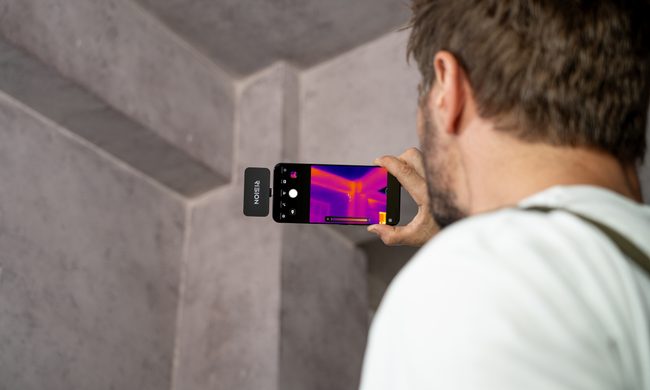
RISION Magic Pro in action

If you've ever had to look for any sort of heat leaks or hot wires, chances are that you've probably used a dedicated handheld camera. But RISION has just launched a tiny new camera tool to make the job easier (and more pocketable). It reminds me of the InfiRay we checked out a while back.

RISION has introduced the Magic and Magic Pro, two compact thermal cameras that plug directly into supported USB-C phones, tablets, and Windows computers. Each module weighs 24 grams, draws power from the connected device, and requires no separate battery. Support covers compatible iPhones, Android devices, and Windows PCs.

Read more
Samsung may finally kill the foldable crease next year, and make the screen stronger while it’s at it
The Galaxy Z Fold 9 could attack the crease from inside the glass
The Galaxy Z Fold 4's screen crease.

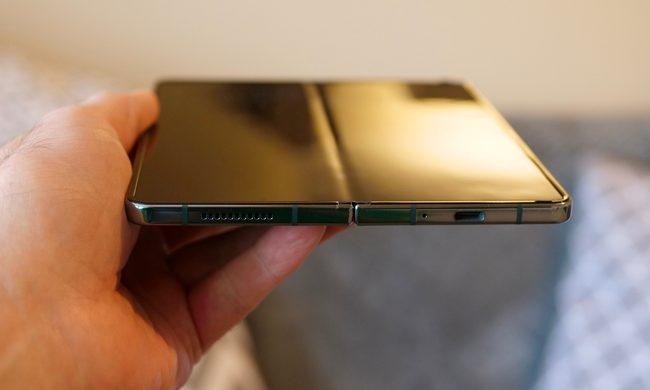
Samsung has spent generations refining hinges, reinforcing display layers, and promising increasingly subtle creases. But soon, it might eliminate the crease by physically carving away part of the glass where the screen folds.

Samsung Display is developing a foldable OLED cover layer known as Center-Etched Thin Glass, or CTG, alongside its suppliers. The technology selectively etches the central folding section of the ultra-thin glass, leaving that area thinner than the rest of the panel. Industry sources believe it could appear in some Galaxy Z9 foldables as early as 2027. It is also known as Hybrid UTG, since a single glass layer would carry two different thicknesses.

Read more
DuckDuckGo’s new iPhone feature stops tracking IDs from hitching a ride in shared links
Copy Clean Link removes unnecessary URL parameters before you paste a page into a message, email, or post
The DuckDuckGo logo.

DuckDuckGo has added a small iPhone feature that can stop tracking identifiers from following links into your chats, emails and social posts.

The browser’s new Copy Clean Link option strips unnecessary parameters before placing an address on the clipboard. It arrived in a July iOS update and appears when users hold the address bar. The supplied report shows it working with pages from X, Reddit and YouTube.

Read more