1. Home
  2. Phones
  3. Photography
  4. News

Google Photos gets new editing tools that are all about subtle touch-ups

Google Photos just made your camera roll feel like it came with a makeup artist included, and the results are refreshingly understated.

Add as a preferred source on Google
Google Photos Touch Up feature in action.
Google

Whether it is dark circles from a late night of work, a blemish that showed up uninvited, or something similar that could use additional brightness, Google Photos now has you covered.

Google has officially rolled out a new Touch Up suite inside its Photos app editor, integrating face retouching tools directly into the app for the first time. Previously, such adjustments were only available inside Google’s Camera app at the time of capture. 

What tools are actually on offer?

Now, with the new Touch Up feature (including options to smooth skin, whiten teeth, and brighten eyes), you can edit a photo you’ve already taken, right there in the same app. No need to export it, open another app, make edits there, and save it back. 

Recommended Videos

The Touch Up feature gives you editing options: heal, smooth, under eyes, irises, teeth, eyebrows, and lips. Each option is paired with an intensity slider that controls how much of the effect is applied to the picture. The goal, as it seems, is refinement, not transformation. 

Can you edit individual people in a group photo?

Yes, and this is where the new feature gets genuinely useful. Google’s AI detects individual faces, so in a group shot, you can actually whiten one person’s teeth or smooth their skin without the effect bleeding onto anyone standing beside them. 

Currently, the tool supports up to six faces per photo. The rollout is gradual for now. The Touch Up feature is currently available on Android devices running Android 9.0 or later with at least 4GB of RAM. For the billion-plus people who use the Photos app daily, this makes it a proper one-stop shop for editing. 

This move puts the Google Photos app in direct competition with the dedicated retouching apps, such as Facetune and Snapseed. 

Shikhar Mehrotra
For more than five years, Shikhar has consistently simplified developments in the field of consumer tech and presented them…
Setting up your dorm desk? These are the phone stands I’d actually spend my money on
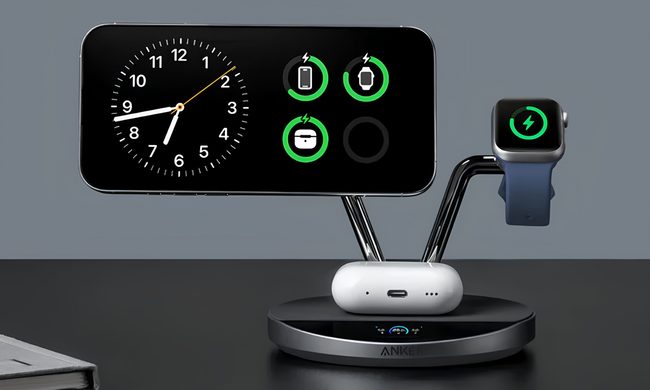
From a $2 folding stand to a three-in-one Apple charging dock, these are the phone stands worth setting up this semester.
Analog Clock, Clock, Electronics

A phone stand is one of the smallest purchases on any back-to-school list, but it's also one of the easiest to get wrong, especially since there are dozens of options available on Amazon. A good phone stand is one that does its job well and, more importantly, doesn't put much of a dent in your budget.

This is one of those product categories where you don’t need to spend big, unless a MagSafe dock or a multi-device charging stand is genuinely useful for your desk or dorm setup. That is why this list begins with the most affordable options and works its way up to the more expensive ones. From a two-pack that costs about as much as a coffee to a three-in-one Apple charging station, I picked eight of Amazon's best-reviewed phone stands worth considering this back-to-school season.

Read more
I picked four wireless chargers so you can stop making your iPhone, AirPods, and Apple Watch fight over one dorm outlet
The best back-to-school wireless chargers for dorm desks, study spaces, and travel
Computer, Electronics, Laptop

A dorm-room desk can disappear surprisingly quickly beneath a laptop charger, phone cable, Apple Watch puck, and the growing collection of adapters required to power them all. Add textbooks and other academic materials, and finding enough room to study becomes the first assignment of the semester.

A wireless charging stand can consolidate several of those cables into one station. It also gives your phone a dedicated place to sit, which helps when you are checking the time or watching a lecture. Every charger here still needs one connection to the wall. So finding a peripheral that works with all of your gadgets isn't just convenient, it's smart. I picked four models ranging from an inexpensive two-device stand to a fast 25W wireless charger capable of powering an entire Apple setup.

Read more
Your backpack needs one of these power banks before classes start
I picked 4 power banks that can survive your longest day on campus
Anker Nano 3-in-1 10,000mAh portable power bank for iPhone.

Finding an empty outlet on campus can require more patience than registering for a popular class. Common spaces like libraries or lecture halls rarely have sockets in the right places. So a good power bank gives you far more freedom. It gives you the option to choose the quiet corner of the library, work outside between classes, or even finish an assignment without worrying about your laptop's battery.

The right model depends on what you carry, since a phone needs far less power than a MacBook or gaming laptop. I picked four Anker power banks that cover everything from everyday phone charging to running several demanding devices at once.

Read more