1. Home
  2. Computing
  3. News

YouTube is turning into an answer engine with a new conversational search feature

Google sprinkled some AI magic on YouTube search and it actually worked.

Add as a preferred source on Google
youtube ai search feature
Rachit Agarwal / Digital Trends

YouTube Premium subscribers in the US (18 years and older) have something new to play with. As reported by The Verge, the company is testing a conversational AI search experience called Ask YouTube that is unlike anything YouTube has offered before.

So what exactly is Ask YouTube?

Instead of typing keywords into a search bar and hoping for the best, you can now ask YouTube a full question and get a response that feels more like a conversation. You can enable this feature using YouTube’s experimental feature

Once you do, you will notice an Ask YouTube button built into the YouTube search bar. When you click the search bar, YouTube surfaces suggested prompts like “What caused the 2008 financial crisis?” or “How to fix a stripped screw.” These might be trending searches or based on your own YouTube history. 

You can either search for these trending search terms or enter your own search term and hit the Ask YouTube button to perform the search. When I searched for “prisoners’ dilemma”, YouTube gave me a text overview followed by a featured video. 

Recommended Videos

Then there were additional videos under different subheadings, including “step-by-step logic of the dilemma” and “real-world applications,” followed by quick concept overviews using shorts. 

I performed multiple searches and found that the search results are a mix of text summaries, long-form videos timestamped to relevant sections, and galleries of YouTube Shorts organized under themed headers. It is a genuinely different experience from the standard search results page.

Does it actually work?

In my limited testing, the AI search worked really well. Not only did it give me an overview of the topic and relevant videos, but I also liked that it sorted them into different categories, giving me an idea of their content. 

Whether it’s better or worse than the normal YouTube search, I cannot comment. I will need to use it for longer to make any such assessment.

Rachit Agarwal
Rachit is a seasoned tech journalist with over ten years of experience covering the consumer technology landscape.
Apple will finally stop making iPhone-to-Windows copy-paste such a chore
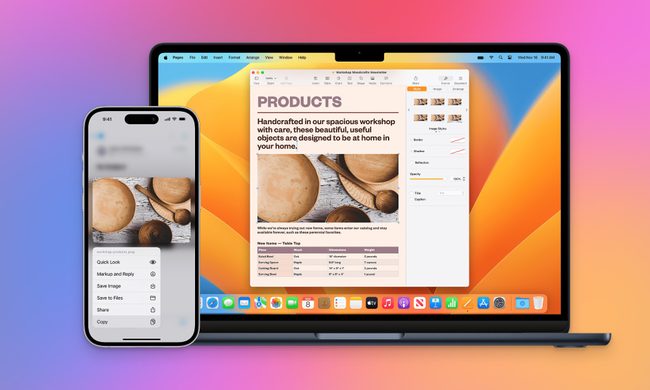
Your iPhone may finally copy and paste with a Windows PC like it should
Apple Universal Clipboard feature

Copying something on an iPhone and pasting it onto a Windows PC should be one of the least remarkable features imaginable. While this simple process seems effortless between an iPhone and Mac, Windows users are still left waiting.

Now, Microsoft is formally asking Apple to provide interoperable clipboard access through the company’s European Union interoperability process. The request, submitted on March 25, argues that iOS restrictions prevent third-party platforms from creating an experience comparable to Apple’s Universal Clipboard. Apple has now reached Phase III and committed to developing a solution.

Read more
Chrome wants more extension reviews, but good ratings won’t keep malware out
Google is testing built-in extension review prompts, but good ratings can still hide malware
malicious-google-chrome-extensions-on-web-store

Google is preparing to add extension review links directly inside Chrome, putting feedback closer to the menus people already use to manage their add-ons.

A Chromium change, first spotted by Windows Report, points to review options in the Extensions menu, the chrome://extensions management page, and extension context menus. Only eligible Chrome Web Store extensions in good standing would qualify, and the feature is still under development.

Read more
Passkeys were pushed as a safer future. Hackers have figured out ways to break those synced to Google
Google’s “uncopyable” passkeys may be easier to steal than promised
google-lawsuite-AI-Scams

Passkeys have been pushed as the safer successor to passwords. It promised protection from phishing, credential reuse, and password leaks. Google even claims that it cannot be copied or accidentally handed to someone else. But it might not be as secure as the company wants it to be.

Security researchers (Via BleepingComputer) have now found three ways malware can undermine those promises for passkeys synced through Google Password Manager. The techniques, collectively named Pass-ta-key, target Google Password Manager inside Chrome on Windows computers equipped with a Trusted Platform Module. Every attack requires malware to already be running on the victim’s computer.

Read more