  1. Home
  2. Computing
  3. News

Miss the old PC days? This website lets you experience Wikipedia like it’s Windows XP

This XP-style Wikipedia explorer turns online research into a nostalgia trip, while showing how much browsing changes when search takes a back seat

Add as a preferred source on Google
File, Webpage, Person
Sami Smith

Wikipedia has an unofficial new front door, and it looks like a desktop from a very specific era of family PCs, school labs, and chunky blue title bars.

Developer Sami Smith has built a browser-based Windows XP Wikipedia explorer that turns categories into folders and articles into documents. It’s playful, slightly inefficient, and more interesting than another AI search box bolted onto the web.

Recommended Videos

The site opens with desktop icons for Wikipedia, Media, Geofile Explorer, and a readme file. The Wikipedia folder lets you move through category folders, while Media turns Wikimedia Commons into something closer to an old image directory, complete with a way to set pictures as the background.

Why does the layout click

Smith’s site gives Wikipedia a visible route through its own structure. Instead of arriving at one article from a search engine, you move through broad categories, subfolders, and article documents.

Made a website where you can explore Wikipedia like it’s a file system on your desktop:https://t.co/DNDPeXLK3D pic.twitter.com/eAtx8cgarG

— sami (@hellosami) May 13, 2026

That old file-manager metaphor does a lot of work here. It makes the encyclopedia feel less like a page you land on and more like a space you rummage through.

The Geofile Explorer points in a similar direction, with a place-based system for moving through continents, countries, cities, and smaller regions. It’s still a demo-like feature, but it fits the whole desktop fantasy neatly.

Why does search feel smaller

The XP-style explorer works best when you don’t have a precise answer in mind. Search remains faster for checking a date, a name, or a definition, but it rarely encourages lingering.

This interface slows the process down and makes Wikipedia’s category system harder to ignore. That can be useful when you’re trying to understand a subject area rather than grab one fact and leave.

There’s a tradeoff. Wikipedia categories can be uneven, and early reactions have already pointed out that hierarchy isn’t always the best way to organize knowledge. The site also isn’t trying to replace regular Wikipedia for serious lookup work.

What should you use it for

Use it when you want to follow a topic sideways. The appeal is in opening a folder, finding an odd article, backing out, and noticing a path you wouldn’t have typed into a search bar.

The greyed-out Start menu items also make the project feel like a polished sketch rather than a finished alternate encyclopedia. That’s fine for now. Open it when regular Wikipedia feels too direct and you want the web to act a little weirder.

Paulo Vargas
Paulo Vargas is an English major turned reporter turned technical writer, with a career that has always circled back to…
These are the compact printers I’d actually recommend for back-to-school
From dorm room paperwork to instant selfie prints, there's a tiny printer for every need.
Computer Hardware, Electronics, Hardware

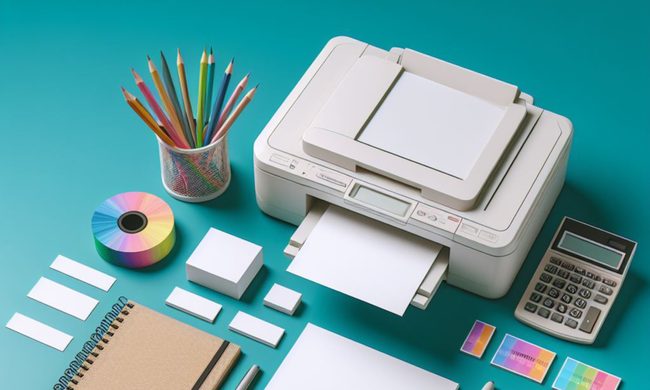
Everything is digital until the one professor who still wants a printed essay, or the lease you need to sign in ink, or the photo you want to stick on your dorm room’s wall. That's usually the exact moment you remember you don't own a printer anymore, and the nearest one is a library machine with a line out the door.

I looked at four compact printers that solve that problem without taking over your desk and breaking the bank. Two are built for documents, one is a proper all-in-one for actual home office work, and one has nothing to do with homework and everything to do with turning your camera roll into something you can hold.

Read more
Shopping for back-to-school? These are the webcam lights I’d actually turn on before a Zoom call
From a budget clip light to a proper desk setup, there's a webcam light here for every price.
Head, Person, Face

Between online classes, group project calls, and the occasional job interview over Zoom, your webcam will be doing a lot more heavy lifting in school than it ever did at home. The problem is that most laptop cameras are bad in low light, and a single overhead bulb or a window behind you turns every call into a game of "wait, can you see me okay?"

A good webcam light fixes that faster than moving your whole desk around. I picked five, starting with the most affordable and working up to the one that's genuinely overkill for a Zoom call but still worth knowing about.

Read more
Google Chrome could soon let you translate pages right inside Reading Mode
However, not everyone's seeing it yet, even on Canary.
Google Chrome

Chrome's Reading Mode just got a new button tucked inside its settings menu. Google is quietly testing a translate option for the feature on Chrome Canary, the browser's experimental testing channel where new ideas show up long before they're ready for everyday use.

What does this new translate button actually do?

Read more
