  1. Home
  2. Computing
  3. News

Buying a monitor? This Mac app can expose problems before the return window closes

Your new monitor may look perfect, but it doesn't hurt to double check.

Add as a preferred source on Google
Screen Test v1.1
Wangchujiang

Making a brand-new tech purchase doesn’t always carry the guarantee of a perfectly functioning unit. But a tiny Mac app called Screen Test can help you find a defect before it gets too late. Screen Test (version 1.1) is a native macOS utility containing more than 25 patterns and diagnostic tools for evaluating built-in and external displays. It can help reveal dead or stuck pixels, backlight bleeding, and other issues. The app works completely offline, so you don’t have to rely on browser tabs or an internet connection.

Every pixel gets scrutinized

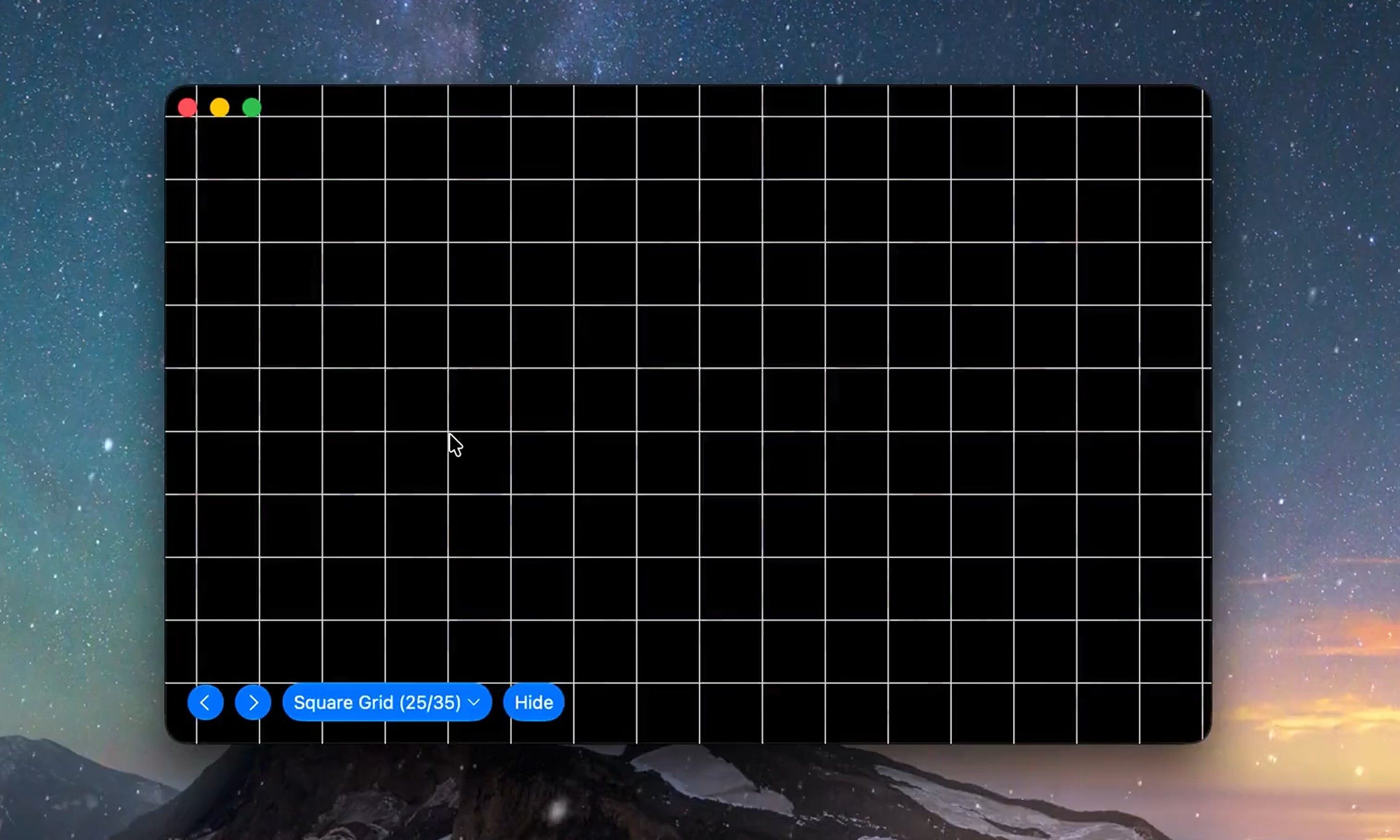
Screen Test fills the display with carefully selected colors, grids, grayscale steps, and other patterns that make subtle panel defects easier to spot. A solid-color cycle can expose pixels that remain permanently dark or stuck on one color, while uniform gray and black screens can reveal backlight bleed and inconsistent brightness across the panel.

Version 1.1 introduces seven additional tools:

  • An automated dead-pixel cycle
  • A text-resolution chart
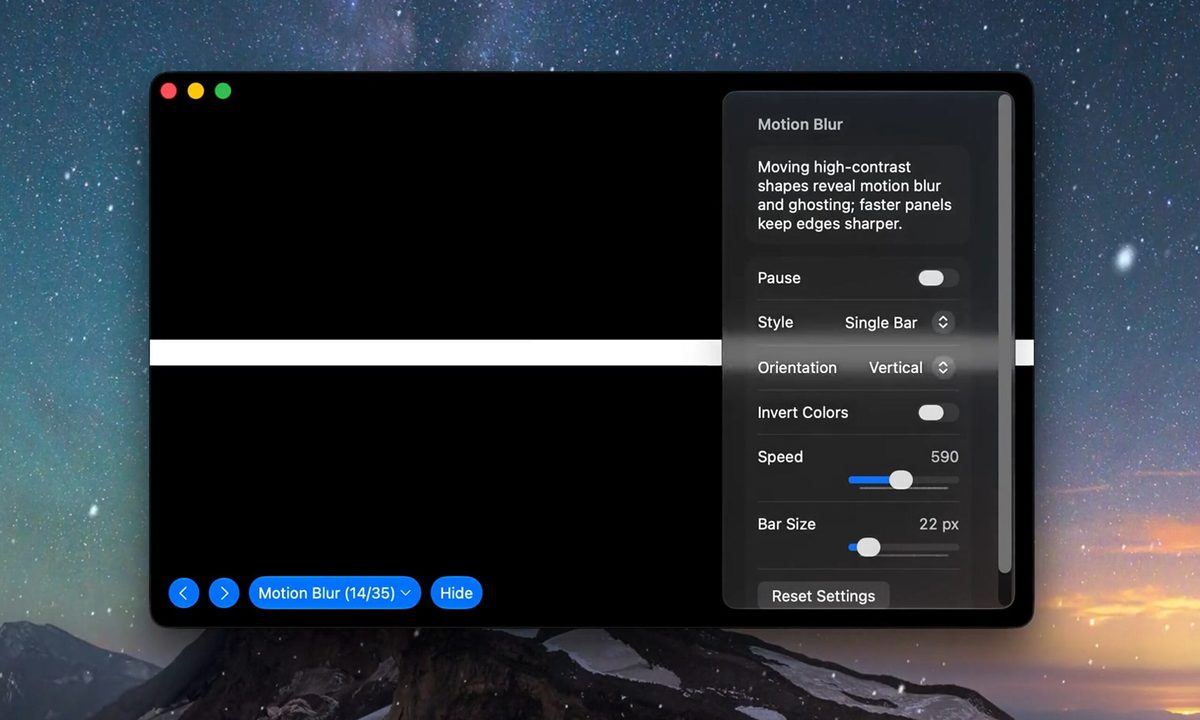
  • A motion-blur and ghosting test
  • Customizable solid-color fills
  • Checkerboard contrast patterns
  • Grayscale steps
  • Editable text for evaluating sharpness.
Recommended Videos

The motion test should prove especially useful when inspecting a gaming monitor, where slow pixel transitions can leave trails behind moving objects. Text patterns can also highlight subpixel rendering or sharpness problems that become obvious during everyday work, even when games and videos appear acceptable.
Four dollars could protect a much larger purchase

Most core features are available free of charge. A $3.99 lifetime purchase unlocks the remaining advanced options, with no recurring subscription. The Mac App Store lists the download at just 1.5MB and requires macOS 14 or later. Apple’s privacy label also states that the developer does not collect data from the app.

Screen Test cannot automatically certify a display or provide the numerical accuracy measurements produced by a colorimeter. Its developer describes the results as a visual reference and warns that the app does not replace professional testing equipment. However, it can be helpful when buying an external monitor, a new MacBook, or a secondhand display.

Vikhyaat Vivek
Vikhyaat Vivek is a tech journalist and reviewer with seven years of experience covering consumer hardware, with a focus on…
Gemini Notebook’s new Collections arrive just as Google turns it into a bigger workspace
Google is cleaning up notebook organization as the former NotebookLM expands across Gemini and Search
Gemini Notebook branding on a MacBook

Google has barely finished renaming NotebookLM, and it’s already addressing one of the headaches that comes with building a large research library.

Collections are rolling out to all Gemini Notebook users, giving them a way to group related notebooks while keeping everything visible under My Notebooks. The dashboard gets some structure without asking users to rearrange the library they’ve already built.

Read more
Samsung’s humanoid robot ambitions are real, but factories come first
Samsung’s new robotics division has humanoids in its sights, although its immediate business is far more practical factory automation
Robot Touch Human Finger

Samsung wants a place in the humanoid race, but its new robotics push begins with machines built for factories rather than homes.

The CEO-led RX robotics division will initially focus on manufacturing robots. Samsung has separately identified humanoids as a priority, although it hasn’t announced a commercial model or explained where one fits into the division’s immediate plans.

Read more
WhatsApp’s Liquid Glass redesign is finally coming to Mac after months of waiting
WhatsApp's Mac app is getting Apple's Liquid Glass-inspired makeover
WhatsApp

WhatsApp has been steadily adopting Apple's new design language across its apps, but Mac users have largely been left watching from the sidelines. That is finally beginning to change.

The messaging platform has started rolling out its Liquid Glass redesign for the WhatsApp Mac app, bringing the desktop experience much closer to what iPhone and iPad users have been seeing over the past few months. The update introduces a refreshed interface with redesigned navigation elements, updated menus, and a cleaner layout that aligns with Apple's latest software aesthetic. According to WABetaInfo, the rollout has begun through the latest Mac App Store update and is currently reaching a limited number of users.

Read more