  1. Home
  2. Photography
  3. Social Media
  4. News

Find the perfect meme image with Imgur’s new Topics feature

Add as a preferred source on Google

Imgur, the massive community-based photo repository that is a major source of the Web’s memes and comedic images, is expanding its influence to become more than just a basic, free photo hosting service by introducing new Topics feature to help users discover content.

The way Imgur had worked was simple, but it had few categorization tools for content other than voting for a picture or animated GIF, and a search bar on the top of the page. Now, Imgur has implemented a stronger categorization feature to help users better find and explore the massive database of content. With the Imgur-generated Topics (which appear on Imgur’s main navigation pane), there will be a variety of subjects – for example, Funny, Storytime, Reaction, Design & Art, and Current Events. Also, special event topics will pop up from time to time if something interesting is happening that warrants it, and these will have a limited duration. More topics will roll out over time.

Recommended Videos

With the Topics feature, all content is assigned one topic per post. This may create conflict when content doesn’t fit into any one category, but it would create a streamlined experience. Also, you won’t be able to vote on topics like you would with an image; topics are just there for categorization purposes.

In relation to this is the user-created Tags feature launched last summer. It will complement Topics as a way to enhance the search capabilities. When a Topic is selected for an image, Imgur will provide tag suggestions.

“Our launch of tagging this past summer demonstrated the power of the community to organize images around topics that Imgurians care about,”says Imgur’s product head, Sam Gerstenzang, in a release. “With Topics, we’re making it even easier to explore that content in depth, while refining tagging to allow our community to shine.”

Imgur also recently introduced Video to GIF, which handily takes videos from a selection of major video hosting sites and turns them into GIFs for you. You can choose a beginning and end-point, so you don’t need to worry about the video having some footage you don’t want in the final GIF.

Cody Brooks
Former Digital Trends Contributor
Cody Brooks has written on a variety of topics that address everything from political troubles overseas to who's who of the…
This new $30 keychain camera is coming for Kodak Charmera with a flip screen for selfies
Yashica's new camera makes toy photography more fun
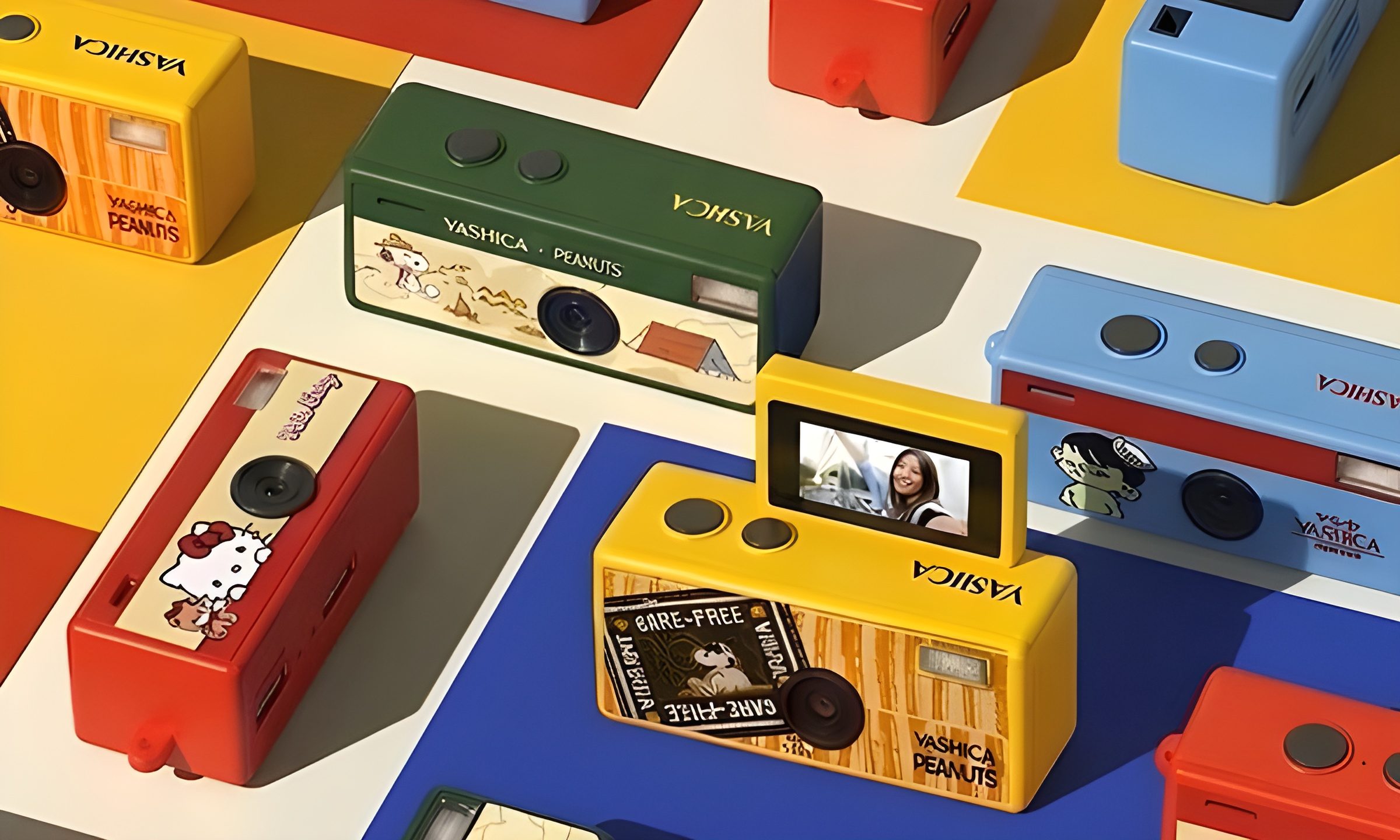
YASHICA Funtastic Keychain Camera in multiple variants

Tiny digital cameras are all the rage, and Yashica is now offering a very cute toy photography experience of its own. The company’s new Funtastic Keychain Camera is exactly what the name suggests, a miniature digital camera small enough to clip onto your keys, bag, or lanyard. The popular Kodak Charmera is the obvious comparison, which brings a tiny blind-box keychain camera that became a viral collectible.

Now, Yashica's version lands in the same novelty-camera lane, but adds one very useful trick, which is a 180-degree flip screen.

Read more
Google releases big v4.0 update for its popular Snapseed editing app on Android
Electronics, Phone, Mobile Phone

After years of sitting on its hands, Google appears to have remembered it owns one of the best photo editing apps on mobile. Snapseed 4.0 is now rolling out to Android, bringing the platform up to speed after a stretch of iOS exclusivity that left Android users watching from the sidelines.

The story starts last June, when Google quietly broke Snapseed out of its long dormancy with a significant 3.0 update for iPhone. It was a surprise move that suggested the company was serious about the app again. Google then confirmed at the start of this year that Android wouldn't be left behind for long, and true to that word, the Play Store listing has now been updated to reflect version 4.0 — skipping straight past 3.0 for Android users and landing both platforms on the same version simultaneously.

Read more
Google Photos gets new editing tools that are all about subtle touch-ups
Google Photos just made your camera roll feel like it came with a makeup artist included, and the results are refreshingly understated.
Google Photos Touch Up feature in action.

Whether it is dark circles from a late night of work, a blemish that showed up uninvited, or something similar that could use additional brightness, Google Photos now has you covered.

Google has officially rolled out a new Touch Up suite inside its Photos app editor, integrating face retouching tools directly into the app for the first time. Previously, such adjustments were only available inside Google’s Camera app at the time of capture. 

Read more