  1. Home
  2. Computing
  3. News

Mushkin’s new M.2 SSDs are kind to your wallet and your system footprint

Add as a preferred source on Google

If you need to pack SSD performance into a small form factor, like a compact desktop or ultrabook, you need an M.2 SSD. The only issue is that these drives have tended to cost a bit more than your standard 2.5″ SATA SSD – until now. Mushkin’s new Atlas Vital SSDs are available in a variety of capacities, and at prices that mirror the more common 2.5″ SATA SSDs.

The M.2 interface is a fairly new one, designed as a replacement for mSATA. There are a number of advantages to M.2 that have led to fast adoption in a range of applications. The port allows for small cards, in the case of the Atlas Vital, 22mm wide and 80mm long, to access SATA 3.0, USB 3.0, and up to four lanes of PCIe 3.0.
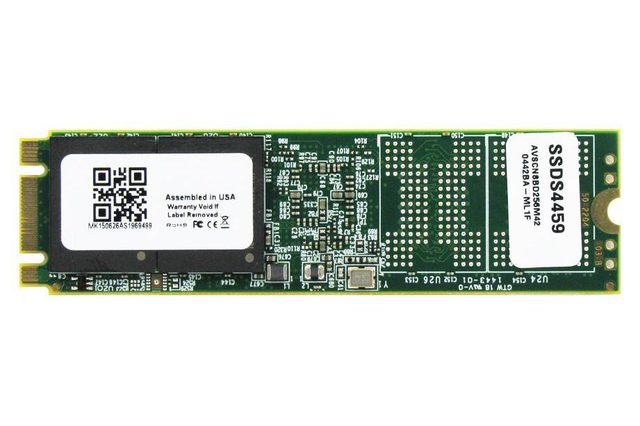
MushkinAtlasVital-2
Image used with permission by copyright holder

Mushkin actually manufactures its own NAND wafers, which enables it to get the price a lot lower than other supply chains. The read and write speeds are quoted at 550 MBps read and 540 MBPs write, which is on the mid-to-high range of speeds for 2.5″ drives.

Recommended Videos

At the smallest end, the 120GB Mushkin Atlas Vital will only set you back $79.99, but it gets better. Even at the top end, the 480GB drive is only $189.99, which sets it right in the middle of comparable 2.5″ SATA drives price-wise. There’s also a 250 gigabyte version in the middle of the range for $115.99, and the entire line offers a standard three-year warranty.

The Mushkin drives are still 6 Gbps SATA, so you won’t see the massive read and write speed increases that are a result of PCIe connectivity. However, the manufacturer is planning a series of SSDs in the near future that will boast four lanes of PCI connectivity.


Brad Bourque
Brad Bourque is a native Portlander, devout nerd, and craft beer enthusiast. He studied creative writing at Willamette…
These are the compact printers I’d actually recommend for back-to-school
From dorm room paperwork to instant selfie prints, there's a tiny printer for every need.
Computer Hardware, Electronics, Hardware

Everything is digital until the one professor who still wants a printed essay, or the lease you need to sign in ink, or the photo you want to stick on your dorm room’s wall. That's usually the exact moment you remember you don't own a printer anymore, and the nearest one is a library machine with a line out the door.

I looked at four compact printers that solve that problem without taking over your desk and breaking the bank. Two are built for documents, one is a proper all-in-one for actual home office work, and one has nothing to do with homework and everything to do with turning your camera roll into something you can hold.

Read more
Shopping for back-to-school? These are the webcam lights I’d actually turn on before a Zoom call
From a budget clip light to a proper desk setup, there's a webcam light here for every price.
Head, Person, Face

Between online classes, group project calls, and the occasional job interview over Zoom, your webcam will be doing a lot more heavy lifting in school than it ever did at home. The problem is that most laptop cameras are bad in low light, and a single overhead bulb or a window behind you turns every call into a game of "wait, can you see me okay?"

A good webcam light fixes that faster than moving your whole desk around. I picked five, starting with the most affordable and working up to the one that's genuinely overkill for a Zoom call but still worth knowing about.

Read more
Google Chrome could soon let you translate pages right inside Reading Mode
However, not everyone's seeing it yet, even on Canary.
Google Chrome

Chrome's Reading Mode just got a new button tucked inside its settings menu. Google is quietly testing a translate option for the feature on Chrome Canary, the browser's experimental testing channel where new ideas show up long before they're ready for everyday use.

What does this new translate button actually do?

Read more
