1. Home
  2. Computing
  3. Emerging Tech
  4. News

Windows 10’s translator app available in beta on the Windows Store right now

Add as a preferred source on Google

Just a few days ago, Microsoft teased an upcoming universal translation app, and now, the firm has made it available in beta form on the Windows Store. As one would expect, the app is available for free, so anyone running Windows 10 can give it a download and see if it works for their needs.

As far as features go, the aptly named Translator 10 Beta can translate text typed in by a user, words shown through a camera, and language spoken through a microphone. It features text-to-speech, so users can hear the language spoken as well as see it translated visually on their display.

Recommended Videos

For text translation, the app supports 50 languages. For camera, users will be able to translate 19 languages, and voice translation supports 10. Presumably, more languages will be added as time goes on.

Since users traveling abroad may not have consistent access to the Internet, Microsoft’s new app features access to offline translation. Users need to download a translation pack before they venture off to foreign lands in order to take advantage of this feature. Since it’s available on both mobile devices and PCs, this is a feature that definitely makes a lot of sense.

Other features of the app include the ability to save translations in history, so users can always go back and get access to the phrases and words they’ve translated before. There’s also a neat Word of the Day feature that shows users new words or phrases if the app is pinned to Start.

The app was just released, and it seems like it is being well received by users, with a five-star rating based on 27 reviews, as of this writing. Of course, the beta tag means that the app isn’t in its finished state, and we expect to see frequent updates that will add more features, and hopefully more languages to the camera and voice translation options as time goes by.

Dave LeClair
Former Digital Trends Contributor
Dave LeClair has been writing about tech and gaming since 2007. He's covered events, hosted podcasts, created videos, and…
TSMC might set up a price hike that could come straight for your next phone, laptop, or tablet
Here's what TSMC's rumored 10% chip price increase actually means in dollar terms, and why your next phone or laptop could end up costing more.
TSMC Fab

My wallet flinched the second I saw the words "TSMC" and "price increase" in the same headline, and honestly, yours should too.

Turns out the company behind the silicon powering basically every flagship device out there, including Apple’s A-series and Qualcomm’s Snapdragon processors, is reportedly about to make all of it a little pricier.

Read more
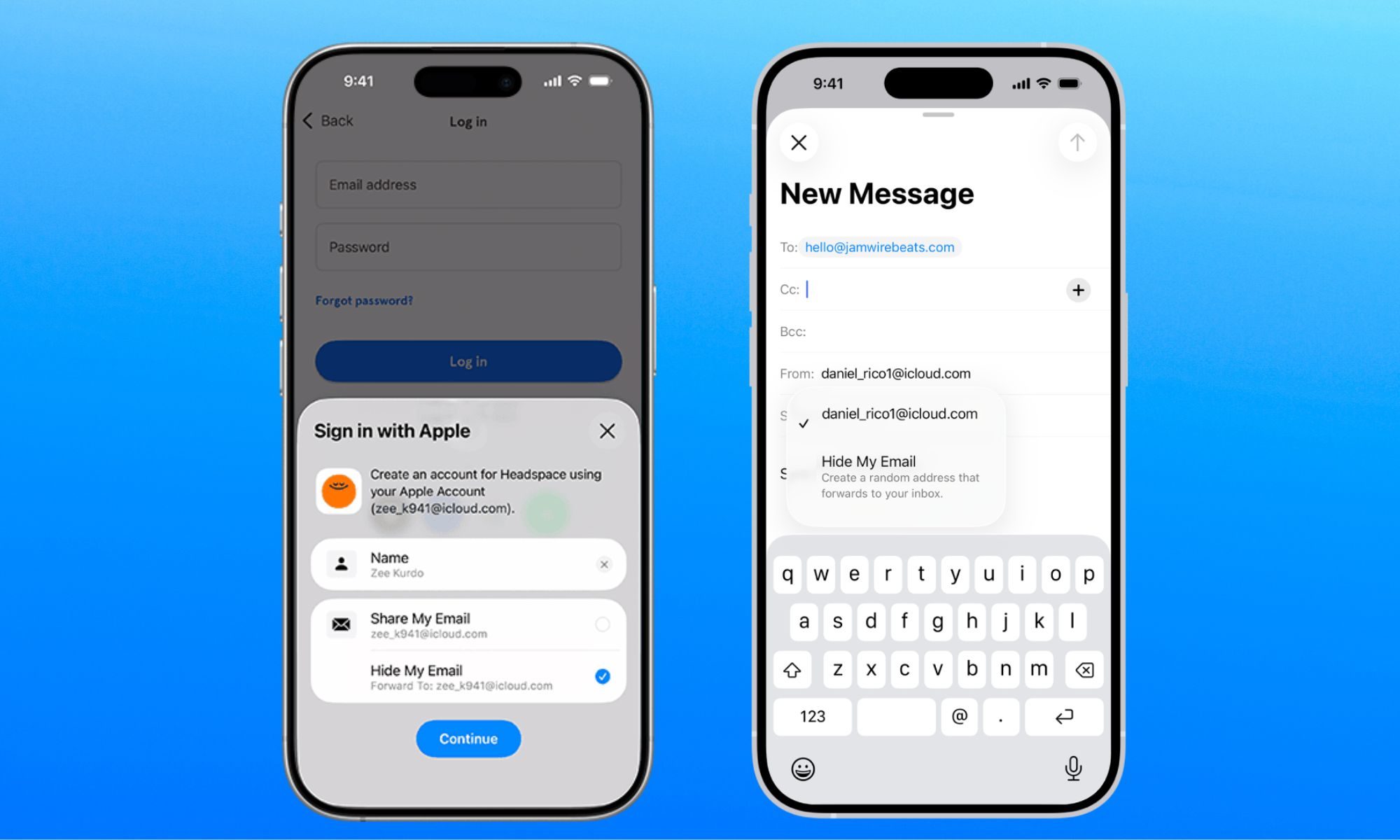
Apple fixes Hide My Email bug that exposed users’ real email addresses
Here's how Apple's Hide My Email flaw leaked real addresses for over a year, and why it only got fixed once the story went public.
apple-merging-sign-in-with-apple-hide-my-email-icloud+

Turns out the "Hide" part of Hide My Email wasn't doing its job quite as advertised, something that I covered early in July. Security researcher Tyler Murphy reported the flaw in June 2025, but despite Apple claiming it was resolved in March 2026, independent tests confirmed it remained exploitable, at least until July 3, 2026.

So how did this bug actually work?

Read more
Gemini Notebook’s new Collections arrive just as Google turns it into a bigger workspace
Google is cleaning up notebook organization as the former NotebookLM expands across Gemini and Search
Gemini Notebook branding on a MacBook

Google has barely finished renaming NotebookLM, and it’s already addressing one of the headaches that comes with building a large research library.

Collections are rolling out to all Gemini Notebook users, giving them a way to group related notebooks while keeping everything visible under My Notebooks. The dashboard gets some structure without asking users to rearrange the library they’ve already built.

Read more