1. Home
  2. Photography
  3. Android
  4. Apple
  5. Mobile
  6. News

Google’s photo app Motion Stills is now available for Android

Originally designed for iOS, Google's Motion Stills now arrives on Android

Add as a preferred source on Google

Last year, Google launched its latest photography-centric app, Motion Stills. Designed specifically for iOS, this app brought a slew of new features to Apple’s Live Photos format by improving the image capture and simplifying the process of sharing the resulting images. On Thursday, July 20, Google announced the app is officially available for Android, specifically for devices running Android 5.1 or later.

Available for free in the iOS App Store and now the Google Play Store, Motion Stills uses a clever collection of algorithms and AI to analyze the photos and data captured in the Live Photos format. Using this data and imagery, Motion Stills can process the Live Photos in a range of creative ways.

Recommended Videos

Not only is Motion Stills able to stabilize the video captured before and after the still by processing the frames that are the most in-focus and detailed, it’s also capable of determining the best beginning and end point for the loop of the video.

Without so much as pressing a button, Motion Stills will automatically sort through your Live Photos and get all of the dirty work done behind the scenes. Below is an example clip of the stabilization feature in action:

Sample of Google Motion Stills output

For Android, the app has a bit of a different structure than what’s currently available on iOS. The Android version includes a new recording experience where everything you capture is transformed into short clips that you can watch and share.

Rather than using existing video footage and making it into a Motion Still, it has you capture content through the app to then create a loop. The redesigned video processing pipeline processes everything you capture into short clips that you can easily watch and share. You can create your own “Live Photos” by snapping a regular photo that then automatically turns into a GIF.

You can also record videos to turn into GIF files afterwards with Fast Forward — a new feature similar to time-lapse. It lets you speed up and condense long recordings into short clips that are easy to share. You can change the speed of playback after recording as well — from 1x to 8x depending on what you prefer. Other revamps to the app include an improved trimming algorithm to protect against pocket shots and camera shakes.

While the app is new for Android users, those running the iOS 11 public beta now have similar features built into the operating system through the photo library. Users can choose between adding Loop and Bounce effects to their photos by tapping on the preferred edit tool.

Update: Motion Stills is now available on Android devices running Android 5.1 or later.

Gannon Burgett
Former Editor
I bought Kodak’s viral keychain camera, and the bad photos are part of its charm
The Kodak Charmera is barely a camera, and I still keep using it
Machine, Wheel, Camera

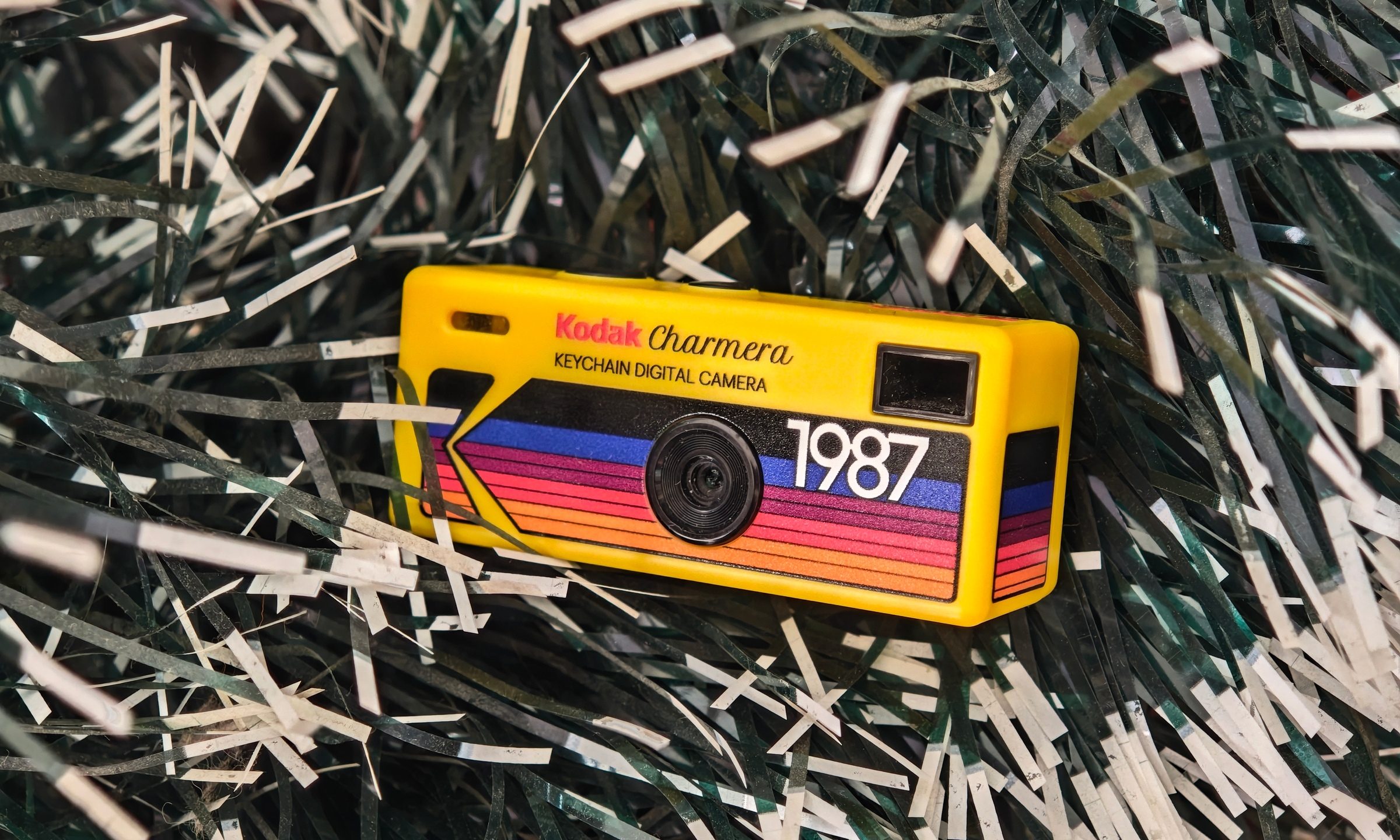
I bought the Kodak Charmera partly because I wanted a portable digital camera, and partly because I wanted a pretty little collectible. The Charmera is sold as a blind box, so you do not know which version you are getting until the box is opened. There are multiple retro Kodak-style designs, plus a transparent secret edition that looks like the one everyone would want.

I had the shopkeeper pick my box for better luck, and it worked out. I got the yellow variant, which is inspired by Kodak's original 80s disposable camera. The transparent one is definitely the fun collector’s piece, but the yellow model feels like the proper Kodak version. It looks like a tiny toy camera that escaped from a souvenir shop, found a keyring, and now hangs around wherever you go.

Read more
This new $30 keychain camera is coming for Kodak Charmera with a flip screen for selfies
Yashica's new camera makes toy photography more fun
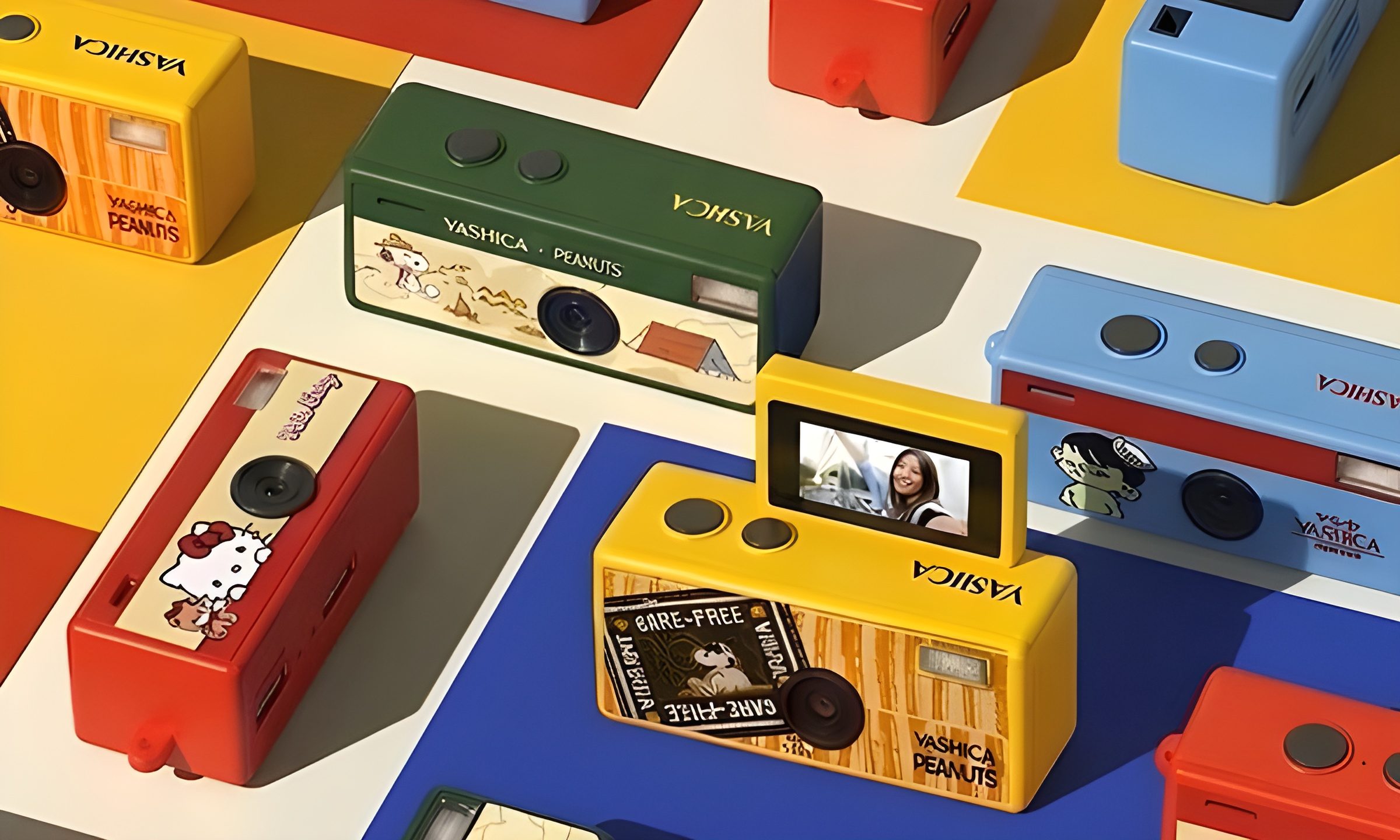
YASHICA Funtastic Keychain Camera in multiple variants

Tiny digital cameras are all the rage, and Yashica is now offering a very cute toy photography experience of its own. The company’s new Funtastic Keychain Camera is exactly what the name suggests, a miniature digital camera small enough to clip onto your keys, bag, or lanyard. The popular Kodak Charmera is the obvious comparison, which brings a tiny blind-box keychain camera that became a viral collectible.

Now, Yashica's version lands in the same novelty-camera lane, but adds one very useful trick, which is a 180-degree flip screen.

Read more
Google releases big v4.0 update for its popular Snapseed editing app on Android
Electronics, Phone, Mobile Phone

After years of sitting on its hands, Google appears to have remembered it owns one of the best photo editing apps on mobile. Snapseed 4.0 is now rolling out to Android, bringing the platform up to speed after a stretch of iOS exclusivity that left Android users watching from the sidelines.

The story starts last June, when Google quietly broke Snapseed out of its long dormancy with a significant 3.0 update for iPhone. It was a surprise move that suggested the company was serious about the app again. Google then confirmed at the start of this year that Android wouldn't be left behind for long, and true to that word, the Play Store listing has now been updated to reflect version 4.0 — skipping straight past 3.0 for Android users and landing both platforms on the same version simultaneously.

Read more