
A new Apple patent would make your house an actual “smart home” in every sense, from reading your heartbeat, to telling who you are, to the ability to coordinate your different smart devices.
The patent, first reported by Patently Apple, is titled Object Tracking And Authentication Using Modular Wall Units, and was initially submitted in August 2018 and published on February 13. The patent is long and detailed, but basically, Apple wants to create an interconnected smart home that senses and works with other devices and inanimate objects, and even can differentiate between human users.
Apple describes that by reading a human’s unique heartbeat pattern, the system could determine who they are, i.e., if they live there or not.
“For instance, a 60 GHz millimeter wave sensor (MWS) system (or MWS system operating at another frequency) may be used to scan a person’s heart rate. In some cases, respiration rate can also be measured with this technique, and can be used to help differentiate users,” the patent states.
While creepy in theory, Apple wants the technology to be able to give certain people access to specific smart home devices.
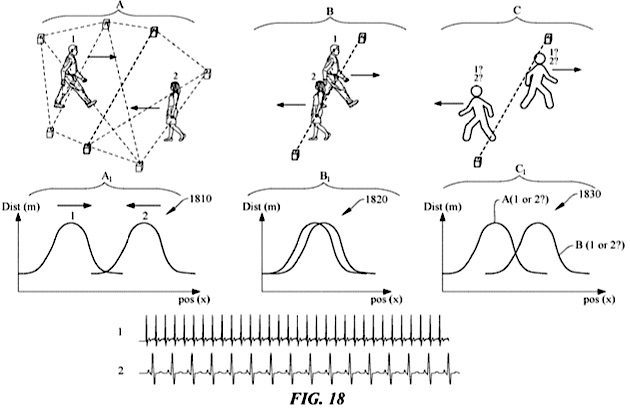
Another feature of the patent is that the smart home system would be able to detect inanimate objects as well.
“In some embodiments, a modular multi-host system may be configured to detect the presence of an object by measuring changes in distance measurements between host units,” the patent says. “When an object obstructs a particular line-of-sight measurement between host units, the communication signal (e.g., UWB, ultrasonics, etc.) may pass through the object, which can change the [time-of-flight] measurement.”
Essentially, Apple’s technology would detect your home’s floorplan, as well as each smart home device you have, which would make the separate devices in various rooms easier to configure.
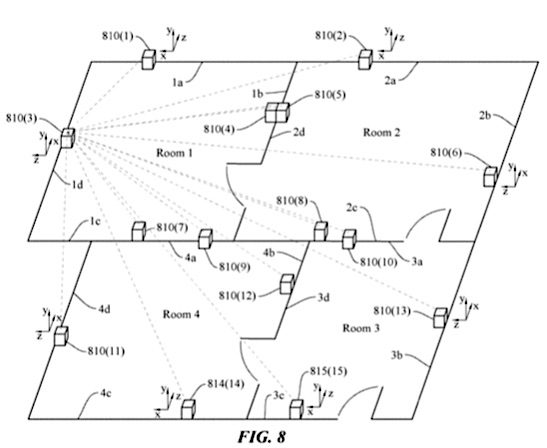
An example of all your smart home devices working in tandem is a movie night scenario presented in one of the figure drawings. The series of events would begin with a “ding” going off in the kitchen, which the technology would recognize as the microwave. That would cause the system to notice that the connected device’s calendar says “movie night,” which wopuld then help it determine that it was popcorn in the microwave.
The technology would then conclude that movie night must be starting since the popcorn is being made, so it would turn on the TV, dim the lights, and adjust the audio in preparation for the movie about to start.
All of this is still only a patent, so we may never actually see this technology in action. Digital Trends reached out to Apple to comment on the patent, and we will update this story when we hear back.
Still, it’s smart home technology we don’t have yet, and that’s saying a lot since we have seemingly seen it all. There are devices that can detect weapons in the hands of intruders, a sliding glass door that can let pets out when you’re not home, and even “smart wallpaper” that boosts signal strength.


