God of War Ragnarok is finally on PC after two years being chained to the PlayStation 5. The game, which we praised in our God of War Ragnarok review, comes complete with the Valhalla DLC and plenty of PC-exclusive features. But two major problems with the port are already sullying the experience for players.
I’ve been playing the game since it launched Thursday morning, and overall, the experience has been positive. The game runs well, there are a ton of graphics options, and it’s packed to the brim with tech like Nvidia’s DLSS 3 and AMD’s FSR 3. I have some major concerns about how many PCs will be able to play this game due to some demanding VRAM constraints, even among the best graphics cards, and the requirement of a PlayStation Network (PSN) account, despite a complete lack of online features.
Two big problems
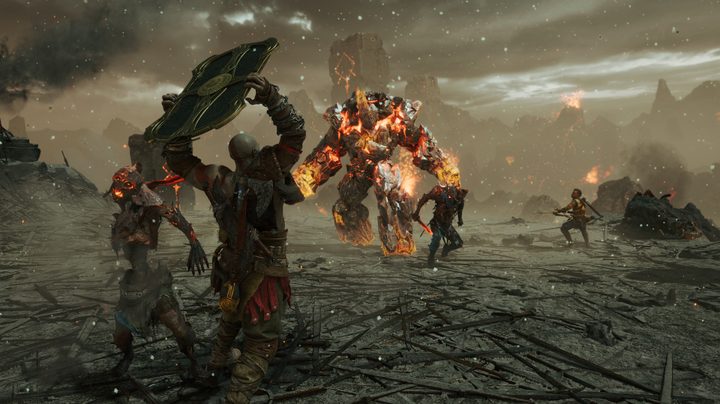
Let’s get the easy one out of the way. God of War Ragnarok requires a PSN account to play, according to Sony. This alone has plummeted the game to a Mixed review status on Steam, with nearly all of the negative reviews focused on the PSN requirement. We saw a massive pushback from PC players earlier this year when Sony tried to force PSN in Helldivers 2, ultimately forcing Sony to backpedal on the requirement. Needless to say, God of War Ragnarok is in a different position as a single-player game with no online features.
I didn’t need to use a PSN account to play the game, though. I had the option to sign into PSN, but the game didn’t force me to even after testing on two different PCs. Across both, however, the game automatically installed the PlayStation PC SDK. That could create problems on non-Windows devices, such as the Steam Deck OLED. In addition, there are around 170 countries were Sony has sold its previous PC releases where PSN isn’t available — I haven’t jumped on a plane, but presumably God of War Ragnarok isn’t available in those regions.
Even if you don’t sign in, the game still collects data on your system. You can reduce the amount of data Sony collects, but the game defaults to full data collection. This is a repeat of what we saw with Ghost of Tsushima, which at least had some online features to justify the PSN requirement.
The other issue concerns performance, and it’s seriously troubling. Given the cinematic nature of the game, I went through the opening hour or so on my personal PC with an RTX 4090 and Ryzen 7 7800X3D before getting any serious testing underway. I set the game to 4K, cranked up the Ultra preset, and used Nvidia’s Deep Learning Anti-Aliasing (DLAA) along with DLSS 3 Frame Generation. With this setup, I was seeing between 90 and 110 frames per second (fps) with no stutters.

After starting the game and through the first half hour or so, it consumed about 11GB of VRAM. That’s not unheard of for a PC release in 2024, but the number kept climbing. After the first major boss of the game, I checked in and saw the game was consuming 18GB of VRAM — the highest consumption I’ve ever seen. And in the first hour of the game, up to the first major boss, you don’t visit many new locations. It’s all focused in one area, suggesting there is a memory leak.
If you’re unfamiliar, a memory leak happens when a game (or any application) doesn’t flush the memory fast enough. The utilization of memory slowly goes up over time, filling up with new data without getting rid of the old data, usually ending in either major performance issues or a full crash.
That showed up in performance, too. After beating the first boss, you’re given a pathway back to where you started the battle — sorry for the vague language here, but I’m trying to avoid spoilers. Walking through this area absolutely tanked my frame rate. I dropped down to around 50 fps as the VRAM counter climbed over 18GB. After about 20 seconds, the memory utilization dropped down to 17GB and performance immediately improved.
I’ve only had a few hours with God of War Ragnarok so far, but that kind of performance suggests that the game isn’t clearing out occupied area in VRAM fast enough. Another hint came when I reopened the game. When I closed the game, it was consuming around 18GB of VRAM. When I reopened it in the exact same area and starting playing again, it dropped down to 11GB.
I’m testing on an 8GB graphics card now, but I have some serious concerns about performance over longer play sessions. Even the game’s Medium preset can max-out an 8GB graphics card at resolutions above 1080p, which might force some otherwise powerful GPUs to play at lower graphics settings. With an RTX 4060, the game devolved into a stuttering mess once the 8GB of VRAM was occupied but ran flawlessly if I was able to get under the 8GB limit.
Otherwise impressive
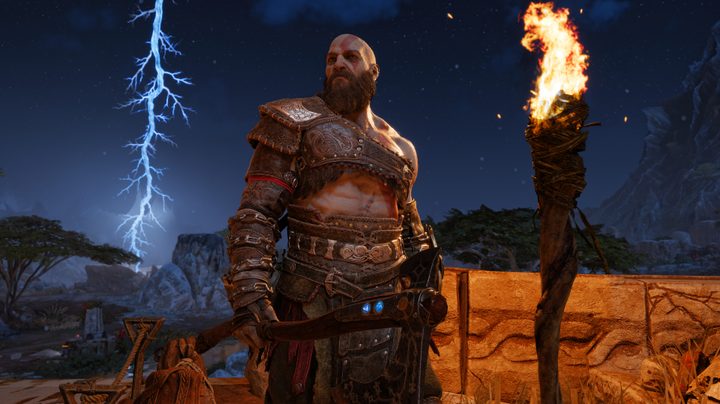
The original God of War also suffered from a memory leak when it first released on PC, which the developers fixed in a patch shortly after launch. Hopefully God of War Ragnarok will get a similar patch. Still, there are some clear improvements over the original port here. For starters, you have four graphics presets, pushing beyond the Enhanced and Original options we saw in the original God of War on PC.
In addition, the game pre-compiles shaders in order to reduce stuttering in the game, and it does so in a very interesting way. The game doesn’t lock you out of playing while the shaders are compiling. In fact, you can start the game’s opening cutscene while the shader cache is still building, which is a great quality-of-life improvement. The game doesn’t stutter up to the point of finishing shader compilation, either, which is great.
I’ll continue working my way through the game on different systems to see if any other problems pop up. The major concern right now is VRAM, and in particular, the memory leak issue I saw during the opening hour of the game.