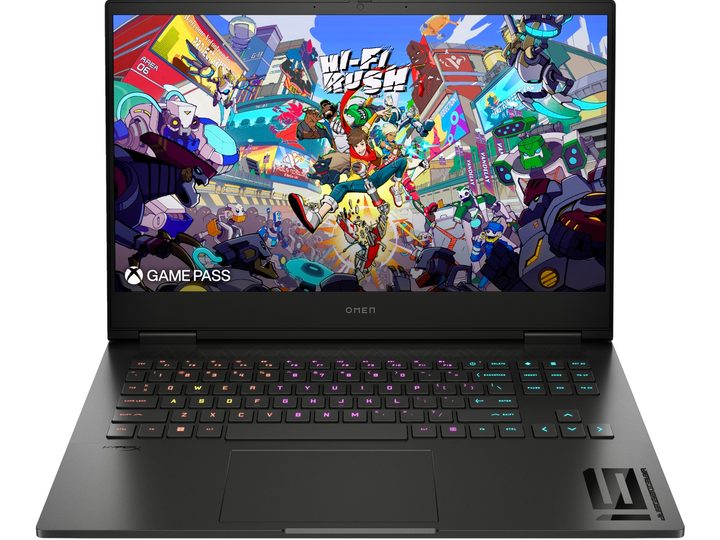
PC gaming is more popular than ever before, and popular brands like HP are really starting to up the ante when it comes to hardware. From powerful desktop machines to gaming-optimized Windows laptops, the best gaming tech of 2024 is designed to go anywhere and do just about anything. And speaking of HP, we came across a fantastic promo while sorting through gaming laptop deals earlier today.
Right now, you’ll be able to order the HP Omen Gaming Laptop 16t-wf100 for $950. At full price, this model costs $1,500. Not only is this one of the best gaming PC deals we’ve come across in a while, but it’s also an outstanding laptop for anyone looking for a fast and powerful PC with excellent picture quality and motion capabilities.
Why you should buy the HP Omen Gaming Laptop
Let’s have a look underneath the hood. In the case of the Omen 16t, this version of the laptop is equipped with an Intel Core i7-14700HX that delivers max clock speeds of 5.5GHz and supports a 33MB L3 cache, 20 cores, and 28 threads. Graphics are handled by an NVIDIA GeForce RTX 4050 GPU, with both CPU and GPU leveraging 16GB of RAM and 512GB of internal storage. Once you factor in the advanced cooling tech, HP opted to include on this model, those internal components alone all but guarantee you’re in for the ride of your life when you fire up your favorite games.
Response time and motion performance are critical to any gaming display, and from screen to ports, the Omen 16t has got what it takes to go the distance. The 16.1-inch 1920 x 1080p panel pushes a native refresh rate of 165Hz, and HP claims the machine is capable of 7ms response times. If you want to bump things up to 4K, there’s an alternate configuration of the Omen 16t that comes with a 2560 x 1440p display that delivers up to a 240Hz refresh rate. You’ll also be able to use the included HDMI 2.1 port to connect the Omen to your external monitor of choice (check out our monitor deals too).
On a full charge, this laptop should last for well over six hours, though resource-heavy PC games will likely eat away at the battery a bit faster. We’re not sure how long this HP markdown will be hanging around, so you shouldn’t wait too long if you’re planning on putting down the dough. Save $500 when you order the HP Omen Gaming Laptop 16t-wf100 through HP, and be sure to have a look at some of the other HP laptop deals we dug up this week!