1. Home
  2. Computing
  3. Mobile
  4. News

Linksys to release clever Smart Wi-Fi app, with notification support, for high-end routers

Add as a preferred source on Google

If you own a Linksys router, check your phone’s app store. There’s a new version of Linksys Smart Wi-Fi coming out July 22 for Android and iOS, and it looks a lot easier to use while also adding new features. There’s even support for automatic notifications when your router goes offline.

We pointed out the Linksys Smart Wi-Fi app while reviewing routers like the massive Linksys EA9500 and the Linksys EA7500, noting that it was a relatively straight-forward interface that was easy for beginners while still usable for advanced users. But we couldn’t help but notice things looked terribly dated, with a clunky interface that didn’t feel native on iOS and Android devices

Recommended Videos

The update looks a lot better, with a design that’s more neutral. But this isn’t just a cosmetic release, there are also new features.

For one thing, you can now get a notification on your phone every time your home Internet goes down. This is useful when you’re at home, because you’ll know the problem is with your Internet connection instead of your computer, or whatever site you’re failing to load at the time. But it’s also useful when you’re on the go, wondering why your home server or security cameras aren’t working.

And that’s not the only new feature. Here are a few things the new app can do:

  • Share your Wi-Fi credentials with guests easily from your phone.
  • New parental control features, including blocking all Internet access at particular times. Stop your kids from browsing the web at night.
  • New collection of device icons, making it easier to work out which device is which at a glance.
  • Monitor the free space on any external hard drives connected to the router

The new app will work with devices running iOS 8 Android 4.0.3 and above. It supports all routers that currently support the Linksys Smart Wi-Fi app. You can find more information at the company’s website.

Update 7/21/2016: Linksys ran into issues with the launch of its app, and has postponed the roll-out to July 22. 

Justin Pot
Justin's always had a passion for trying out new software, asking questions, and explaining things – tech journalism is the…
AMD just made Ryzen laptop chips even more confusing, but here’s what’s actually new
The refreshed lineup brings more Zen 4 processors to mainstream and budget laptops.
AMD Ryzen 100 and 200 series

AMD has quietly expanded its mobile processor portfolio with 11 new Ryzen laptop processors, adding fresh models under both the Ryzen 200 and Ryzen 100 families. While that sounds straightforward enough, the bigger story isn't the chips themselves -- it's AMD's increasingly confusing naming strategy. The company has introduced seven new Ryzen 200 processors alongside four new Ryzen 100 models, but despite belonging to different series, many of them are actually built on the same Hawk Point silicon featuring Zen 4 CPU cores and RDNA 3 integrated graphics.

The Ryzen 200 series gets seven new CPUs

Read more
OpenAI is killing ChatGPT Atlas browser. I loved it, but it was an uphill race to the top
It was a trailblazer in a few ways, before it was copied down to its skeleton.
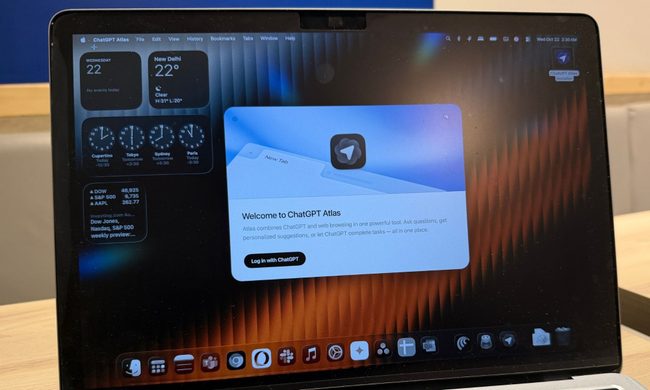
ChatGPT Atlas browser on a MacBook.

When OpenAI launched its own web browser, there was plenty of skepticism as to why a frontier AI lab is even bothering with making a browser in the first place. And yet, the company went ahead and launched ChatGPT Atlas with a heavy dosage of AI features built in. Well, the days of browser ambitions are over, and it will be put on cold ice in September this year.

OpenAI says it is sunsetting the short-lived browser in favor of pushing the new ChatGPT work desktop app, which already has a built-in browser as well as a cloud browser for AI agents. And now that ChatGPT is making its way to other browsers, such as Chrome, as an extension, there is little need for maintaining a dedicated browser project of its own.

Read more
Windows 11 Search is getting bigger, but only by 4 pixels
The change could be in preparation for the upcoming Ask Copilot feature
Windows 11 Laptop

If you have used Windows 11 Search after the June update, you may have noticed it feels a little less annoying. Microsoft recently made the Start menu and Search more responsive, and also fixed one of Search’s stranger limits by letting it find local files using just two characters.

Now, the company appears to be making a much smaller change. According to Windows Central, Microsoft accidentally revealed that the search box in the Taskbar and Start menu is getting 4 pixels taller. Four pixels sounds like the kind of change only a UI/UX designer could love, but screenshots from the Insider Preview build suggest it is visible once you know where to look.

Read more