We see gaming PC deals just about every day, but Best Buy is offering one of the best markdowns we’ve seen this year. This discount applies to two different Samsung monitors, both of which are optimized for gaming: the 49-inch G9 Odyssey (G95SC) and the 49-inch Odyssey G9 (G95C). For a limited time, you can purchase the former for $1,100 (normally $1,800) and the latter for $800 (normally $1,200).
If arresting picture quality and lightning-fast response times sound good to you, neither of these excellent Samsung screens is going to disappoint!
Samsung 49-inch Odyssey (G95SC) — $1,100, was $1,800
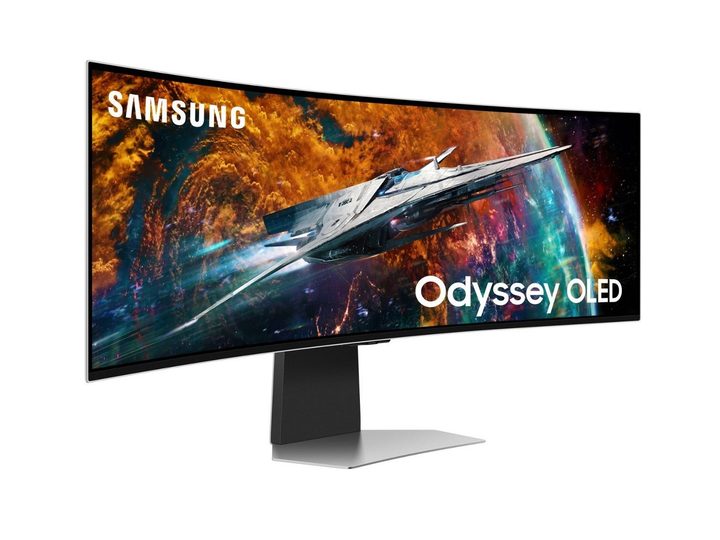
When it comes to PC gaming, nothing beats the wide color gamut and amazing contrast levels you’ll get from just about any OLED screen. The Samsung G95SC is an absolute powerhouse of a monitor and a display that’s optimized for both console and PC gameplay. Delivering up to 5100 x 1400 resolution and a massive 32:9 aspect ratio, you’ll see more of your favorite MMORPGs than ever before!
You’ll also be able to enjoy some of the best motion clarity of any modern monitor. On top of its native 240Hz refresh rate (which supports up to 0.03ms response times), G-SYNC compatibility, and AMD FreeSync Premium Pro support, the G95SC also leverages Samsung’s Neo Quantum Processor for enhanced picture details and upscaling.
Samsung 49-inch Odyssey (G95S) — $800, was $1,200
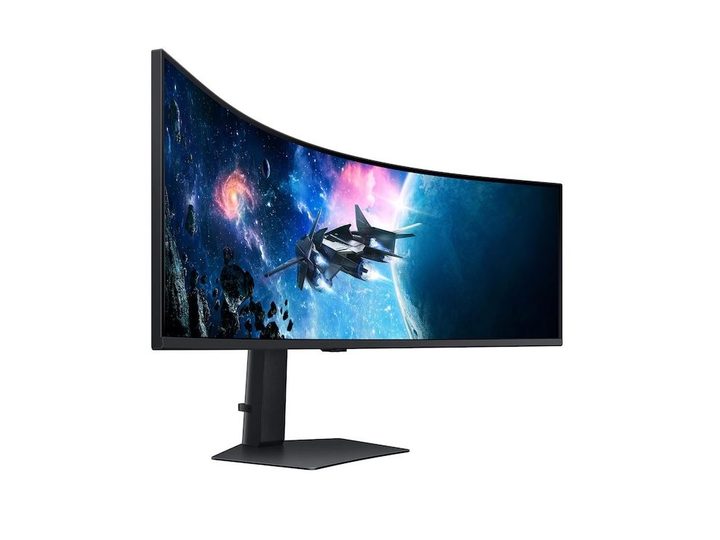
Carrying over much of the G95SC’s core engineering, the main difference with the G95S is this is a traditional QLED display instead of an OLED panel. Otherwise, a lot of the picture features stay the same. The G95S has the same 5100 x 1440 resolution and 32:9 aspect ratio as the G95SC and supports up to a 240Hz native refresh rate.
The response time on this model gets bumped from 0.03ms to 1ms though, and we also lose G-SYNC compatibility on this model. That being said, AMD FreeSync Premium Pro is still here, along with plenty of other great LED-friendly optimizations and settings.
It’s hard to say how long these types of Best Buy deals will last, but our experience suggests these markdowns could disappear rather quickly. Purchase the Samsung 49-inch Odyssey G9 Series in OLED and LED designs, and save $400-$700 when you buy through Best Buy.
You may also want to check out some of the other Samsung monitor deals we’ve been finding. We have a more general list of monitor deals, too, featuring options from brands like Samsung, LG, and HP.