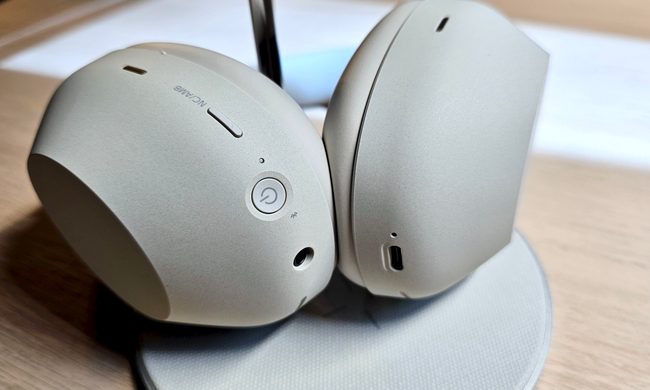
Listening to music with wireless headphones or true wireless earbuds is already an intimate and immersive experience. Dolby Atmos Music — a spatial audio format — can take that sense of immersion to the next level, thanks to its uncanny ability to create a sense of music in three dimensions.
But with the release of iOS 15, Apple has added head-tracking to the spatial audio experience in Apple Music, bringing that sense of immersion and realism into an entirely new realm, though it might not be for everyone.
Here’s what you can expect from Apple’s head-tracking spatial audio for Apple Music.
Background reading

What are spatial audio and Dolby Atmos Music?
Earlier this year, Apple announced the addition of lossless audio and Dolby Atmos formats to Apple Music. And while the lossless portion of the announcement was diminished somewhat by the fact that you can’t actually enjoy lossless tracks when using Bluetooth headphones (that’s just the way things work — or, rather, don’t work), Dolby Atmos Music works on any pair of headphones, whether wired or otherwise. Naturally, Apple automatically turns on the feature if you’re using its line of wireless headphones: The original AirPods, AirPods Pro, and AirPods Max.
As a spatial audio format, Dolby Atmos Music gives musicians and producers the ability to simulate a 3D soundstage. They can place instruments and vocals anywhere relative to your ears: In front, behind, off to the sides, and even above. Those sound elements also can move about independently if the creators desire, perhaps to give the impression of a singer crossing from one side of a stage to another as they sing.
When you’re listening to Dolby Atmos Music using a full 5.1.2 or better home theater surround sound system, all of those 3D elements move about the room using each discrete speaker as its source — it’s the music equivalent of watching a movie with a Dolby Atmos soundtrack. With headphones, it’s a slightly different experience. You get a similar sense of depth and immersion, but the realism isn’t quite as pronounced — the “front” portion of the audio space is always in the same direction as your head is pointing.
What is head-tracking and how does it affect what you hear?

To solve the problem of spatial audio sound always moving with your head when wearing headphones, Apple’s clever idea was to install sensors in its AirPods Pro and AirPods Max that can detect head movements. Using software, Apple can adjust the sound in each ear in real time. As you turn your head, some elements of the audio stay fixed to their relative positions. So if you’re watching a movie with head-tracking and you turn your head away from the screen, the actors’ voices still sound like they’re coming from the screen, and not where your head is now pointed.
In theory, Apple can do the same thing for streaming Dolby Atmos Music, but it’s more complicated than simply keeping some sounds anchored in place relative to your head’s position.
So what’s it like?

I tested the new feature using the Apple AirPods Max and, depending on your level of sensitivity, listening to Dolby Atmos Music with head-tracking is awesome, trippy — or a little nauseating.
One of the albums that Apple Music’s Zane Lowe recommended as a great head-tracking spatial audio experience is Yebba’s debut work, Dawn, so that’s where I started. It’s a collection of slickly produced tracks that already takes full advantage of the 3D qualities of Dolby Atmos Music, with an open and airy feel. Yebba’s vocals are generally placed front-and-center. But on a few tracks, like Boomerang, those vocals actually drift a little from side-to-side, cleverly mirroring the song’s title. That’s what it sounds like when you keep your head facing forward.
Turn your head to the right and her voice stays anchored in place, which means that you hear it clearly coming from the left, not the center. Turn your head back and her smooth voice is once again centered.
But where things get wild is if you keep your head turned. Within about seven seconds, the entire soundstage gradually reorients itself to what the headphones now believe to be your new front position. You can hear the affected portions of the track playing catch-up, as if Yebba herself were tethered to your head by a long rubber band, but had to be pulled through a puddle of molasses to get back to her desired position.
It’s not jarring — Apple has clearly studied how to make these orientation changes gentle enough that they won’t create the audible equivalent of whiplash — and in the case of Dawn, it all happens with no discernable loss of audio quality. But that’s not true of all Dolby Atmos tracks.
Curious to see what the experience was like with songs that were originally recorded in the pre-3D era, I tried two classics: Bryan Adams’ Summer of ’69 and Guns N’ Roses’ Sweet Child O’ Mine. Unlike Yebba’s tracks, which have been masterfully arranged such that only her voice stays locked when you move your head, these older songs possess less clearly defined elements. You still get that wild experience of feeling like you’ve actually turned your head away from the singer, but now it’s more like the vocals and several of the instruments are stuck to that virtual stage. In some ways, it’s more like being at a live show. But it’s also somewhat unsettling when, six to seven seconds after you move your head, the whole band sort of drifts around to catch up with you.
There even were a few moments of dizziness associated with these transitions. Granted, I have a supersensitive inner ear — two minutes of being in a moderate swell in a boat and I start to turn green — but I wouldn’t be surprised if others find it problematic, too.
Another aspect of these older Dolby Atmos tracks is that they suffer from a kind of smearing as the head-tracking performs its magic. If you start one of these songs — Summer of ‘69 is the best example — and don’t turn your head, the track plays clearly. I’m not a huge fan of what Atmos does to the sound — I much prefer the traditional stereo version — but it’s perfectly acceptable. But as you turn your head and the track’s elements are adjusted for spatial positioning accordingly, some muffling of the details occurs, almost as if a layer of gauze has gotten between you and the band.
One notable area where head-tracking seems to really help is live music recordings. A search for “Dolby Atmos (live)” doesn’t turn up a lot of options on Apple Music, but I did find Seven Bridges Road, a live album by Eagles, recorded at Inglewood, California, in 2018. It’s not the most vibrant recording, but that unmistakable in-front-of-an-audience sound is the perfect backdrop for anchoring sounds as you move your head — after all, the whole point of a live recording is to put you at the concert, and head-tracking makes that happen.
Great? Or gimmick?
What’s the verdict on Apple’s head-tracking? I maintain that for movies, it’s magical. Being able to throw on a set of headphones and have them recreate the sense of sitting in a 5.1 (or better) home theater is a remarkable accomplishment. But when it comes to music, I think the balance shifts from game-changer to gimmick.
Dolby Atmos provides an immersive soundscape that artists can use to involve their listeners more deeply in their music. But without the context of a video screen to serve as the source of the sound, the anchored position of vocals or instruments that head-tracking enables feels a bit gratuitous on studio tracks. Live recordings lend themselves a bit better to the effect.
Still, I can’t fault Apple for giving it a try, and if you own either the AirPods Pro or Max headphones (and you have an Apple Music subscription), you should definitely give it a try, too. It’s great to have the ability to make an extra layer of immersiveness possible, and if you don’t like it, you can always turn it off, or keep it on just for video content.