

In 2025, Sonos will release the Era 100 Pro, a version of its Era 100 that’s aimed at the professional installer market. It’s almost identical to the current Era 100, with one big difference: the Pro has a built-in Power over Ethernet (PoE) port that is used to power the Era 100 Pro, making it the first non-portable Sonos speaker that doesn’t need a power outlet.
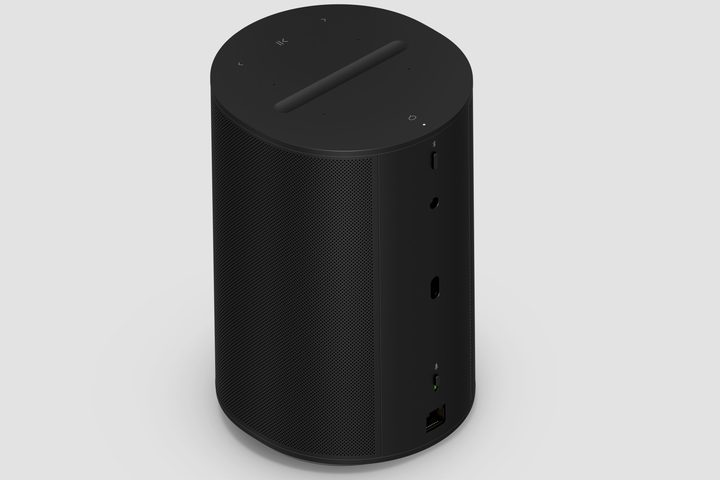
Technically, the Era 100 Pro is still a wireless speaker with onboard Wi-Fi and Bluetooth. But with the ability to control the speaker, send it audio, and provide it with power — all via Ethernet — installers can think of it as a wired speaker.
Lately, problems with the redesigned Sonos app have become the biggest barrier to Sonos users enjoying a stable, useful experience. Still, app redesign notwithstanding, Sonos users routinely battle with wireless networking problems. Using Ethernet lets installers avoid wireless issues entirely.
Sonos hasn’t released the Era 100 Pro’s price or a specific availability date, but does note that when it becomes available, it will be sold exclusively through professional installers. It previewed the new speaker for attendees at CEDIA 2024, a trade show geared toward professional residential installers that runs from September 5-7.
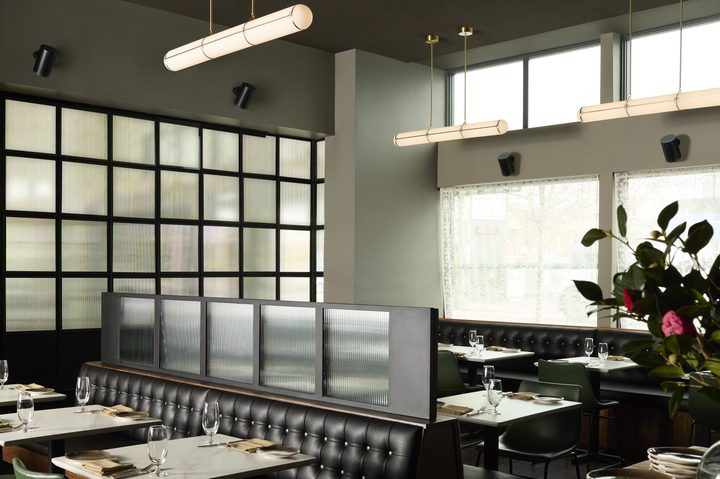
While the Era 100 Pro is Sonos’ first Power over Ethernet (PoE) speaker, the technology isn’t new to the speaker world. Bluesound, one of Sonos’ biggest competitors in the multiroom audio space, has several PoE speaker models that it sells under its Bluesound Professional sub-brand.
It may be tempting to think you can connect the Era 100 Pro to your home router or modem, but PoE devices need specialized Ethernet routers or switches that can deliver power along with data. In the case of the Era 100 Pro, the network switch would ideally use PoE+, which can deliver more power than standard PoE; however, the speaker works with both networking standards.
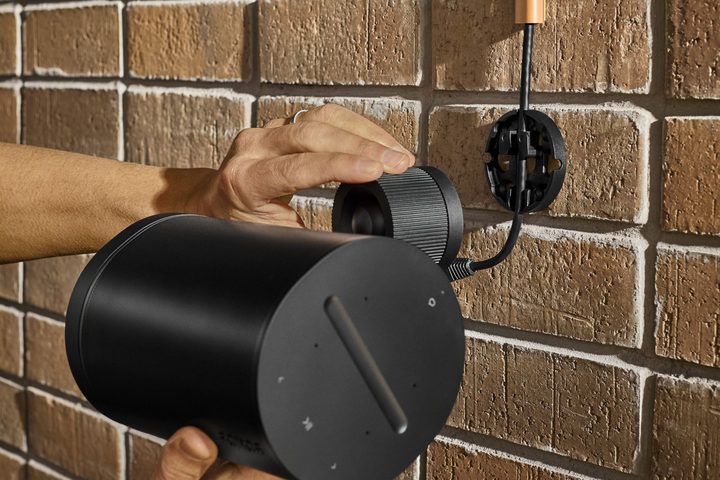
To help installers take advantage of the additional flexibility offered by PoE, Sonos has also created the Era 100 Pro Surface Mount, a mounting bracket with 30 degrees of pan and tilt, and 360 degrees of rotation. Its ball joint is indexed, which lets you set the same angle on each mount without the guesswork and without worrying the angle will change over time due to sagging. It has a locking base plate for theft deterrence. The new mount can be made backward compatible with existing Era 100 speakers if you remove its extra stability hook.


The Era 100 Pro can also be used with an optional eyebolt, which screws into a dedicated threaded insert just under the Bluetooth button. Installers can run a safety cable through the eyebolt when building codes require it. Sonos says this can help the speaker withstand seismic events and avoid accidental damage.
When the Era Pro 100 launches, it will be accompanied by a new software feature called Zones. Zones are similar to speaker groups, but the company says that “zones offer an easier and more customizable way to orchestrate and control multiple speakers. Users can bond speakers together into a predictable, unified entity, providing a more permanent bonding experience over time, ideal for large spaces with many speakers.”
The new speaker will also be compatible with Sonos Pro, the software platform that enables multi-location management of Sonos installations from a central dashboard.
The Era 100 Pro is fully compatible with all Sonos features. It can be stereo paired, used as surrounds in a Sonos home theater installation, and its built-in microphones let it act as a smart speaker as well as giving it Sonos’ Auto-TruePlay room tuning feature.


