

Samsung is holding its MWC 2014 bash on the first day of the show, where it could reveal the highly anticipated Galaxy S5. Its first invitation gave nothing away about the event, besides including a superscripted number 5 against the title, but the second teaser image is more revealing. Tweeted from Samsung’s official mobile account, the picture hints the TouchWiz software installed on the S5 has been redesigned.
TouchWiz is Samsung’s own user interface, which is placed over the top of Android, and has long been criticized for being too complicated, ugly, and bloated. The picture shows nine icons, each related to different features or aspects of a mystery product, which may give us our first proper look at the TouchWiz UI primed for use on the Galaxy S5.
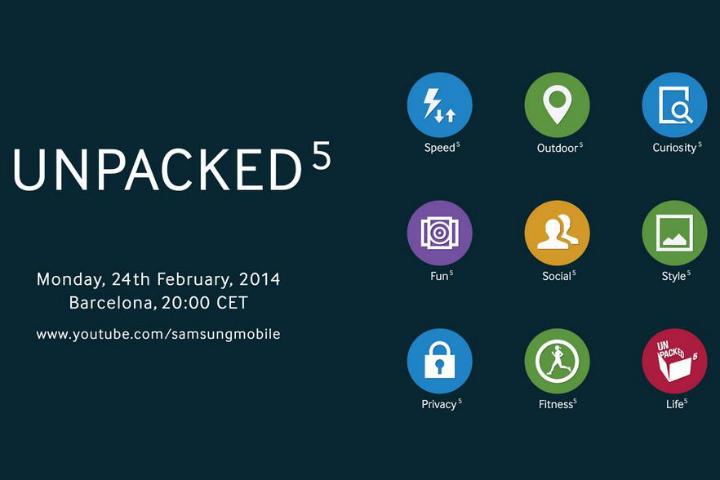 The round icons are flat, uncomplicated, and colorful. They also look really good. In the past, Samsung has admitted its software “wasn’t as good as its hardware,” indicating it was working on a new version. Could this be it? Possibly, however in earlier leaked screenshots, only the S Health/Fitness icon looks similar. Perhaps Samsung’s marketing department will turn out to be better at designing icons than the software development team.
However, we’re not done with Samsung’s icons yet. While several are just common phrases we’d expect to find on an event invitation – curiosity, style, and fun for example – we’re intrigued by the Fitness icon. Samsung introduced its S Health app with the Galaxy S4, but fitness tech has really taken off over the past year. We’ve heard rumors Samsung has a fitness tracking band ready to launch, so this could be a hint it’ll arrive alongside the Galaxy S5.
Samsung’s MWC 2014 event is all set for February 24 in Barcelona. We’re excited to see what it’ll reveal. In the meantime, you can catch up on all the Galaxy S5 rumors and gossip in our comprehensive roundup here.


