
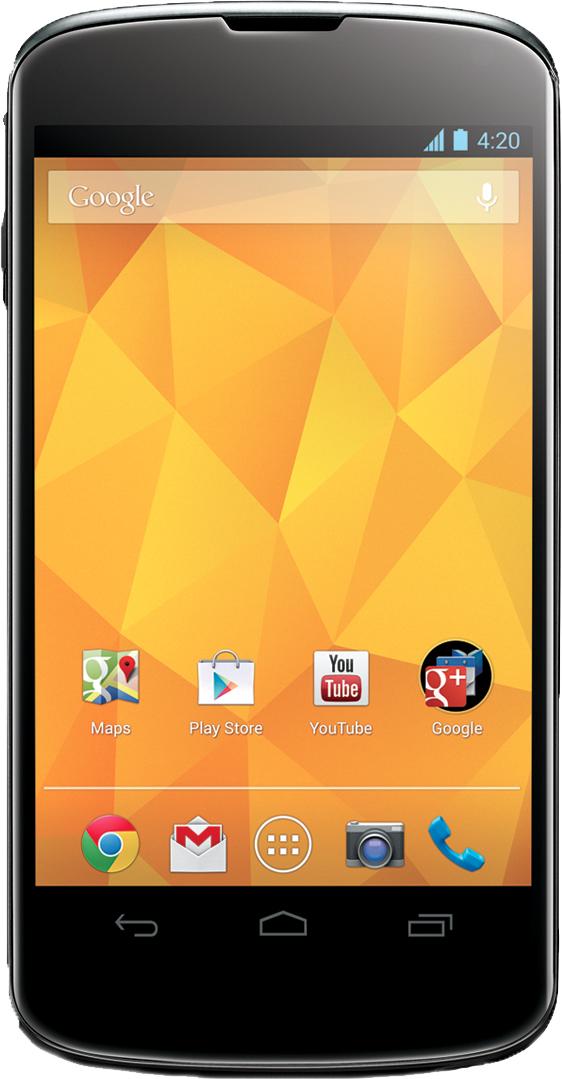
If there’s one company who should know how to make an Android phone, it’s Google. By most accounts, Google’s own devices have been well received. The Nexus 4 scored highly on just about every review it received despite lacking a couple key features that could have pushed it into the “can’t miss” category. With another year under its belt, Google is back with the Nexus 5. Is this the phone that finally gives Google a flagship handset that will compete against the Samsungs and HTCs of the world? Is it even that big of a step up from the Nexus 4? We take a look at what’s running inside these two devices to see if much has changed aside from the number in the name.
Nexus 4 |
Nexus 5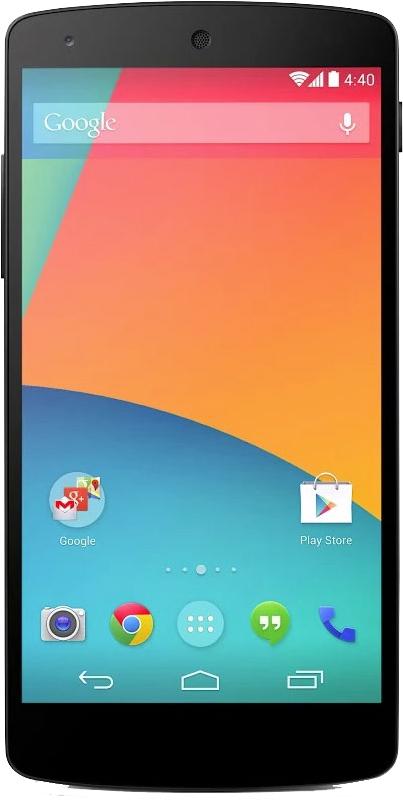 |
|
| Size | 133.9 x 68.7 x 9.1 (mm) | 69.1 x 137.8 x 8.6 (mm) |
| Weight | 139g | 130g |
| Screen | 4.7-inch True HD IPS Plus (LCD) | 4.95-inch Full HD IPS Plus (LCD) |
| Resolution | 1280×738 pixels | 1080 x 1920 pixels |
| OS | Android 4.2 Jelly Bean | Android 4.4 KitKat |
| Storage | 8/16GB | 16/32GB |
| SD Card Slot | No | No |
| Processor | Quad-core Qualcomm Snapdragon S4 Pro | Quad-core Qualcomm Snapdragon 800 |
| RAM | 2GB | 2GB |
| Wi-Fi | Wi-Fi 802.11a/b/g/n | Wi-Fi 802.11a/b/g/n/ac |
|
Cellular |
3G | 4G LTE, 3G |
| NFC | Yes | Yes |
| Bluetooth | Yes, version 4.0 | Yes, version 4.0 |
| Battery | 2,100mAh | 2,300mAh |
| Charger | Micro USB | Micro USB |
| Marketplace | Google Play Store | Google Play Store |
| Price | $300+ (without contract) | $350+ (without contract) |
| Availability | T-Mobile, Google | AT&T, Sprint, T-Mobile, US Cellular, Google |
| DT Review | 4 out of 5 | Coming Soon |
What changed
With the Nexus 5, you can finally feel comfortable dropping off the Wi-Fi connection because Google has finally included 4G LTE. An upgrade to the processor also gives the Nexus 5 a jump in power. The Snapdragon 800 runs at 2.26GHz compared to the Nexus 4’s Snapdragon S4 Pro’s 1.5GHz – though the S4 Pro was no slouch. Users can enjoy the new power a little longer with extra battery capacity too – a small upgrade from 2,100mAh to 2,300mAh.
The other big change is in the display. Getting a slight bump in size and a huge upgrade in resolution, the Nexus 5 goes Full HD at 1080 x 1920 pixels, making for an extremely dense 445 pixels per inch. Google has a knack for making devices with crystal clear displays and it seems the Nexus 5 is set to take that tradition to the next level. You’ll use that screen to look at a new version of Android as well, with the introduction of Android 4.4 KitKat. One of the new features of the OS, the burst camera feature HDR+, takesI advantage of the added optical image stabilization to the phone’s 8-megapixel rear camera.
What stayed the same
Despite adding optical image stabilization to the rear lens, the cameras on the Nexus 5 have basically gone untouched since the days of the Nexus 4. With more and more mobile devices pushing forward with a 13-megapixel lens, you might expect Google to play a little catch up and update the cameras on the Nexus 5, but the company passed on it for the time being. It also opted not to add an SD card slot for memory expansion, though it’s admittedly less necessary now with elimination of the 8GB version of the device and addition of a 32GB option. And even with an upgrade to the processor, the RAM has remained at 2GB on the Nexus 5.
If you’re looking to get your hands on the Nexus 5, you can order it now. It’s available from Google at an off-contract price of $350 and up. It will be working its way to carriers, and more than just T-Mobile this time, according to Google. It appears it will start at $150 with a contract. It will not be coming to Verizon, though, likely because it would compete with the Motorola devices the carrier has been pushing. We always suggest to try out a phone to see how you like it, but it appears you can’t go wrong with the Nexus 5. It makes all of the upgrades necessary to areas that were holding back the Nexus 4 and it doesn’t try to do so much that would bump the price tag way up. The Nexus 5 looks like it will be Google’s true flagship phone.


