  1. Home
  2. Phones
  3. Mobile
  4. News

With this new Android 16 feature, you’re one click away from enhanced protection

Add as a preferred source on Google
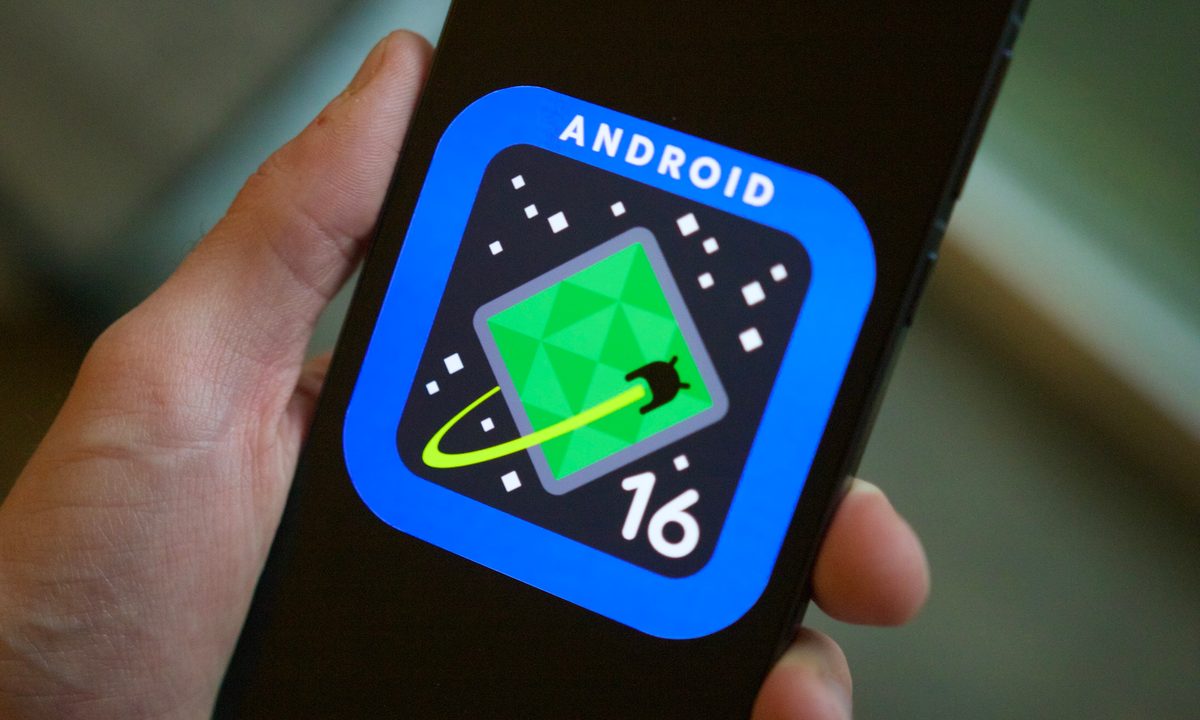
Someone holding a phone showing the Android 16 logo on its screen.
Joe Maring / Digital Trends

Android 16 is set to offer improved security for apps and services. Android Authority says this feature allows users to enhance their device’s security with a single click, surpassing Google’s Advanced Protection Program introduced in 2017.

The current feature is available to anyone with a Google account. It is recommended for individuals at higher risk of attacks, such as political campaign staff, journalists, activists, and business leaders. The program implements security keys or passkeys for signing in, provides additional protection against harmful downloads, and safeguards personal information by restricting access to Google Account data. Additionally, it offers enhanced protection against phishing and unauthorized access.

Recommended Videos

Android 16’s feature seems to include the same protections as the current tool. However, it takes things a few steps further. For example, it adds the ability to turn off 2G connectivity. It also enables MTE, a tool that helps apps detect memory-related vulnerabilities.

Perhaps more importantly, it adds a new API called AdvancedProtectionManager. The API lets apps check if a device is enrolled in Advanced Protection.
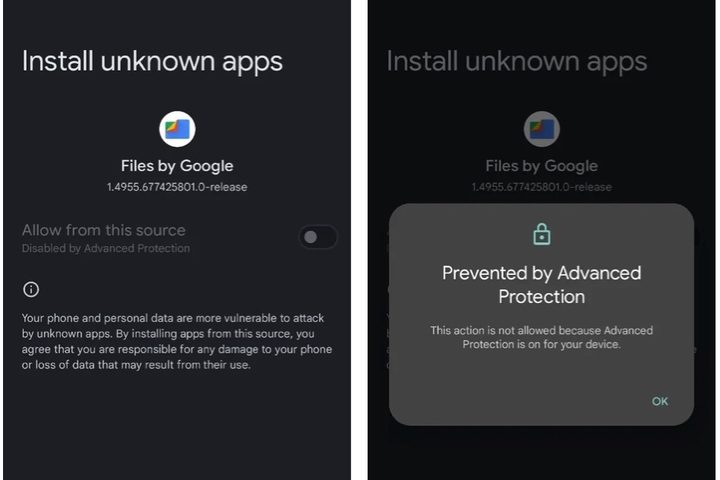
Android 16 Advanced Protection.
Android Authority

As the report explains, this development is significant because it allows apps to adjust their security features based on whether a user is enrolled in the program. Previously, apps could not know if a device was part of the program. However, with this new API, apps can quickly determine a user’s commitment to security and implement additional security measures accordingly.

My colleague Jesse Hollington rightfully explains that the Android 16 feature sounds like Apple’s Lockdown Mode. Introduced in 2022, Lockdown Mode is an extreme, optional security feature designed for users who believe they may be personally targeted by highly sophisticated cyberattacks, like those from state-sponsored spyware.

All this sounds promising until you realize that app developers will still have to decide whether or not to support the new API. If they don’t, it could amount to much ado about nothing. Regardless, it’s always good when companies like Google offer new security features to protect users from scams and hacks.

We’ll continue to monitor development on the new Android 16 feature and see what changes are made before it’s released to the public with the rest of the operating system. That update should be available to manufacturers before the end of the year.

Bryan M. Wolfe
Former Mobile and A/V Freelancer
Bryan M. Wolfe has over a decade of experience as a technology writer. He writes about mobile.
Setting up your dorm desk? These are the phone stands I’d actually spend my money on
From a $2 folding stand to a three-in-one Apple charging dock, these are the phone stands worth setting up this semester.
Analog Clock, Clock, Electronics

A phone stand is one of the smallest purchases on any back-to-school list, but it's also one of the easiest to get wrong, especially since there are dozens of options available on Amazon. A good phone stand is one that does its job well and, more importantly, doesn't put much of a dent in your budget.

This is one of those product categories where you don’t need to spend big, unless a MagSafe dock or a multi-device charging stand is genuinely useful for your desk or dorm setup. That is why this list begins with the most affordable options and works its way up to the more expensive ones. From a two-pack that costs about as much as a coffee to a three-in-one Apple charging station, I picked eight of Amazon's best-reviewed phone stands worth considering this back-to-school season.

Read more
I picked four wireless chargers so you can stop making your iPhone, AirPods, and Apple Watch fight over one dorm outlet
The best back-to-school wireless chargers for dorm desks, study spaces, and travel
Computer, Electronics, Laptop

A dorm-room desk can disappear surprisingly quickly beneath a laptop charger, phone cable, Apple Watch puck, and the growing collection of adapters required to power them all. Add textbooks and other academic materials, and finding enough room to study becomes the first assignment of the semester.

A wireless charging stand can consolidate several of those cables into one station. It also gives your phone a dedicated place to sit, which helps when you are checking the time or watching a lecture. Every charger here still needs one connection to the wall. So finding a peripheral that works with all of your gadgets isn't just convenient, it's smart. I picked four models ranging from an inexpensive two-device stand to a fast 25W wireless charger capable of powering an entire Apple setup.

Read more
Your backpack needs one of these power banks before classes start
I picked 4 power banks that can survive your longest day on campus
Anker Nano 3-in-1 10,000mAh portable power bank for iPhone.

Finding an empty outlet on campus can require more patience than registering for a popular class. Common spaces like libraries or lecture halls rarely have sockets in the right places. So a good power bank gives you far more freedom. It gives you the option to choose the quiet corner of the library, work outside between classes, or even finish an assignment without worrying about your laptop's battery.

The right model depends on what you carry, since a phone needs far less power than a MacBook or gaming laptop. I picked four Anker power banks that cover everything from everyday phone charging to running several demanding devices at once.

Read more
