  1. Home
  2. Phones
  3. Mobile
  4. News

Digital Trends may earn a commission when you buy through links on our site. Why trust us?

Your iPhone could steal this Pixel Tablet feature when it gets iOS 17

Add as a preferred source on Google
iPhone 14 Pro with always on display no wallpaper or notifications
Christine Romero-Chan / Digital Trends

With iOS 17 coming in hot for its expected June reveal during Apple’s Worldwide Developer Conference, iPhone owners are anxious to hear about any big features coming with the update. According to Bloomberg, a major change is coming in the form of a complete interface overhaul for locked devices that effectively turns your iPhone into a smart display.

The new interface will supposedly display a plethora of information like the weather, push notifications, upcoming significant calendar dates, and more. Per the report, this new interface displays automatically when your iPhone is locked and laying horizontally with its screen facing up.

Recommended Videos

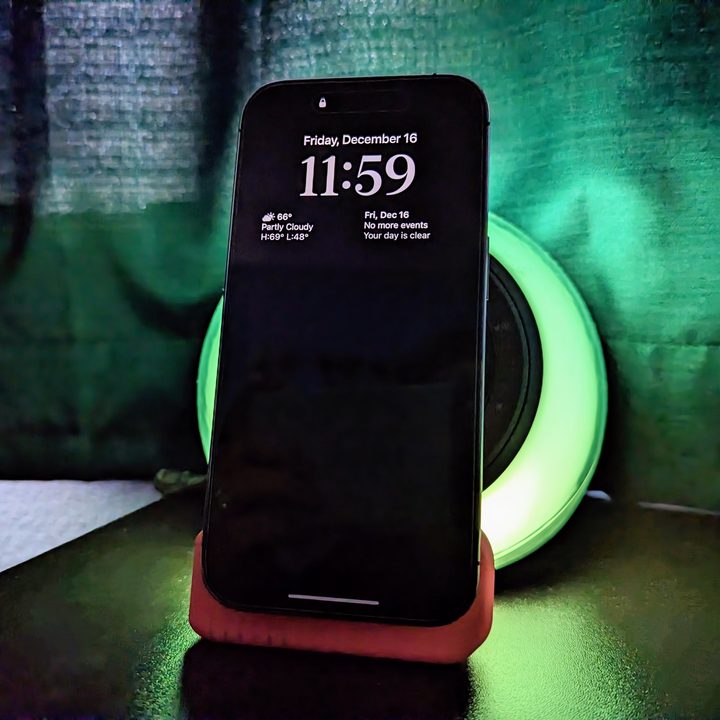
A change like this would make all iPhones running iOS 17 similar to other smart home screens we’ve seen over the years — with the most recent of note being the Pixel Tablet, which displays similar information when connected to its speaker dock. If Apple is trying to push the iPhone in a direction that’s more suited for being a smart home controller, it’s not out of the realm of possibility that the company might make its own docks for the iPhone or, perhaps more likely, the iPad if iPadOS gets a similar update.

iPhone 14 Pro with a black always-on screen.
Joe Maring / Digital Trends

Apple fans have had mixed feelings about the idea of always-on displays, such as the one seen on the iPhone 14 Pro and iPhone 14 Pro Max, so a change like this coming with iOS 17 for all compatible devices might be divisive. While the update might be controversial, the Bloomberg article that broke the story cited an anonymous inside source that says that the interface is meant to “build on the company’s launch of the lock screen widgets last year as part of iOS 16,” which went over well with Apple fans.

Based on what we’ve heard so far, it seems like iOS 17 will be a major shake-up for iPhone users in ways that are meant to build on previous ideas that have been implemented. Since most of the major recent changes to iOS have been solid, we’re excited to see what Apple has cooking for iOS 17, and if the smart display interface will be an exciting addition or something to immediately disable. Either way, it seems like we’ll be seeing it revealed soon, during the upcoming developer conference on June 5.


Peter Hunt Szpytek
A podcast host and journalist, Peter covers mobile news with Digital Trends and gaming news, reviews, and guides for sites…
Android desktop mode made me miss my laptop in record time
I tried writing and publishing from Google’s phone-to-monitor setup, and the future of mobile computing immediately started sweating.
Computer, Electronics, Laptop

Android 17 desktop mode has a very simple pitch. Plug your phone into a monitor, add a keyboard and mouse, and watch the slab in your pocket pretend to be a computer. I wanted to give that pitch a fair shot, so I tried using it for an actual workday instead of a cute demo.

The goal was boring on purpose: write an article, edit it, build the page in WordPress, upload whatever needed uploading, and publish the thing without running back to my laptop like a coward.

Read more
After test-driving iOS 27, my iPhone still doesn’t feel like it has made a substantial leap
Siri learned new tricks. Safari got smarter tabs. My morning routine didn't change at all.
iOS 27 new star rating feature in Photos

Every June, after Apple wraps up its annual WWDC keynote, I install the latest iOS beta on my iPhone, watch the progress bar crawl to completion, and wait for the inevitable restart. For years, picking up my phone afterward felt almost identical to how it did before the update. 

I saw the same grid of icons, the same Control Center, and the same version of Siri until iOS 26 finally broke that pattern in 2025.

Read more
Android 17 makes a strong case for ignoring Android version numbers entirely
When the most noticeable change is a better Quick Settings button, the annual update cycle starts looking more like branding than progress.
Android 17 logo.

Android 17 finally separated the Wi-Fi and mobile data buttons, and I hate how much that improved my mood. For years, Android treated internet access like one mysterious blob, as if Wi-Fi and cellular data were emotionally codependent. In Android 17 Beta 3, Google split the old combined Internet button into separate Wi-Fi and mobile data tiles, making each connection easier to switch off with a single tap.

That’s a good change, which is also why it’s a little damning. When one of the cleanest wins in a major OS update is “the buttons make sense again,” the celebration gets awkward fast.

Read more