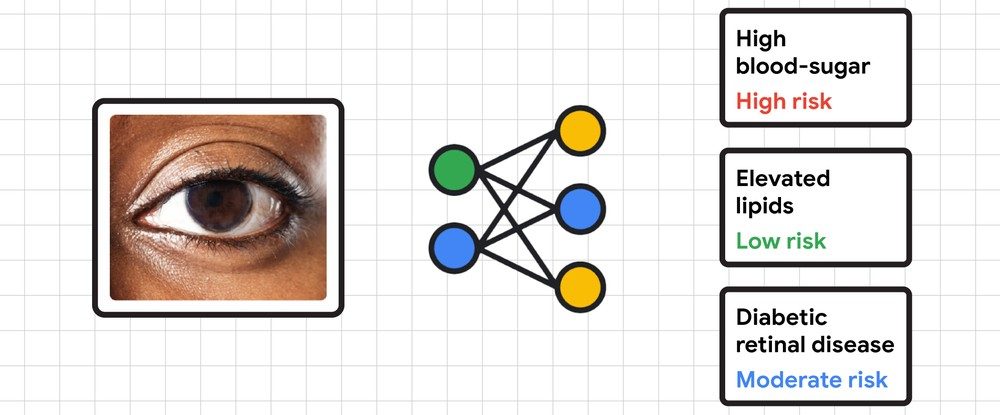
Google wants smartphone cameras to help users with the detection of heart issues and diabetes-related complications that can lead to vision loss. Google says its Automated Retinal Disease Assessment (ARDA) tool has shown promising results at detecting a condition called diabetic retinopathy that can lead to blindness if not treated in time.
The company claims tests done in Thailand have proved ARDA’s accuracy and that it is safe to deploy, especially in areas where eye screenings are not easy due to lack of infrastructure or financial constraints. Google plans to conduct more in-depth tests to see if pictures of a person’s eyes clicked with a smartphone camera can be used to detect diabetes, as well as non-diabetes-related health conditions.
A phone’s eye to save your eyes
Google claims early tests have proved that its A.I. is already capable of flagging heart-related issues such as abnormal blood sugar and cholesterol levels by reading pictures of the exterior of a person’s eyes. In addition to deploying a phone’s camera, Google also wants to employ the onboard microphone for health benefits.
Essentially, health experts at Google aim to use a phone’s microphone as a stethoscope to record heart sounds. The goal is to help detect issues such as aortic stenosis, a condition that blocks the flow of blood from the heart to the rest of the body. Instruments like a stethoscope or ultrasound machines are usually required to detect such conditions, but Google is testing whether a smartphone’s built-in mics can be used to do the same.
Some progress has already been made
Google has already baked in a feature in its Google Fit app that allows users to measure their respiratory rate, as well as heart rate, using a phone’s camera. To measure the respiratory rate, all that needs to be done is fpr a person to sit in front of the phone, fire up the selfie camera in the Google Fit app, and let A.I. do its magic by analyzing the movement of the torso as one breathes in and out. For checking the heart rate, just place a finger on the rear camera lens.
The company also has a dermatology tool in the pipeline that again banks on A.I. smarts to identify skin, hair, and nail conditions with just a few photos taken from a phone’s camera. Trained to recognize over 280 skin conditions, the A.I. then gives a list of possible ailments. However, it is not intended to self-diagnose problems, and users are still advised to consult with a certified health professional.