  1. Home
  2. Phones
  3. News

Google is making it dramatically easier to sign in to apps without OTP or link hassles

No more inbox hunting. Google's new API verifies your email with one tap.

Add as a preferred source on Google
Google sign up mockup
Android Developers Blog

If you’ve ever signed up for an app and then spent the next five minutes hunting for a six-digit code buried in your inbox, you know how painful the process is. I especially despise the magic sign-up link that websites send, as they sometimes fail to work if my default browser isn’t Google Chrome.

Thankfully, Google is fixing that with a new verified email credential for Android, and it’s a genuinely smart solution. 

So what’s actually broken with OTPs?

The humble OTP has been the backbone of email verification forever, but it comes with real problems. You leave the app, open your inbox, find the email, copy the code, and come back. 

Recommended Videos

It’s a long process that not only hurts consumers but also app developers. The number of steps required may cause a user to leave the app mid-sign-up, meaning the app loses potential users before they even try it.

iOS fixed this issue by directly allowing users to sign in via Apple account. Recently, it also added a feature to autofill OTPs from emails, just as Android supports OTP autofill from messages. 

Now, Google is also creating a seamless signup process that doesn’t require users to jump between apps. 

How does the new system work?

Google now issues a cryptographically verified email credential directly to Android devices through the Credential Manager API. When an app needs to confirm your email, it can pull that credential directly using the Credential Manager API. 

A small prompt appears on screen showing what information is being requested. You tap to confirm, and the app gets your verified email. No switching apps, no codes, no delay.

Google recommends pairing this with passkey creation, so the first sign-up becomes the last time a user has to do anything manual. 

The same can also be used for account recovery and re-authentication of sensitive actions, including setting changes, updating profile details, and more. 

The best part is that the new feature supports Android 9 and later devices, so you don’t need the best new Android smartphones to enjoy this quality-of-life improvement.

Are there any restrictions?

There are a few restrictions. The feature currently works only with regular consumer Google Accounts, not Workspace accounts. It also only works with Gmail accounts, and not with third-party email accounts that you might have used to create your Google account.

Rachit Agarwal
Rachit is a seasoned tech journalist with over ten years of experience covering the consumer technology landscape.
Samsung is apparently making a rollable phone. Let’s hope it doesn’t meet the same fate as LG
Foldables are getting squeezed by Chinese rivals, making rollables Samsung's riskiest escape route yet.
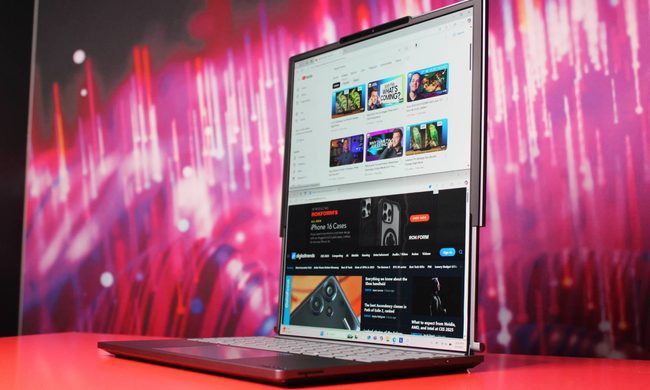
Lenovo ThinkBook Plus Rollable

Samsung may be ready to stretch the Galaxy line into stranger territory. Korean outlet Money Today reports that the company is developing a rollable Galaxy for a possible first-half 2028 launch, with Samsung Display in talks to supply the key OLED panel.

The timing couldn't be much messier. Samsung Display's foldable phone panel share reportedly fell behind BOE in the first quarter, even though Omdia expects a rebound tied to Samsung's next foldables later this year.

Read more
A free soundscape app just got the kind of controls paid calm apps love to hide
The latest Oasis update adds 16 preset soundscapes, more than 10 new sounds, and background audio for focus, sleep, meditation, and winding down.
Electronics, Phone, Mobile Phone

Oasis version 2.2 gives the free soundscape app a more useful place in daily routines. The iPhone update adds ready-made soundscapes, new audio options, and quicker ways to return to a setup when you’re trying to focus, fall asleep, meditate, or cool down.

The biggest change is a new library of 16 presets built around calm, meditation, focus, and energy. Oasis also adds more than 10 sounds, a mini player, session memory, background mixed audio, interface updates, bug fixes, performance improvements, and accessibility tweaks.

Read more
Here’s a cool new app for people who treat every photo dump like a magazine spread
Mocha Frame is a tiny app makes every photo to look curated
Mocha Frame is a new iOS app

You're probably not a stranger to filters for your social media uploads. While some apps just fix up your shots with minor touch-ups, others want to change the entire look and feel. Mocha Frame takes things a little further. It doesn't just clean up your shots; it lets you frame them up or sign them before sharing them.

Mocha Frame, highlighted in a Reddit post by its developer, is an iPhone app built around presentation rather than heavy edits. The developer describes it as a tool for giving photos a cleaner, more elegant look before sharing, with minimal frames, Polaroid-style frames, creative collage layouts, and themed frames for different moods and festivals.

Read more