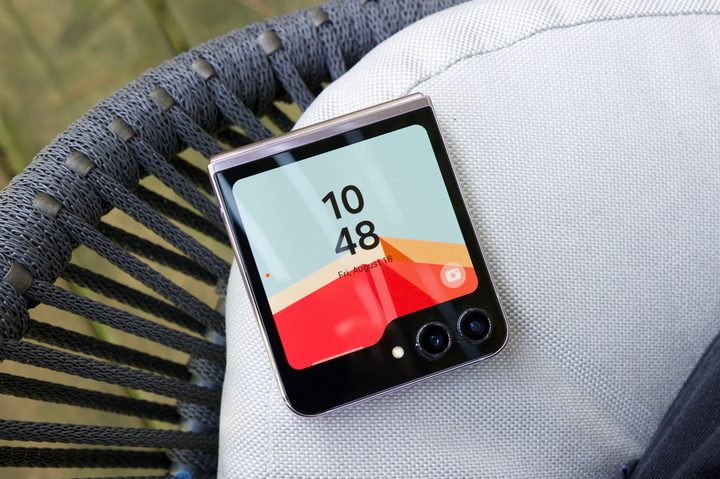
It’s been a little under a month since I got my Samsung Galaxy Z Flip 5, and throughout most of that time, I’ve thoroughly enjoyed every second with it. I was already quite fond of the Galaxy Z Flip 4 last year, and the Flip 5 addresses my main complaint of its predecessor: the cover screen.
The 1.9-inch cover screen on the Flip 4 was fine for viewing notifications or paying with Samsung Pay … but that was about it. If I wanted to interact with the phone in any meaningful way, I always had to open it up. But with the 3.4-inch cover screen on the Galaxy Z Flip 5, that hasn’t been the case this year. I’m able to do so much more with the cover screen than ever before, and it’s greatly enhanced the practicality of having a flip phone.
However, it wasn’t always like this. I love my Galaxy Z Flip 5 today and what I can do with the cover screen, but when I initially started using the phone, I thought I was going to hate it. That is, until I changed one critical thing.
The cover screen makes a bad first impression

After reviewing the Motorola Razr Plus earlier this year, I’ve become hooked on using full Android apps on the cover screens of folding flip phones. Having the flexibility to do whatever I want — watch YouTube videos, scroll through Twitter, or browse a to-do list — without ever opening my phone is incredible. It makes this form factor of folding phones more useful than they’ve ever been. On a phone like the Razr Plus, I can do anything I want on its cover screen, and if I want more space, the main display is always waiting for me. It’s no longer a requirement that I need to open the phone. I can if I want, but I don’t have to.
Out of the box, the Samsung Galaxy Z Flip 5 is not like this. Instead, it feels like an amped-up version of the cover screen experience on the Z Flip 4.
The Flip 5’s cover screen is heavily centered around widgets. There are widgets for the weather, your calendar, alarms, a stopwatch, Samsung Health stats, etc. They’re all very well-designed and work just fine, but it’s still an extremely curated experience that almost immediately feels limiting.
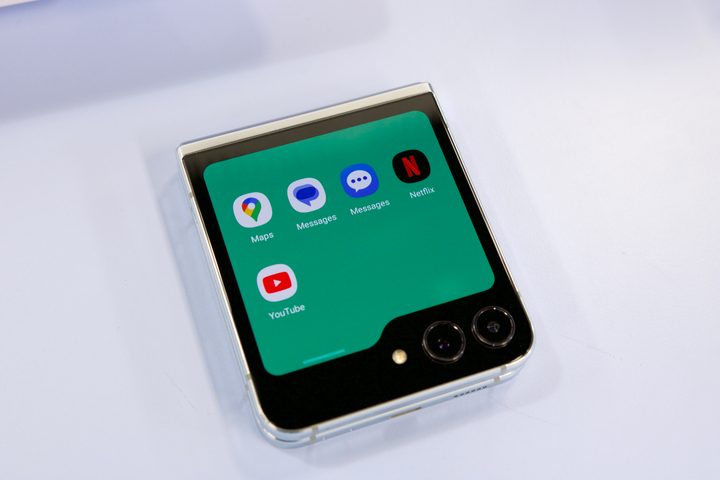
What if you want to do more than what these dozen or so widgets offer? Samsung lets you tap a toggle in the Settings app to allow apps on the cover screen … but only barely. Right now, the list of supported cover screen apps for the Z Flip 5 includes Google Messages, Samsung Messages, WhatsApp, Google Maps, YouTube, and Netflix. That’s it.
Maybe those are the only apps you want on your cover screen; if that’s the case, you’re golden. But there are a lot more apps I’d like to use on the cover screen, and by default, Samsung doesn’t allow that. It’s one of the biggest things I was hoping Samsung would get right with the Z Flip 5, but during my initial few minutes with the phone, I thought the company had completely botched it.
Unlocking the Galaxy Z Flip 5’s potential
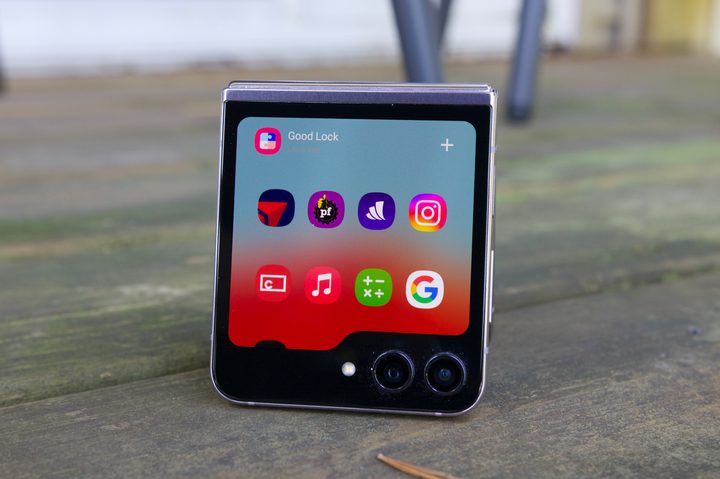
But then I opened the Galaxy Store on the Z Flip 5, downloaded the Good Lock app, and things started looking up.
Samsung launched Good Lock in 2016, and since then, it’s turned into an ultrapowerful customization suite for Samsung phones. You can use it to customize your recent apps page, add powerful theming tools, and more. It also allows you to run any app you want on the Galaxy Z Flip 5 cover screen.
Samsung doesn’t mention this anywhere during the setup process of the Z Flip 5, but after some troubleshooting in a group chat with colleagues at other tech publications, we eventually figured out how to navigate the Good Lock app to unlock the Z Flip 5’s full potential. And after about 10 minutes or so, I had turned my Galaxy Z Flip 5’s cover screen into exactly what I wanted it to be.


Now, in addition to some of the widgets I like using, I also have a page on the Z Flip 5’s cover screen for all of the apps I want to run on it. I can now check and reply to messages on Telegram, manage my Outlook inbox, scan my boarding pass in the Delta app, and use the full Apple Music app. If there’s an app installed on the Flip 5 and you want to use it on the cover screen, Good Lock lets you do just that.
And despite the hack-y steps you have to take to get full app support on the cover screen, all of the apps I’ve used work surprisingly well. Some are a bit more squished than they are on the Razr Plus cover screen, but it’s not a bad experience by any means. The Galaxy Z Flip 5 is more than capable of running virtually any app on its cover screen, and Good Lock proves it.
Samsung, it shouldn’t be this difficult
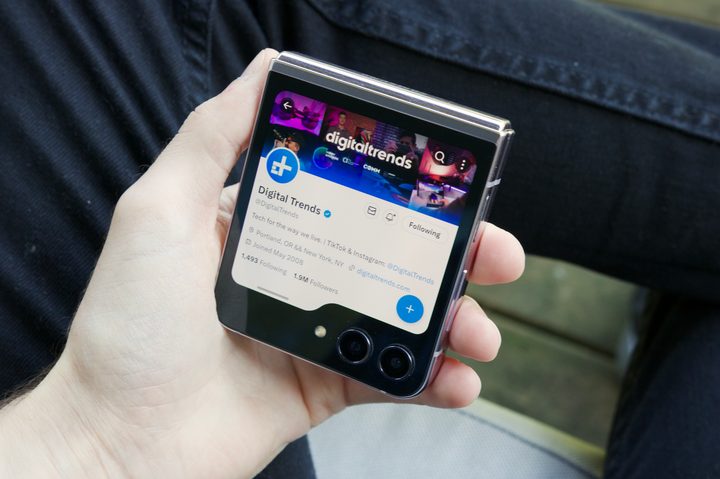
Since putting Good Lock on my Flip 5 and getting it configured the way I want it, I’ve been absolutely smitten with the phone. The cover screen does exactly what I want it to, the main display is lovely, the cameras are great, and the hinge is among the best you’ll find on a folding phone today.
But before I figured out how to get Good Lock working, the Galaxy Z Flip 5 made a really poor impression. I only knew Good Lock could enhance the cover screen because of a press briefing I had with Samsung. And even then, I only figured out how to use it after talking with five other people who do the same thing I do for a living — test and write about smartphones.
Maybe I put a lot more emphasis on cover screen apps than other Z Flip 5 users will, but having access to any app without opening the phone elevates the entire experience in so many ways. It’s clearly possible and it works really well, but for whatever reason, it feels like Samsung is intentionally hiding this functionality from users. It didn’t need to be this way, and I hope Samsung understands this is a bad user experience.
But as cumbersome as it may be, Good Lock has made my Galaxy Z Flip 5 everything I was hoping it would be. It’s the foldable I’m going to be using for the foreseeable future, and if you’re in the market for a flip phone today, it’s absolutely the one you should buy. Just make sure you set aside a few minutes to tinker with the cover screen first.