  1. Home
  2. Phones
  3. Mobile
  4. Smart Home
  5. News

If you have AT&T, Alexa is now a giant speakerphone

Add as a preferred source on Google

Amazon Alexa can now make and receive calls if you’re an AT&T customer, essentially turning your smart home device into a giant speakerphone. 

The tech giant announced the new feature called “AT&T calling with Alexa.” Starting Wednesday, September 9, AT&T customers can use Alexa-enabled devices to answer incoming calls or start a new call, even if their phone is far away or turned off. 

Recommended Videos

The new feature only works for AT&T customers in the U.S. that have a compatible HD-voice mobile phone like an iPhone or the Samsung Galaxy.
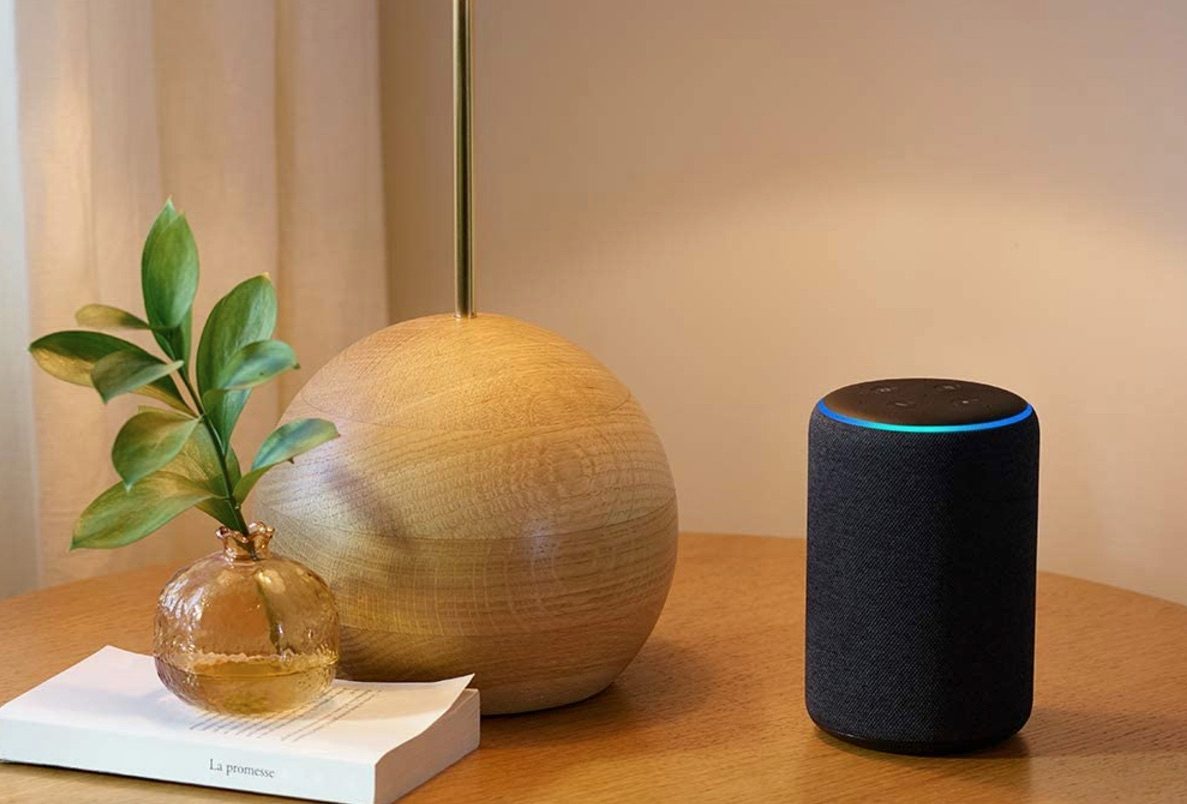
Image used with permission by copyright holder

Here’s how to utilize the AT&T calling with Alexa feature if you’re an AT&T customer: 

  • Go to Settings in the Alexa app and click Communication.
  • Select AT&T.
  • Follow the on-screen instructions provided to link your mobile number with your Alexa device.
  • After setup, you can make a call by saying, “Alexa, call Mike,” or say, “Alexa, dial (number).”
  • For incoming calls, Alexa announces who is calling by saying, “Incoming call from Mike.” To answer, simply respond, “Alexa, answer.” 

If you’d prefer not to be contacted, you can also set your Alexa device to “Away Mode” and control when you receive incoming calls by setting specific times within the Alexa app. 

An Amazon spokesperson told Digital Trends that they don’t have any additional details to share regarding adding more mobile carriers to Alexa devices in the future.

Amazon already enabled phone-like features to its Alexa devices like Alexa Calling or Alexa Outbound Calling, which allows you to connect with other Alexa users and make outgoing calls within the U.S. and to Mexico, Canada, and the U.K.  However, the “AT&T calling with Alexa” is the first time Alexa supports incoming calls and direct calls to 911.

Allison Matyus
Former Digital Trends Contributor
Allison Matyus is a general news reporter at Digital Trends. She covers any and all tech news, including issues around social…
How to install iOS 27 public beta on your iPhone?
iOS 27’s public beta is here, and its loaded with new features and experiences you might want to try.
iOS 27 beta update open on iPhone

After iOS 27’s third developer beta shipped on July 6, Apple released the first public betas for iOS 27 on July 13, 2026. While the main additions remain the same across the builds, the latter is the more refined and polished version, free of rudimentary bugs and glitches.

If you have a compatible iPhone, you can install the first public beta of iOS 27 today and experience the new Siri AI and other features yourself, provided that you know exactly what to do.

Read more
This Android malware can spy on your screen, read your texts, and control your phone remotely
Upgraded RedHook Android malware now abuses Android's built-in Wireless ADB to hijack your phone without root access.
android-redhook-malware

A nastier version of the RedHook Android malware is making the rounds, and it does not need a USB cable or a rooted phone to take over your device. Researchers at Group-IB discovered the upgraded variant, which is a significant step up from the version spotted in 2025. The scariest part? It uses one of Android's own built-in tools to do it.

How RedHook malware tricks your Android phone into handing over control

Read more
iOS 27’s public beta is finally here, and you don’t need a developer account to get in
Siri's biggest comeback is finally leaving the lab.
iOS 27 new star rating feature in Photos

Greg Joswiak just made it official. A few minutes ago, Apple's marketing chief confirmed the availability of public betas for iOS 27, macOS 27, iPadOS 27, and other Apple devices.

If you've spent the last month watching developers gush over Siri AI, patiently waiting for the public beta, that wait is over.

Read more