

“Unreliable tracking, a lack of precision, and limited app selection make the Leap Motion Controller a novelty instead of a revolution.”
- Easy to set up
- Airspace app store is easy to navigate
- Inexpensive
- Sensor lacks precision
- Range of detection is limited
- Truly useful apps remain to be seen
“Why you can trust Digital Trends – We have a 20-year history of testing, reviewing, and rating products, services and apps to help you make a sound buying decision. Find out more about how we test and score products.“
The popularity of touch among smartphones and tablets hasn’t just inspired more of the same. Instead, it’s served as a wake-up call that the reign of the keyboard and mouse may be ending, spurring inventors across the globe to search for new ways to interact with electronics.
Motion and gesture recognition is among the most promising candidates for tomorrow’s user interface. Giants like Microsoft and Intel are investing millions into the research and development of camera-based devices. But standing astride these companies is another, smaller innovator known as Leap Motion, and it’s taking a different approach. Instead of building an elaborate, expensive camera, Leap Motion devised a small motion sensor, simply named the Leap Motion Controller, that costs a fraction of Microsoft’s Kinect.
Though it’s received a ton of positive press, make no mistake; Leap Motion is the underdog. The $25 million investment recently announced by the company is trivial to competitors like Microsoft, which just reported quarterly earnings of almost five billion dollars. That disparity will be hard to overcome unless the underdog has a revolutionary product. Is the Leap that device?
From zero to amazed in five minutes
Leap Motion has clearly pegged Apple as an influence for its initial presentation and design. The silver-and-black sensor, which is about the size of a USB flash drive, comes wrapped in a tiny box that includes little other than USB cords and a card with a URL from which users can download the device drivers. Even the download page is simple and sleek, offering no room for mistake.
By the time Orientation is done, the user is left with a distinct feeling that they’ve purchased something special.
Once the Leap’s drivers are installed the user can launch an app called Orientation. The screen goes black for a moment, then music begins and the Leap Motion logo fades in to life.
What follows are three simple but visually stunning demos that show the user what the Leap sees. Everything is intuitive, natural, and even beautiful. There are no buttons. When the user stops interacting with one demo, the app automatically continues to the next. You can dismiss the brief, two-sentence instruction screens by interacting with the sensor.
This is the kind of demo that’s normally encountered only at a trade show, and it proves that Leap Motion is very concerned about the consumer’s end-to-end experience. By the time Orientation is done, the user is left with a distinct feeling that they’ve purchased something special.
Entering Airspace
While the Leap is an input device, it doesn’t work like a mouse, and adds no native functionality to Windows or OS X. All of its potential is funneled through apps, which in turn are launched via a simple interface called Airspace.
There’s not much to the launcher. Apps are displayed in a tile format, with twelve apps to a page, and they’re launched by either clicking with a mouse or “tapping” them through the Leap sensor. There are no filter, list, or sort options, and the order in which apps appear can’t be changed, not even via drag-and-drop.
All apps are acquired through the Airspace store, which opens in a browser and is also rather bare bones. “Top picks,” the only list of featured apps, isn’t organized by any obvious pattern, and the rest of the library is accessible through either search or by browsing a handful of categories. Individual app pages provide a wealth of developer information and related apps, however, so Leap is at least one step ahead of where Microsoft was when it launched the Windows Store.


There’s a wide range of apps available, from games to productivity, though the catalog is noticeably slanted towards entertainment and away from more serious apps. The total apps in Creativity, Productivity, and Education are slightly outnumbered by the Games section alone. Some of the games are recognizable, like Cut The Rope and Fruit Ninja, while others are original. Prices vary from free to $99 (for AeroMIDI, an app that lets users create music by playing virtual instruments).
The real challenge for the Airspace store will be organizing the apps as their numbers grow. There are only 75 live at this time, so it isn’t a problem just yet. Such a small catalog is easy to handle, but we can see the store’s current interface becoming an issue if that number swells to several hundreds (or more).
So once you Leap, what do you do?
Orientation set expectations high, so we eagerly dove into Airspace to see what the Leap is capable of. Unfortunately, as we used the apps, the answer became clear: not much.
That’s not to say the Leap, and its developers, don’t try. The app Touchless attempts to make Windows (or OS X) usable without a keyboard and mouse, Corel Painter Freestyle promises hands-free image editing, and Autotrader Driver’s View offers virtual tours of new cars. These apps, and others, looked great at first glance – but they just don’t work. Time and time again the sensor missed or misinterpreted gestures, lost track of our hands, or just stopped working entirely, forcing us to re-calibrate.
Range is a part of the problem. The Leap sits on top of a level surface and can “see” motion within about two feet, but its range of detection doesn’t form a perfect dome. Instead, the sensor can only see forward and back at a 150-degree angle, which means a hand that’s positioned too low won’t be detected even if it’s almost touching the sensor. This proved troublesome because lifting our hands into the sensor’s sight felt unnatural and uncomfortable. Slowly, but inevitably, our arms would recline to their more natural position, placing them outside the sensor’s range.
Many Leap press photos show the Leap placed in front of a laptop, which does solve the hand-height issues, but it also results in accidental detection as the sensor mistakes a forearm for a closed fist or outlandishly large thumb. And this position doesn’t work for desktop users who almost always place their keyboard at the forward edge of a desk or keyboard tray.
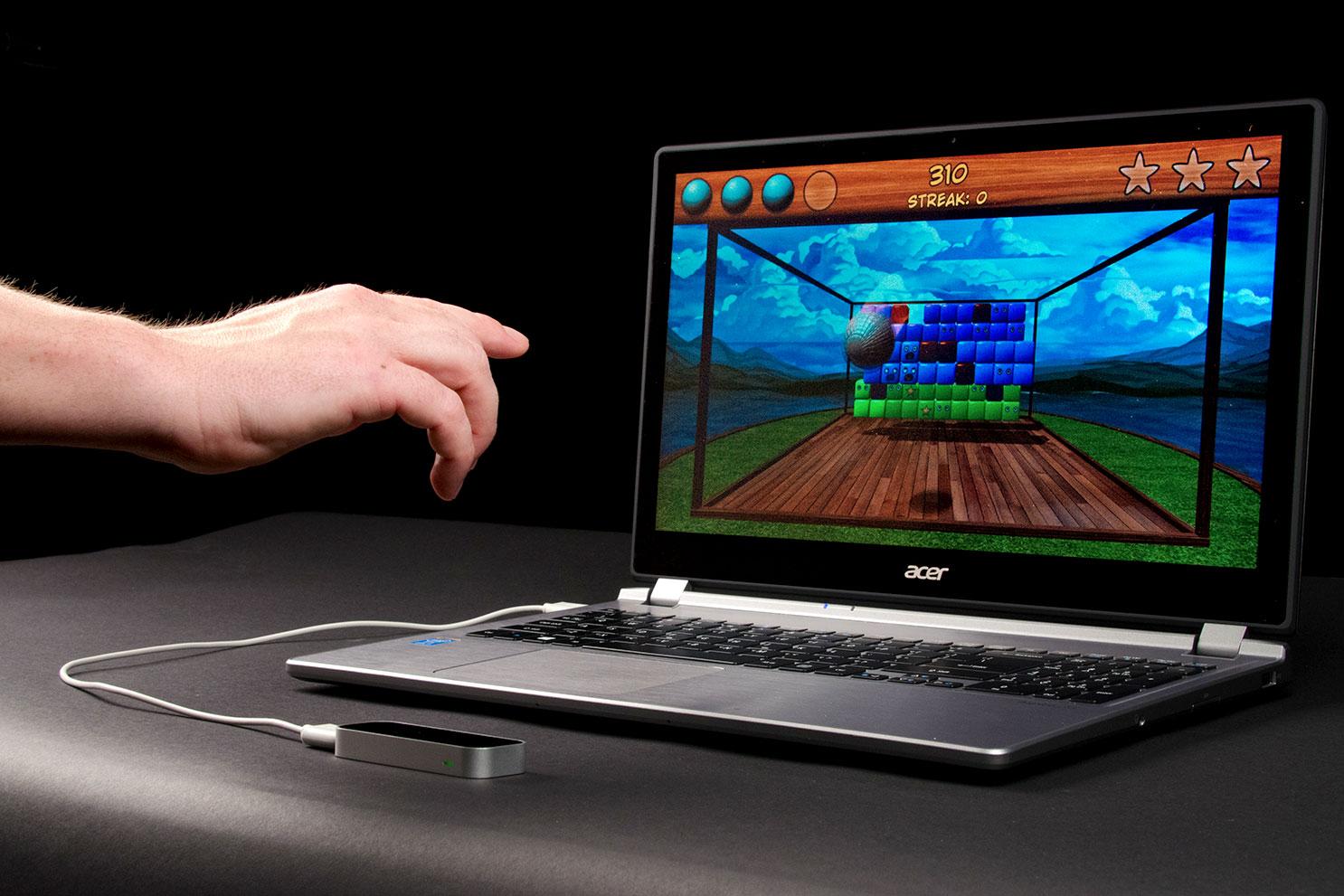
We’re also unimpressed by the Leap’s precision when dealing with hand movements in which all five fingers are not obvious. The sensor often loses track of some or all fingers (which can be seen in the Orientation app’s demos) and then becomes confused about what it should do. This ruined our attempts to use Touchless. The “cursor” would at times jump about, disappear or “click” unexpectedly.
Even games don’t work as well as they should. Dropchord, for example, is a rhythm-based game that sees the player physically moving a pair of dots connected by a line to grab points while trying to maintain a multiplier, but the controls aren’t precise enough to ward away frustration. Tracking of one or both fingers is often lost, only to reappear in a drastically different position a moment or two later, ruining a multiplier earned just a moment before.
The revolution’s not here yet
Motion recognition is not an easy problem. A hand in motion consists of hundreds of points of data, which somehow must be captured, recognized by a computer, translated into input instructions, and properly used by software. If this process was easy, we wouldn’t see technology’s most powerful companies pouring hundreds of millions of dollars into their attempts to perfect it.
The Leap is a gadget that can offer a few hours of distraction, while hinting at what might be possible as motion recognition matures.
As a serious input device, however, it falls flat. The sensor just isn’t precise enough, or reliable enough, to replace a mouse or touchpad. Leap may become better as drivers improve, but we can’t recommend a product based on how well it might work a few months down the road.
Price offers some consolation. At $80, the Leap is far easier to justify than the Kinect and its brethren, such as the Asus Xtion. All of these devices are, for PC users, still just a novelty, but only the Leap is priced as such, and it’s far easier to set up.
Consumers interested in seeing cutting-edge technology, or willing to take a gamble on a new platform, shouldn’t be shy. Those hoping for a new and useful way to interact with a PC, however, should keep waiting.
Highs
- Easy to set up
- Airspace app store is easy to navigate
- Inexpensive
Lows
- Sensor lacks precision
- Range of detection is limited
- Truly useful apps remain to be seen


