


“The RMN-U1 is the easiest way to operate a symphony of HomeShare devices in concert, and will do a good job of controlling most home entertainment gear to boot.”
- Color touchscreen
- Easily controls HomeShare devices
- Handy charging cradle and rechargeable battery
- Large database of built-in remote codes
- Limited Macros
- Expensive
“Why you can trust Digital Trends – We have a 20-year history of testing, reviewing, and rating products, services and apps to help you make a sound buying decision. Find out more about how we test and score products.“
Check out our overview of the Sony HomeShare system for more information, and links to reviews of other HomeShare components.
The RMN-U1 was introduced as part of the HomeShare family, but its functionality makes it seem more like Sony’s version of a universal touchscreen remote control. While it can’t do everything that more advanced universal remotes can, it is capable of controlling most home entertainment components as well as coordinating multiple HomeShare devices.
The remote has a 5-inch color touchscreen with a four-direction cursor on the right and a “home” button on the left. At the top edge, we found volume up and down buttons along with a mute button.
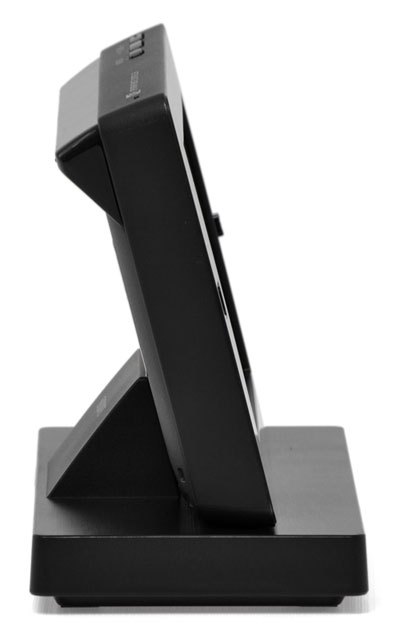
 The device comes with a charging cradle that props the remote up so that it can be used while tethered to its base. When not in use, the remote goes into a sort of “sleep” mode and can be woken up with a touch to the screen.
Performance
The display takes an icon-based approach to representing the various products it controls, and then segments them into groups (living room, bedroom, kitchen, etc.). Setting up the RMN-U1 to control non-Sony components is made fairly easy. The remote has a huge database of remote codes already stored inside. Just pick the component type and make, test to make sure you’ve got the right one, and confirm. If the product you are wanting to control isn’t listed, there’s an IR learning process built in as well.
 The RMN-U1 does support a limited number of macros, which it calls “activities.” For instance, you can set up a “watch tv” or “watch video” activity that will power up a TV and DVD player. The system doesn’t allow a high level of customization, though, so it isn’t necessarily a great alternative to more advanced universal remotes.
What the RMN-U1 does really well is coordinate HomeShare devices. When operating the
NAC-SV10i dock with our iPhone attached, we were able to take complete control of the iPod interface, scroll through our song, artist and album lists with remarkable speed, and even view the album art while songs were playing. It was fast, smooth and responsive.
We were able to direct sound from the dock to the NS300 with just a few screen touches, a feat we weren’t able to coordinate through the dock itself. We also appreciated the quick access to our network music drive and slick scrolling interface, which made finding the music we wanted to listen to much easier. We never did find the volume control for the NS300 speaker, though.
Conclusion
We appreciate Sony’s efforts to keep things simple and entertaining with this rechargeable touch-screen remote. The RMN-U1 is the easiest way to operate a symphony of HomeShare devices in concert, and will do a good job of controlling most home entertainment gear to boot. While it doesn’t pull off macros as smoothly as some other remotes, we think those who just want to ditch their drawer full of random remotes will find this Sony device handy. As a stand-alone universal, it lacks enough features to be a bit overpriced, but we think this remote earns its $300 price tag if it is going to be used as a HomeShare controller first and a universal remote second.
Highs:
- Color touchscreen
- Easily controls HomeShare devices
- Handy charging cradle and rechargeable battery
- Large database of built-in remote codes
Lows:
- Limited Macros
- Expensive


