

“While the Sony STR-DA4600ES receiver does offer some unique features its limitations in other areas are cause for concern.”
- Above average sound
- 4-Port ethernet switch
- DLNA support
- Upscaled HDMI Video for Zone 2
- Slow user interface navigation
- Some limited flexibility
- Lower power in surround modes
- No USB, S-Video
“Why you can trust Digital Trends – We have a 20-year history of testing, reviewing, and rating products, services and apps to help you make a sound buying decision. Find out more about how we test and score products.“
Our last exposure to the Sony’s ES (Elevated Standard) A/V line was with their BDP-S1700ES Blu-Ray disc player, and the experience left us happy with its over-all performance, but a little bit boggled by the apparent loss of robust build quality that we’re used to seeing with ES gear. Here, we’ll take a look at Sony’s STR-DA4600ES A/V receiver and see how it holds up to the legacy of the ES.
Out of the Box
The 4600ES receiver came packed with most of the usual accessories. We found a power cord, calibration microphone, IR repeater, a full size remote, a small zone 2 remote, batteries for the remotes, a PC set-up disc, AM and FM antennae, a quick set-up guide, a graphic of the menu tree (nice touch) and a pair of full size manuals in both English and French.
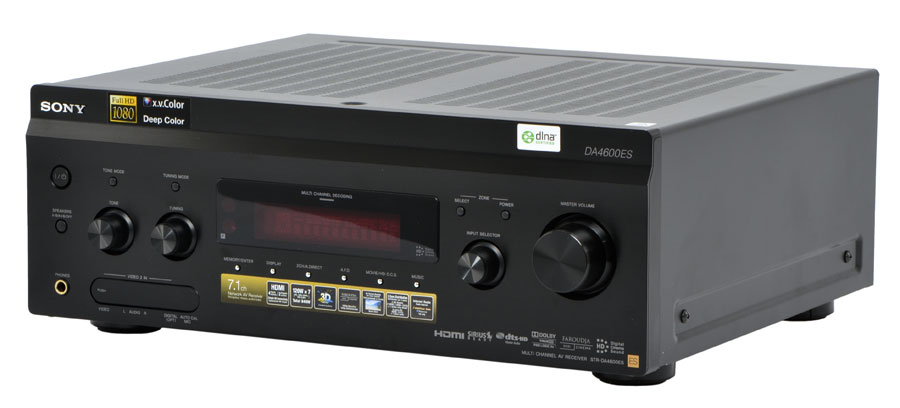
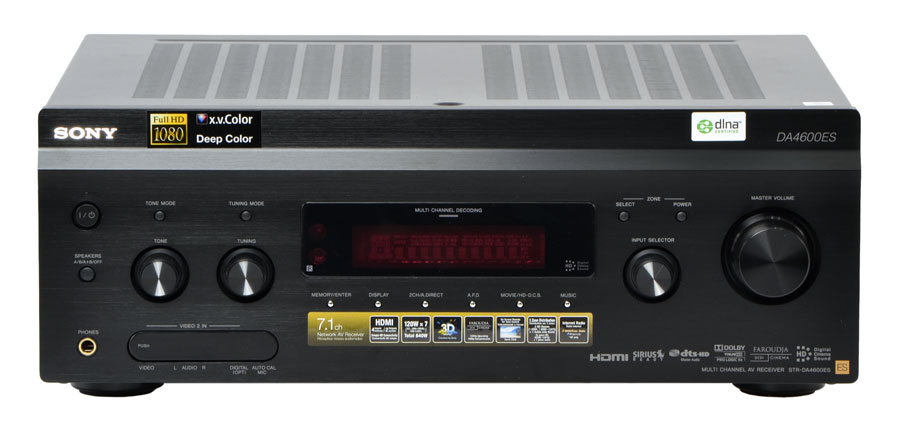 The receiver weighs just over 28 lbs with most of the weight leaning toward the power supply. Measurements are roughly 17” x 6.2” x 15.25”. The 4600 is entirely black and has a small window in the very center of the front face flanked by two control knobs on each side. The multiple knobs, window location and finish of the front face give this receiver a sort of dated look that isn’t quite “retro” and not entirely high-end looking either. There’s nothing blatantly unattractive about it, but the design doesn’t really fit the ES legacy of looking brawny yet refined.
Features
The 4600ES receiver is generically rated at 120 watts per channel x 7 channels. Closer inspection of the specs on Sony’s product page for the receiver reveal that the ratings vary from 130 wpc in stereo to 120 wpc in stereo, depending on the testing method. Conspicuously absent are the muti-channel power ratings, a curiosity made more intriguing considering some of our experiences with the receiver’s sound quality in surround mode…more on that later.
The surround output is fixed at 7.1. A user can choose to have surround back channels or front height channels, bi-amped front speakers or zone 2 speakers but not more than one at a time. The Sony does offer a “Speaker B” output for a remote set of speakers and can send zone 2 audio out via cat-5 if you like.
Video features on this receiver are considerably more advanced than its audio capabilities. The receiver has 6 HDMI 1.4 inputs and 2 outputs. The HDMI ports support pass-through in standby mode and audio return channel. The second HDMI output can be used for zone two and does take advantage of a second, dedicated Faroudja upscaling chip so that it provides up-converted video to the second zone. That’s pretty slick.
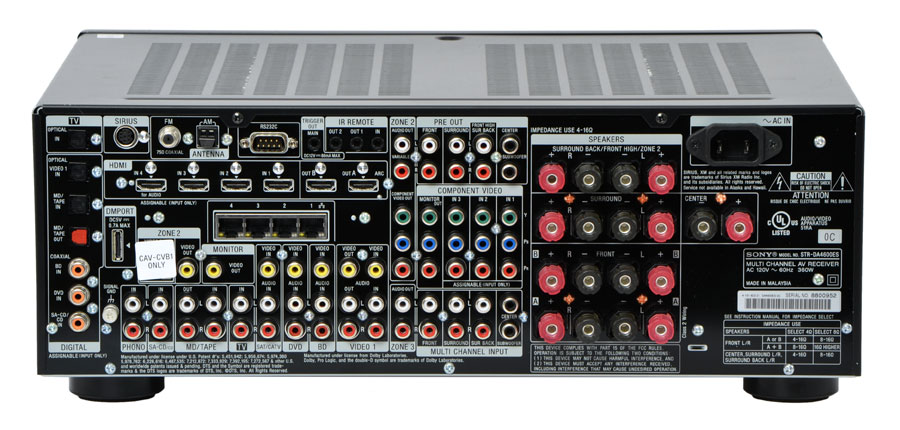 The 4600ES offers some pretty good network media access. We have to give Sony props for putting a four port Ethernet switch on their three ES receiver models. Why hasn’t everyone done this? The feature allows the receiver to share its internet connection with up to 3 other devices. That could feed an Xbox, PS3 and Blu-Ray player all at once and eliminate another black box from an entertainment center.
The network menu provides access to Rhapsody, Shoutcast and audio/video files shared on a network. It does not, however, have an internet radio client. Generally speaking, the network music access is no better or worse than any other manufacturers. That is to say, it is marginally usable at best. Scrolling slowly through a massive music collection sucks the fun out of the experience and, therefore, doesn’t get a whole lot of attention during our reviews.
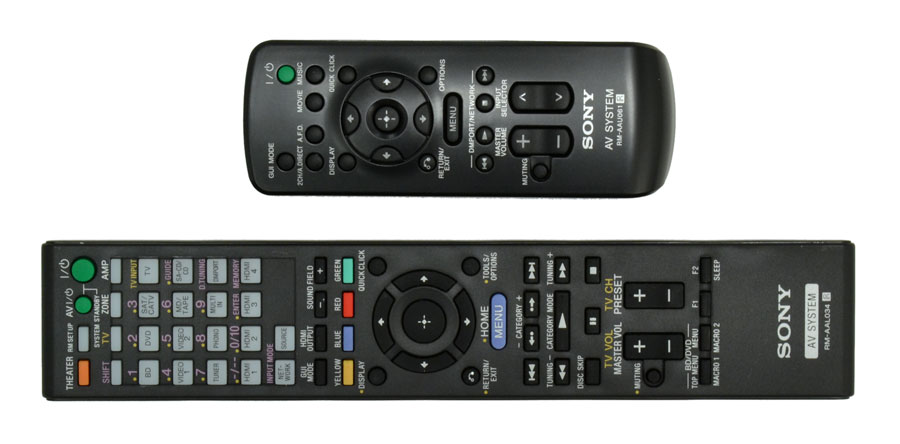
Here’s an oddity we noticed during setup: The remote control has input buttons for BD, DVD etc, it also has input buttons for HDMI 1, HDMI 2 etc. What’s odd is that HDMI port number 1 cannot be assigned to the BD input. In other words, if you only connect a Blu-Ray player via HDMI, you’ll have to punch HDMI 1 to see your Blu-Ray player, not BD. It’s counter-intuitive and had us searching the manual for a solution only to find there is none. Weird.
Setup
To evaluate the 4600ES, we connected an LG BD-370 Blu-Ray player, an Xbox 360, Pioneer turntable with Ortofon OM5E cartridge and an Ethernet cable for network and internet access. For speakers, we used systems from Aperion Audio and Boston Acoustics. Our display was a Toshiba 65” DLP.
There were parts of the set-up process that went extremely easily and others that were really frustrating. The 4600ES presents a user menu that is easy enough to understand and there is the added benefit of the menu “cheat sheet” that will show you where any given setting is. The problem is that movement through the menu is exceedingly sluggish. There’s a huge delay between the press of a button and the corresponding action on-screen and that got old pretty quickly. There is an app that allows the iPhone or iPod Touch to act as a remote control for the receiver. While we appreciated the layout of the app, response time was still slow, so some of the coolness factor of the app was lost on us.
 We found a few more oddities as we continued set-up. The 4600ES is pretty limited when it comes to setting speaker sizes and crossover points. There’s a one-size-fits-all approach to the surround speakers. One size setting and one crossover point for both surround and surround back channels. Most receivers in this price class offer very detailed settings, but the 4600ES is pretty limited by comparison. The menu does have a setting that allows the user to double bass output from large speakers to the sub, but it was hard to find and its name “dual mono out” doesn’t make much sense.
Auto-Calibration settings
We were surprised with Sony’s calibration system in that it was super fast and sounded unlike any other testing pattern we’ve heard before. The whole process for our main seating position was over inside of 30 seconds and included more subwoofer testing than we’ve heard in other routines. The results? Well, they weren’t bad. Both distance and level settings were more or less on point. The EQ settings, which are where most auto-cal systems fail miserably, weren’t too heavy. Sony provides three different EQ options and they all sounded ok. If that sounds like an intentionally underwhelming assessment- it isn’t. The Sony’s “OK” rating here is a good thing. Still, the speakers sounded best with no EQ at all.
Listening Tests
Once set up we commenced our listening tests. As is our typical M.O., we started with stereo music recordings and used just the front left and right speakers, occasionally allowing the subwoofer to kick in and fatten things up a bit.
In stereo mode, the 4600ES performed very well. Our general impression of its sonic presentation was that it sounded pretty natural. We noted a specific appreciation for the high frequencies as they weren’t overblown and aggressive. Bass was well supported and taught. Even at high volumes the Sony exerted some tight control over the bass which is more evidence of solid power. The midrange sounded just slightly recessed in the mix. We felt like there was something missing from the upper mid-range band that left us wanting a more “live” or “in room” presence to some vocal reproductions. Otherwise, the sound was clean…perhaps a little too “clean” for our tastes. It has a way of doing its job well without drawing a lot of attention to itself. It’s isn’t flashy, but it gets a lot of things right.
In surround mode, the audio performance of the 4600ES began to slip a little. It’s as if the 4600ES comes to the party with a big sub sandwich that when split among two people is enough for a meal–but split it up with 5 more adults and suddenly that meal becomes a snack. That’s the feeling we got when we switched into 5.1 surround modes and the effect was even more stark in 7.1 mode. Each time we added speakers into the mix, the depth and richness to its sound diminished a little bit. It felt like the surround speakers, which we listed as “large” during setup, weren’t getting the support they needed to sound their best.
The surround sound-stage that we got was certainly very good, but not on par with other receivers in this price point. We wouldn’t go so far as to say that it sounded fragmented, but it lacked a certain realism that we’ve gotten accustomed to with receivers in this class.
Conclusion
While the Sony STR-DA4600ES does offer some unique features such as its 4-port Ethernet switch and dual zone, upscaled HDMI video outputs, its limitations in other areas are cause for concern. A slow user interface, limited speaker set-up parameters and sometimes confusing remote might not be a big deal to some, but the unit’s lack of power in surround modes could be a problem for those with power hungry speaker systems. Now that ES receivers are no longer available online, these receivers can only be purchased at authorized retail outlets.
Highs:
- Above average sound
- 4-Port ethernet switch
- DLNA support
- Upscaled HDMI Video for Zone 2
Lows:
- Slow user interface navigation
- Some limited flexibility
- Lower power in surround modes
- No USB, S-Video


