Updated on 7-27-2014 by Simon Hill: Added problem with SIM card, glitch with Nexus 7 not recognized by computer, camera issues, and updated won’t recharge or rapid battery drain with new solutions.
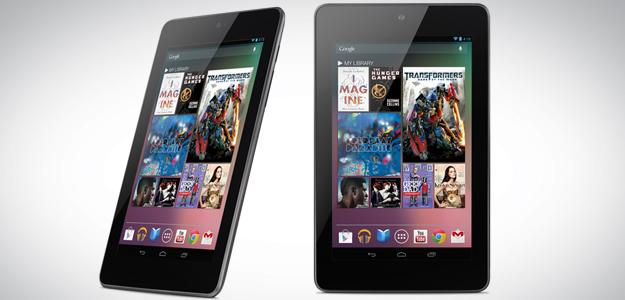
The undisputed king of the hill when it comes to small Android tablets is Google’s Nexus 7, manufactured by Asus. It has been selling well since its July 2012 release and Google updated the line with a new version – the Nexus 7 (2013) in July 2013. It has a much higher resolution display, a faster processor, more RAM, and a camera, but Google has already acknowledged problems with multi-touch and GPS, which we deal with below.
While the diminutive tablet has been well received by critics and consumers alike, no product is perfect. That’s why we’ve dug up a list of Nexus 7 problems and tried to find potential solutions and workarounds for anyone suffering. On this page we’ll deal with the latest 2013 version, so if you have the older 2012 model then skip to page two.
Related: Helpful Nexus 7 tips and tricks, our favorite Nexus 7 cases, Nexus 7 (2013) review.
Click on an issue to jump to it:
- Problem: SIM card not recognized or no signal
- Glitch: Nexus 7 not recognized by computer
- Problem: Camera not working
- Problem: Nexus 7 won’t go past Google logo screen
- Problem: Speaker buzzing or static
- Problem: Random reboots
- Glitch: Multi-touch and typing erratic
- Problem: GPS not working or dropping
- Problem: Screen flickering
- Problem: Won’t recharge or rapid battery drain
————
Nexus 7 (2013) Issues and Bugs
Problem: SIM card not recognized or no signal
A few people with the LTE version of the Nexus 7 (2013) have run into problems where the SIM card seems to stop working. This is usually accompanied by a “No SIM card” message. Sometimes they get the message “SIM card added” and a prompt to restart. For some people the network just seems to go missing and there’s no service, but they don’t get any message about the SIM card. Bear in mind that SIM cards from U.S. carriers will not necessarily work in European Nexus 7 tablets and vice versa because they may use different channels.
Potential solutions:
- Try rebooting the Nexus 7 by holding down the Power button, ignore the prompts and wait for it to restart.
- Try pulling down the notification shade and going into Airplane mode and then turn it off again.
- Try turning the Nexus 7 off and removing the SIM card, make sure the card and tray are clean and then reinsert it before turning the tablet back on.
- Check what your Access Point Name settings should be with your mobile service provider and then go to Settings > Wireless & networks > More > Mobile networks > Access Point Names and make sure they’re correct.
- If you’re able to use another SIM card then test it in your Nexus 7 just to verify that it’s not a faulty SIM card.
Glitch: Nexus 7 not recognized by computer
If you find that you plug your Nexus 7 into your computer or laptop using the USB cable and the computer fails to recognize it then you’re not the only one. Luckily it should be an easy fix in the settings. If not you may need a new driver, here’s what you should try:
Potential solutions:
- Go to Settings > Storage and tap the three vertical dots at the top right of the screen and then USB computer connection. Make sure that Media device (MTP) is ticked and try plugging it in to your computer again.
- It’s also worth plugging it into a different USB port and trying a different cable, just in case that’s your problem.
- If that didn’t work and your computer is running Windows 7, you can try connecting the Nexus 7 via USB then right click on Computer from the Start menu and click on Device Manager. You should see the Asus Android Devices listed at the top and you can expand and right click on Android Composite ADB Interface and then choose Update Driver Software… At the next pop up choose Browse my computer for driver software then let me pick from a list and choose USB Composite Device and click Next to update.
Problem: Camera not working
There have been a few problems reported with the Nexus 7 camera. Some people have found that there’s no option to switch to the rear camera in the camera app. Others have tried to start the app only to see the message “Camera error. Can’t connect to the camera.”
Potential solutions:
- Try holding down the Power button until the tablet reboots.
- Go to Settings > Apps, swipe over to the All tab and find the Camera. Tap Clear cache and then try loading it up again.
- Make sure you have the latest update via Settings > About tablet > System updates.
Problem: Nexus 7 won’t go past Google logo screen
A lot of people have reported an issue when they turn the Nexus 7 on. They hold down the Power button until it starts up, and it gets as far as the Google logo screen or maybe the colored X, but won’t go any further; it just freezes on that screen.
Potential fixes:
- First, try holding down the power button for 30 seconds, ignore the pop-up options and wait until the device reboots.
- If that doesn’t work, try a factory reset (but note that you will lose all data on the device).
Here are the steps to do it without the screen:
- If your tablet is on, power it off.
- Press and hold the Power button until the device powers on, then immediately press and hold Volume Down (while still pressing Power). You will see the word Start with an arrow drawn around it.
- Press Volume Down twice to designate Recovery mode.
- Press Power to restart into Recovery mode. You will see an image of an Android robot with a red exclamation mark.
- While holding down Power, press Volume Up.
- Use the volume keys to scroll to “wipe data/factory reset” and press Power to select it.
- Scroll down to “Yes – erase all user data” and press Power to select it.
Problem: Speaker buzzing or static
A number of Nexus 7 owners have been complaining about a buzzing or static sound that is especially apparent at low volumes. For some people the noise is still there even if they mute the speaker.
Workarounds:
- Use headphones instead and you shouldn’t have any problem. You can also plug headphones in just to stop any sound coming through the speakers when muted.
- Use a portable Bluetooth speaker instead.
Potential fixes:
- For some people this seems to be related to the brightness settings on the tablet. It’s worth dragging down the notification shade and tapping Brightness to decrease it and see if it makes any difference.
- Google did release a fix for this problem, so make sure that you have the latest update in Settings > About tablet > System updates.
Problem: Random reboots
A lot of people have encountered issues with the new Nexus 7 (2013) randomly restarting. This was a common problem on the old Nexus 7 as well. With the new model, many people report that the reboots are occurring when using Chrome, but the issue doesn’t seem to be limited to that.
Potential solutions:
- An update could solve this. You should automatically get updates (this is a Nexus device, after all), but you can also go to Settings > About tablet and check your Android version. You can tap System updates and then Check now to see if a new update is available.
- Make sure that all of your apps are up to date. The easiest way is to load up the Play Store and tap the Menu button, then choose My apps. You’ll see an Update all option at the top right. The problem could be an app that hasn’t been optimized for Android 4.3, so if you notice the problem relates to a specific app, send a message to the developer and try to use an alternative until they bring out an update. You can check if an app is the culprit by booting into safe mode. Press and hold the power button then touch and hold the Power off option that pops up on screen and then touch OK in the next box that pops up to boot into safe mode. If the problem is gone then an app is likely to be the cause. Restart the device to get out of safe mode and hunt for the app responsible.
- Try a soft reset next by holding down the power button for 30 seconds, ignore the pop-up options and wait until the device reboots.
- If you’re still having random restart problems then it’s time to try a factory reset. Make sure you back up all your content (your Google account will back up a lot of data so you can restore it afterwards). Tap the Menu button and choose Settings > Backup & reset > Factory data reset > Reset tablet and then enter your pattern, PIN, or password if prompted. Finally tap Erase everything.
- If none of the above has worked,then you should take the device back to the retailer where you bought it, or contact Google about a replacement.
Glitch: Multi-touch and typing erratic
A few owners have had problems with their new Nexus 7 (2013) registering multiple touches on the screen and skipping around erratically. There have also been reports of single taps on the touchscreen keyboard being registered as double or triple taps. If you’re uncertain whether you have a genuine problem with your touchscreen then try installing an app like Yet Another MultiTouch Test and you can see visually whether it is registering touches correctly.
Potential solutions:
- If you have a screen protector then it could be impacting on the touch sensitivity. Or it’s possible you are used to a less sensitive touchscreen and you’re pressing too hard or for too long. Try adjusting the way you use it and see if the problem clears up.
- It could be a software issue caused by a specific app. Try booting into safe mode by holding down the power button and then touch and hold Power off and tap OK in the next pop-up. If it works better in safe mode then you should restart and try to remove apps until you find the one responsible.
- It could come down to faulty hardware. If you see erratic behavior when using the Yet Another MultiTouch Test app then you should return it to the retailer or Google and get a replacement. Google has acknowledged this issue and an investigation is apparently underway.
Problem: GPS not working or dropping
It seems that quite a few Nexus 7 (2013) owners are reporting problems with the GPS. For most people it seems to connect fine initially, but after a few minutes, or when switching apps, the GPS drops and won’t reconnect.
Workarounds:
- A lot of people are encountering this issue when they use more than one app that wants to connect to GPS. If you just use Google Maps, for example, it should work, but if you also use something like Ingress, Waze, or a weather app, then it might start dropping out. You could limit your Nexus 7 to one GPS app.
- If you simply reboot the device by holding down the power button until it restarts (ignore the pop-up) then you should find the GPS will work again.
Potential solutions:
- Wait for a software update. Google is working on a solution. This is likely to be fixed by an update so keep an eye out for updates the system via Settings > About tablet > System updates and make sure your apps are up to date in Play Store via Settings > My apps > Update all.
- You could try exchanging your device at the retailer or via Google on the off-chance that it’s a hardware fault, but this doesn’t seem likely.
Problem: Screen flickering
A few people have noticed that the screen of their Nexus 7 (2013) is prone to flickering. This is particularly noticeable on lower brightness settings.
Workaround:
- Turn auto-brightness off and make sure that the screen brightness is set to brighter than 40 percent by pulling down the notification shade from the top right and selecting Brightness then sliding it up.
Potential solution:
- This could be a hardware bug. You may even find that the screen turns off completely if you put the brightness down too low. In that case you have to go to Google or your retailer and request a replacement device. Some people who encountered this issue exchanged the device and report that it isn’t present on the new one.
Problem: Won’t recharge or rapid battery drain
Some owners have reported that their Nexus 7 (2013) will not charge up at all when plugged in. Others have found that the battery is discharging much faster than expected.
Workaround:
- If you find the battery is draining much faster than expected then it may be due to a specific app that isn’t optimized for the latest version of Android, for example, a lot of people report problems with Netflix after the 4.3 update. If you want to confirm that a third-party app is the problem then try using the Nexus 7 in safe mode. Press and hold the Power button and when the menu pops up tap and hold on the Power off option and tap OK to reboot into safe mode. If the problem is gone then you know an app is causing it. You can try uninstalling apps one by one, or you can factory reset and selectively reinstall.
Potential solution:
- If your Nexus 7 (2013) refuses to charge when you plug it into a power socket, using the cable and charger that shipped with the tablet, then you should go to your retailer or Google and request a replacement. You could test it with a different charger first, just to make sure the charger is not faulty.
That’s all of our Nexus 7 (2013) problems and fixes for now, but please post a comment if you have a solution that isn’t mentioned or if you’ve encountered a different issue that isn’t listed. You can move on to page two for some Nexus 7 (2012) problems and potential solutions.
Updated on 6-17-2014 by Simon Hill: Tidied up and added stuck on Google logo, new solution for weak Wi-Fi, and speaker buzzing problem.
Updated on 8/01/2013 by Simon Hill: Added page one to deal with the new Nexus 7 (2013) model and split old Nexus 7 problems onto page two.
Updated on 8/14/2013 by Simon Hill: Tweaked intro and added the news that Google is investigating GPS and multi-touch issues.
Next Page: Nexus 7 (2012) Problems
Page 2: Nexus 7 (2012) Issues and Bugs
Click on an issue to jump to it:
- Problem: Nexus 7 will not turn on or charge
- Problem: Lag, reboots, or brightness issues after installing Android 4.2 Jelly Bean
- Problem: Screen separation
- Problem: Microphone doesn’t work
- Problem: Headphone jack doesn’t work
- Problem: Wi-Fi won’t connect or repeatedly drops out
- Problem: Touchscreen is not responsive
- Problem: Crackling speaker or loss of sound
————
Problem: Nexus 7 will not turn on or charge
Have you ever found that your Nexus 7 won’t turn on at all and it won’t charge when you plug it in? Don’t worry. You are not alone. There are a couple of things you can try to bring it back to life. This problem seems to occur frequently if you allow your Nexus 7 battery to run completely down or leave it idle for long periods.
Possible solutions:
- Hold down the Power button for a full 30 seconds. The Nexus 7 should start up.
- If that didn’t work then try this: Plug in the charger and press the Power button and the Volume Down button together. You should see a menu pop up. Use the Volume rocker to go down to Power Off and press the Power button to select it. When the Nexus 7 turns off, remove the charger from the device and then plug it back in again. You should see the battery sign appear if it worked.
Problem: Lag, reboots, or brightness issues after installing Android 4.2 Jelly Bean
A lot of Nexus 7 owners reported serious problems after updating the tablet to Android 4.2. Some people encountered general lag or sluggish performance, others complained of brightness issues for the display, and worst of all, some people encountered random reboots. There was also a bug introduced in the People app that removed the month of December, but Google rolled out an update to fix that bug quickly.
Possible solutions:
- First of all try going to the Google Currents app (if you have it), open up the Settings menu, and unchecking Enable Background Sync and then reboot your Nexus 7.
- If that doesn’t work then try a factory reset, but keep in mind that you will lose all data on the device, including all your apps (a lot of data will be backed up in your Google account so you can restore it afterward). Go to Settings > Backup & reset > Factory data reset > Reset tablet and then enter your pattern, PIN, or password if prompted. Then tap “Erase everything.”
Problem: Screen separation
Some Nexus 7 tablets shipped with a screen defect which means that the screen lifts slightly away from the plastic bezel, which can create some creaking noises. It’s generally caused by screws that haven’t been properly tightened, or in some cases, screws that are completely missing. It’s relatively easy to fix and you’ll find guides online, but you shouldn’t have to fix yourself and you could void your warranty so we don’t recommend that course of action.
Solution: If you bought your Nexus 7 from Google Play then call Google customer support. If you bought it elsewhere, then you need to contact Asus directly. In both cases you should get a replacement free of charge because this is a known issue.
Problem: Microphone doesn’t work
You may find that the Nexus 7 microphone is failing to pick up any sound. This could be because of a fault; it could be because of the placement or the cover; or it could be because something got in there and blocked it.
Possible solutions:
- Use compressed air or, if you’re in the mood, suck on the microphone hole. If there’s a dust blockage then this should fix it.
- Some people have reported that it isn’t aligned properly with the hole or that the rubber edging is covering it. You could open the back cover and take a look, but you may void your warranty by poking around so be very cautious.
- The hole for the microphone could be completely missing or you might have a faulty microphone. In either case, you’ll want to return it and get a replacement unit by calling Google customer support if you purchased it from Google Play or contacting Asus directly if you got it somewhere else.
Problem: Headphone jack doesn’t work
There have been quite a few reports of people getting no sound at all when they plug in their headphones, or getting crackly intermittent sound. Before you panic, make sure to try your headphones in another device so you know they aren’t the problem. You should also check that the volume is turned up on the Nexus 7 and not very low or even muted. If that doesn’t help, there are a couple of other potential solutions.
Possible solutions:
- The port is very tight. Push harder and wait until you hear the headphones click into place. You may have to apply more pressure than expected, but this will often solve the problem.
- If it’s a hardware failure then you’ll need to contact Google or Asus for a replacement.
Problem: Wi-Fi won’t connect or repeatedly drops out
You may find that your Nexus 7 refuses to connect to your Wi-Fi network or drops it frequently. There are various potential causes for this and not all of them are Nexus 7 related, but if the tablet is your problem then you can try a few things.
Possible solutions:
- Check the date and time settings on your Nexus 7 and make sure they are correct. Some people reported an issue with the date being wrong.
- Turn NFC off via Settings > More, and then uncheck the box next to NFC. This has worked for some people.
- Turn Wi-Fi off and on again or turn your router off and on again. This will often temporarily fix the problem.
- You may have to consult your ISP or router troubleshooting guide to identify the issue.
- Some people found that the weak Wi-Fi was being caused by the back cover being loose and the Wi-Fi antenna not having a good contact. Try pressing on the back cover to make sure that it is firmly in place and keep an eye on the strength of your Wi-Fi as you do so. If you want to attempt to fix it yourself, there’s a guide at XDA Developers forum for removing the back cover and tweaking the antenna. If you’re out of warranty, then it might be the best option.
Problem: Touchscreen is not responsive
If you are unlucky enough to find that your touchscreen doesn’t respond or that it sometimes works and sometimes doesn’t then you can try the standard troubleshooting steps.
Possible solutions:
- Soft reset the Nexus 7 by holding down the power button for 30 seconds.
- Factory reset without the touchscreen by pressing and holding the Power button and Volume Down then press Volume Down twice and hit the Power button to select Recovery Mode. Hold the Power button down and hit Volume Up and then use the volume rocker to select the “wipe data/factory” reset option and press the Power button to select it. Use the volume rocker again to select “Yes – erase all user data” and press the Power button to activate.
- If the reset doesn’t work then you should contact Google, Asus, or the retailer, depending on where you bought the device, and request a replacement.
Problem: Crackling speaker or loss of sound
The Nexus 7 speaker can sound distorted, especially at high volumes, and sometimes people report loss of sound completely. If you find that your sound is fine through headphones, but problems with the speaker persist, then it’s likely to be a hardware fault.
Solution: You’ll need to request a replacement from Google, Asus, or the retailer where you bought the Nexus 7.
That’s it for now, but if you have another Nexus 7 problem you’d like to share then post a comment. Even better, if you have a solution that isn’t listed here then please share it.
Editors' Recommendations
- The most common Skype problems and how to fix them
- Wi-Fi not working? How to fix the most common problems
- The most common Steam Deck problems and how to fix them
- These are the 5 worst Pixel Watch 2 problems. Here’s how to fix them
- Some of the most common iOS 14 problems and how to fix them easily